Ask Alyned AI anything
For agents · 2 min
Ask Alyned AI how to do something in Alyned, or ask about your own deals, contacts and tasks. It answers in plain words, from your own data.
Watch
Or read it step by step
-
Type your question
The Ask Alyned AI bar is at the top of every page. Type a question in your own words.
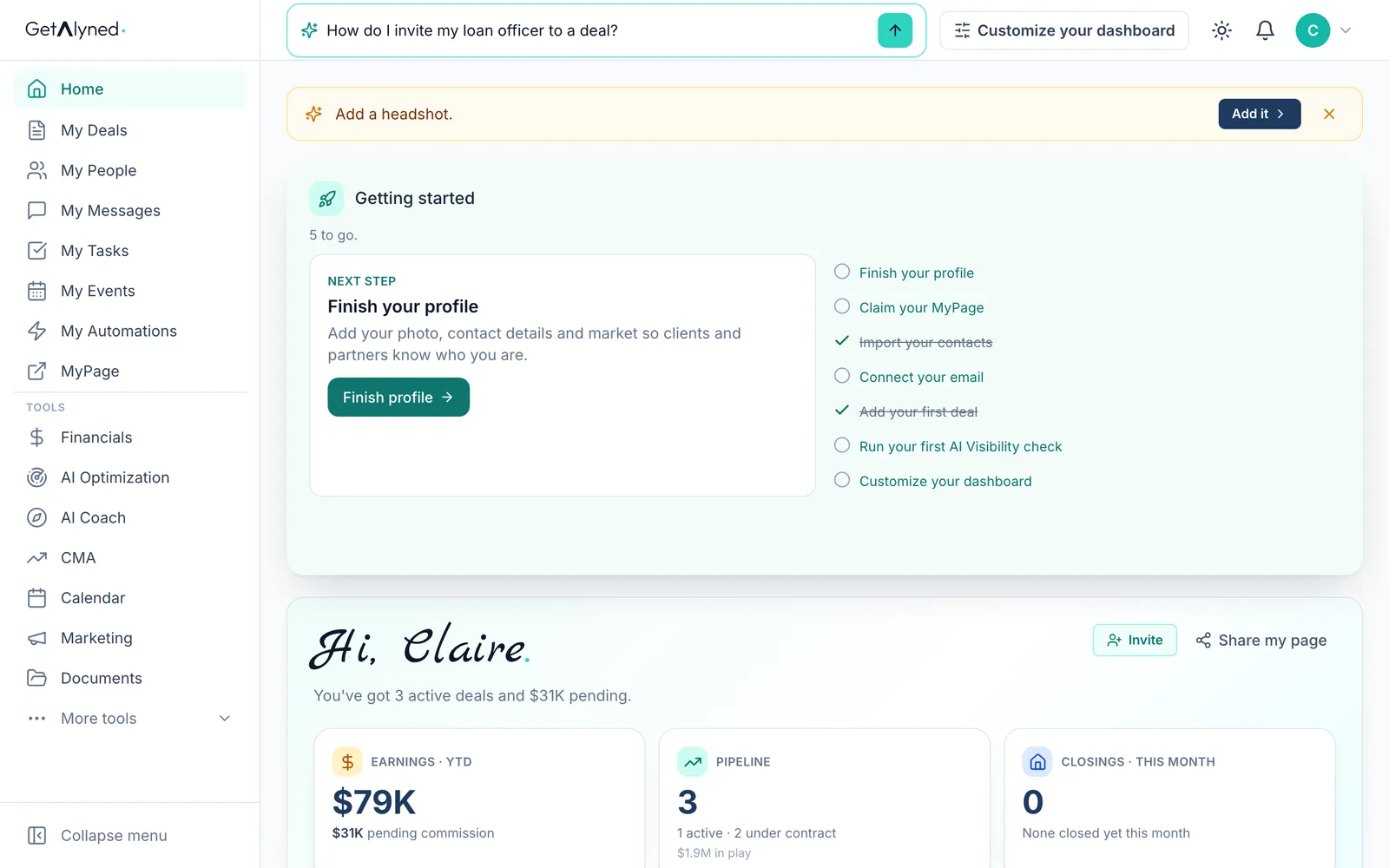
-
Send it
Press Enter or click the arrow. Alyned AI opens and answers.
-
Get the steps
A how-to question gets the steps, with the exact buttons to press.
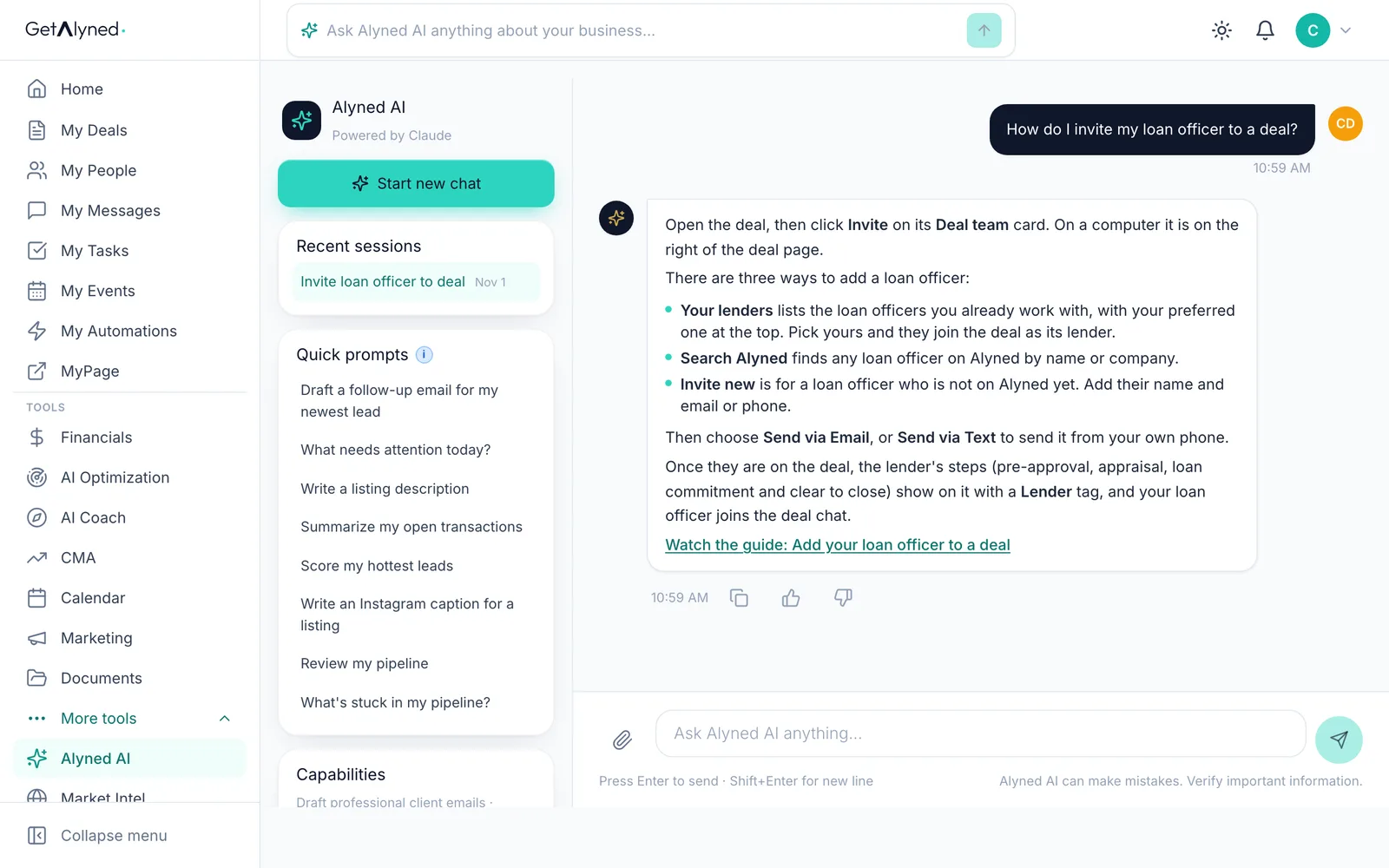
-
Watch the guide
When there's a guide for it, the answer links it, so you can watch the steps being done.
-
Ask about your business
Ask about your own business too. Alyned AI reads your deals, contacts, tasks and goal.
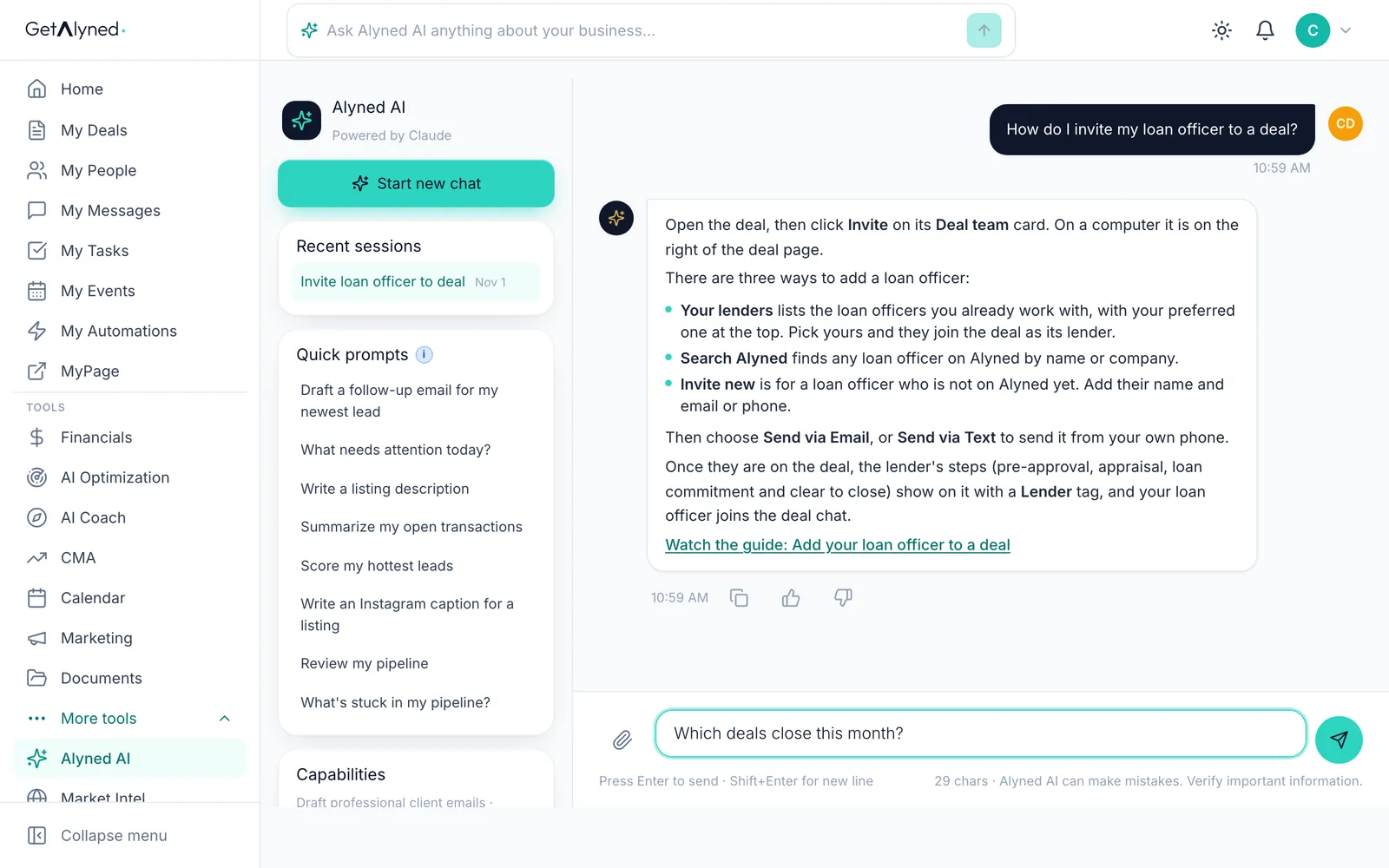
-
Send it
Click Send.
-
Answers from your data
It answers from your own data: the deals closing this month, with their status, day and price.
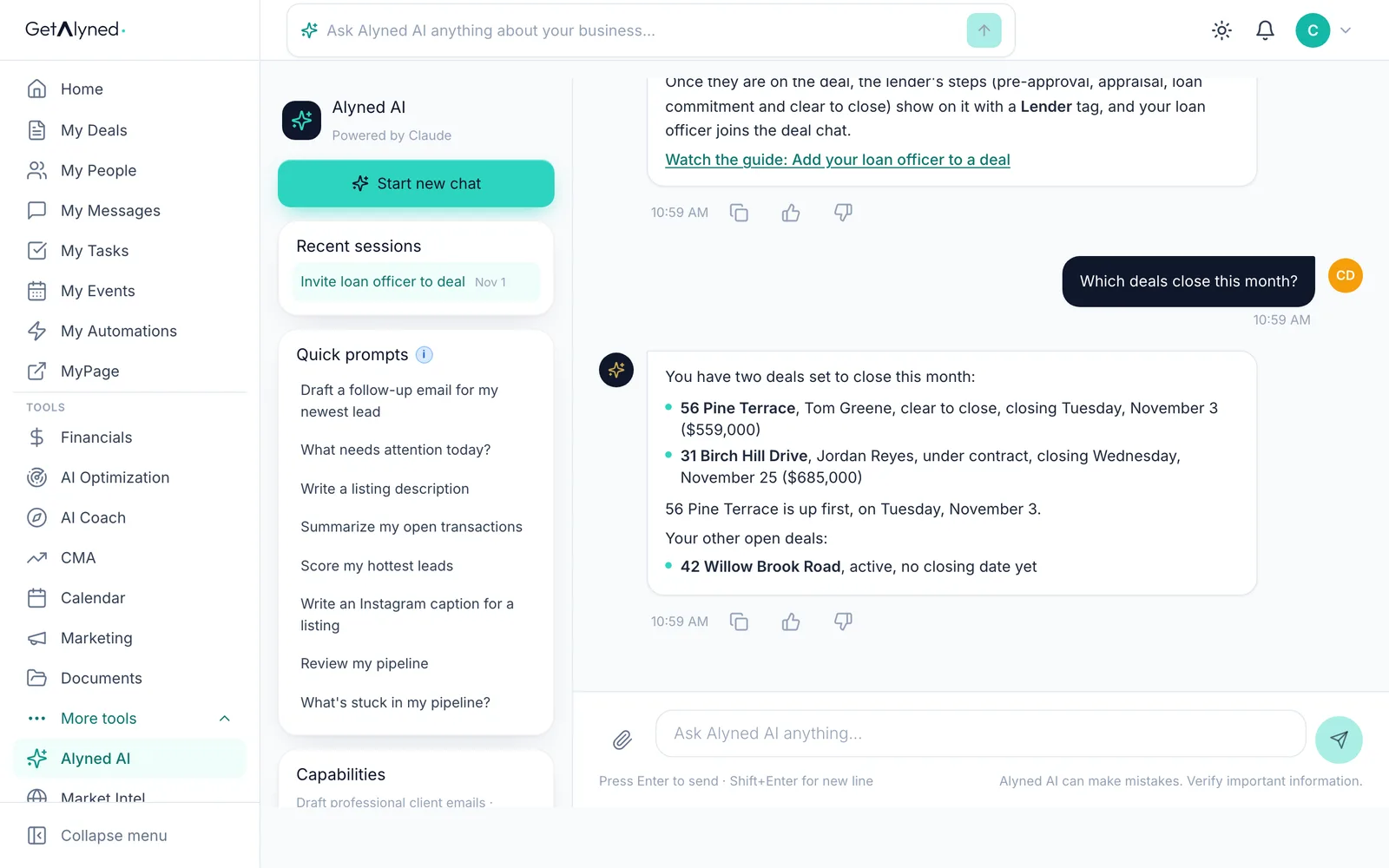
-
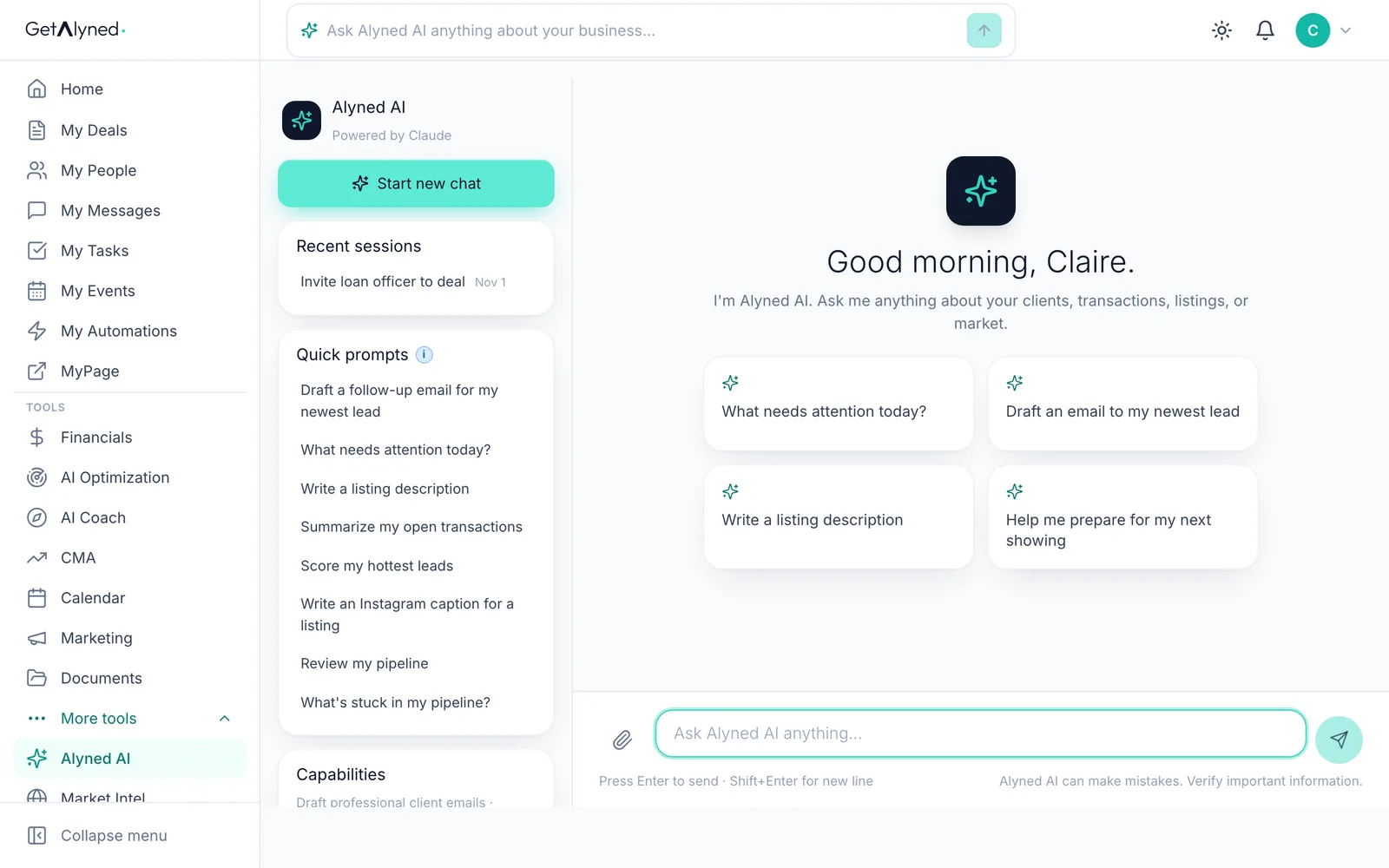
Your chats are saved
Every chat is saved under Recent sessions, so you can pick one up later.
-
Start a new chat
Start new chat clears the screen for a new question.
-
Try a quick prompt
Quick prompts ask the common questions for you, filled in with your own data.
-
On your phone
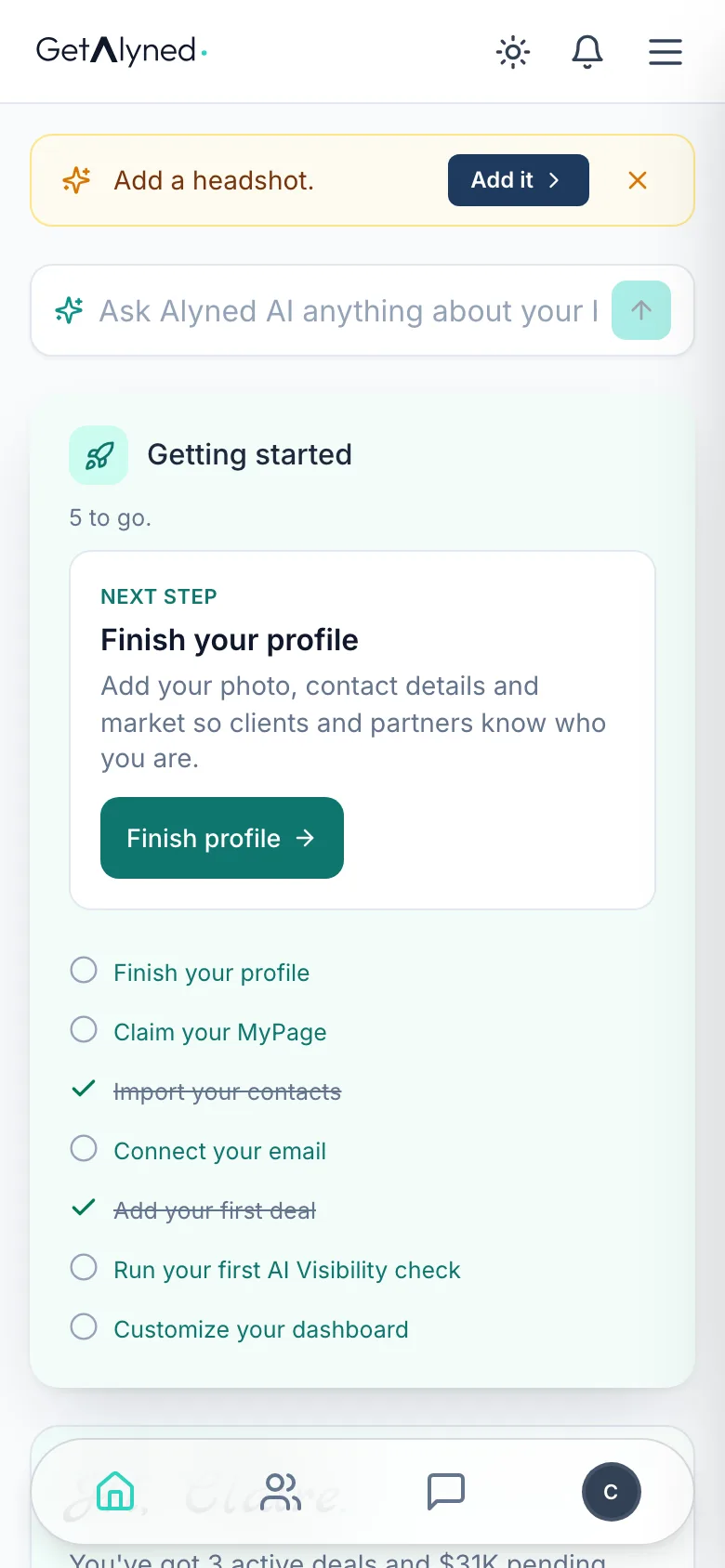
On a phone, the Ask Alyned AI bar is on your dashboard.
Related guides
- Add your loan officer to a deal · Bring your loan officer onto a deal so their financing steps show up on your timeline and your client's, and they join the deal chat.
- Use the free Content Optimizer · Paste something you wrote and get a version shaped for every place you post, in your own words, with no made-up facts.
- Run a CMA · Price a home with a comparative market analysis: check the facts, pick the right comparable sales, adjust them, and send your client a polished report.
- Your dashboard at a glance · Your dashboard is the first thing you see when you sign in. Here's what each card tells you, and where it takes you.