Connect with agents
For loan officers · 3 min
Find agents near you, send connection requests, and accept the ones who reach out, so they can add you to their deals.
Watch
Or read it step by step
-
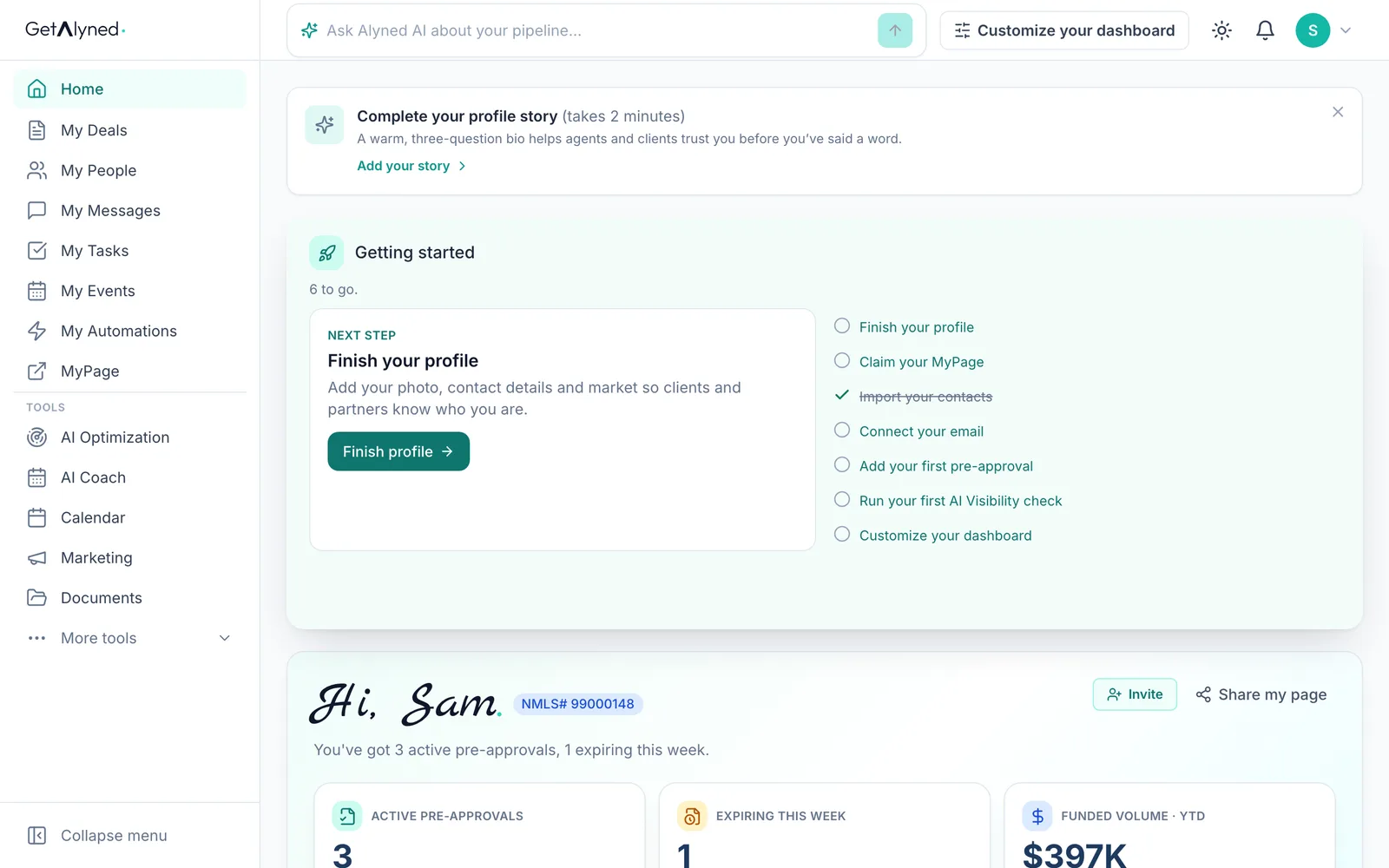
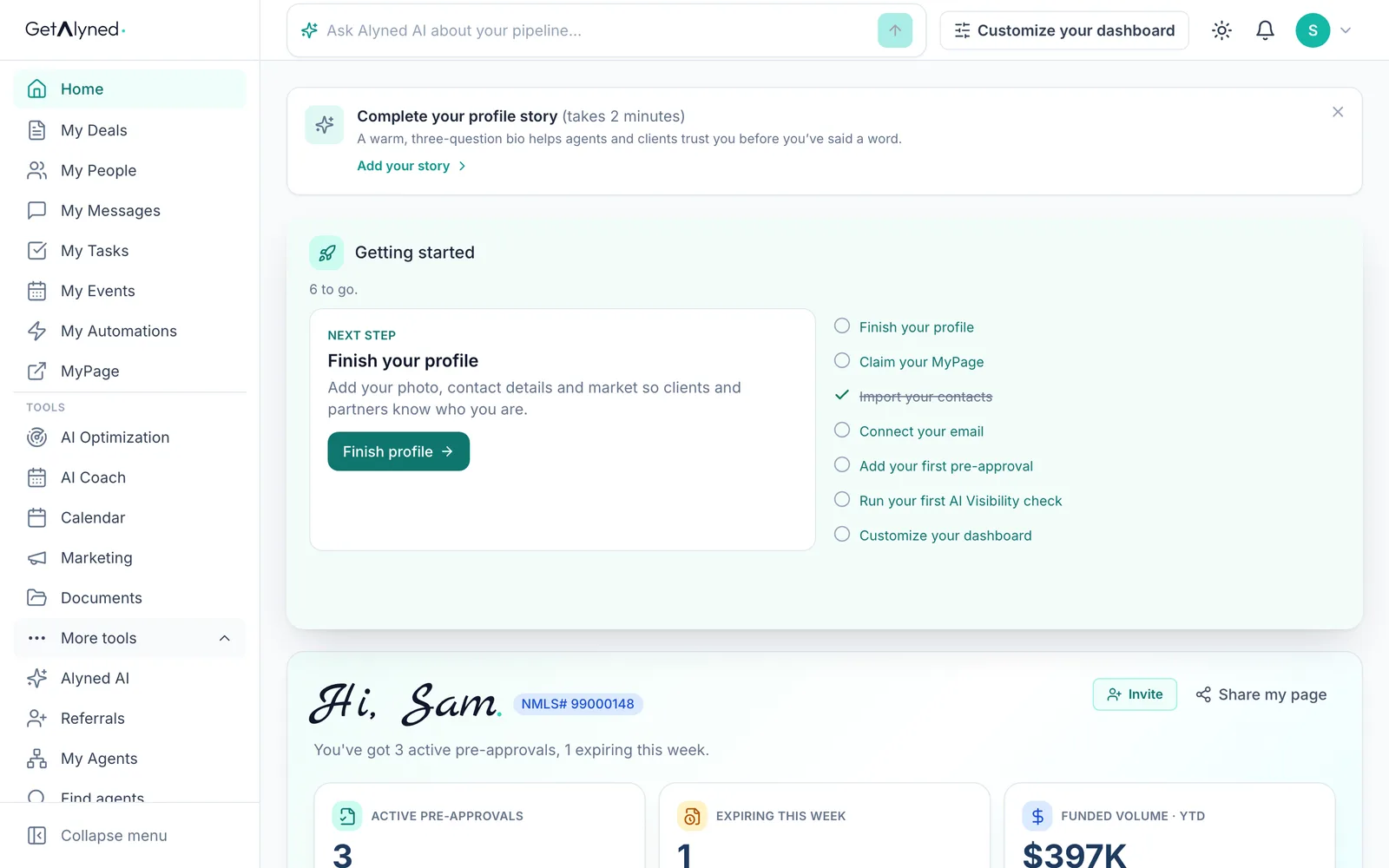
More tools
Find agents and My Agents are under More tools.
-
Find agents
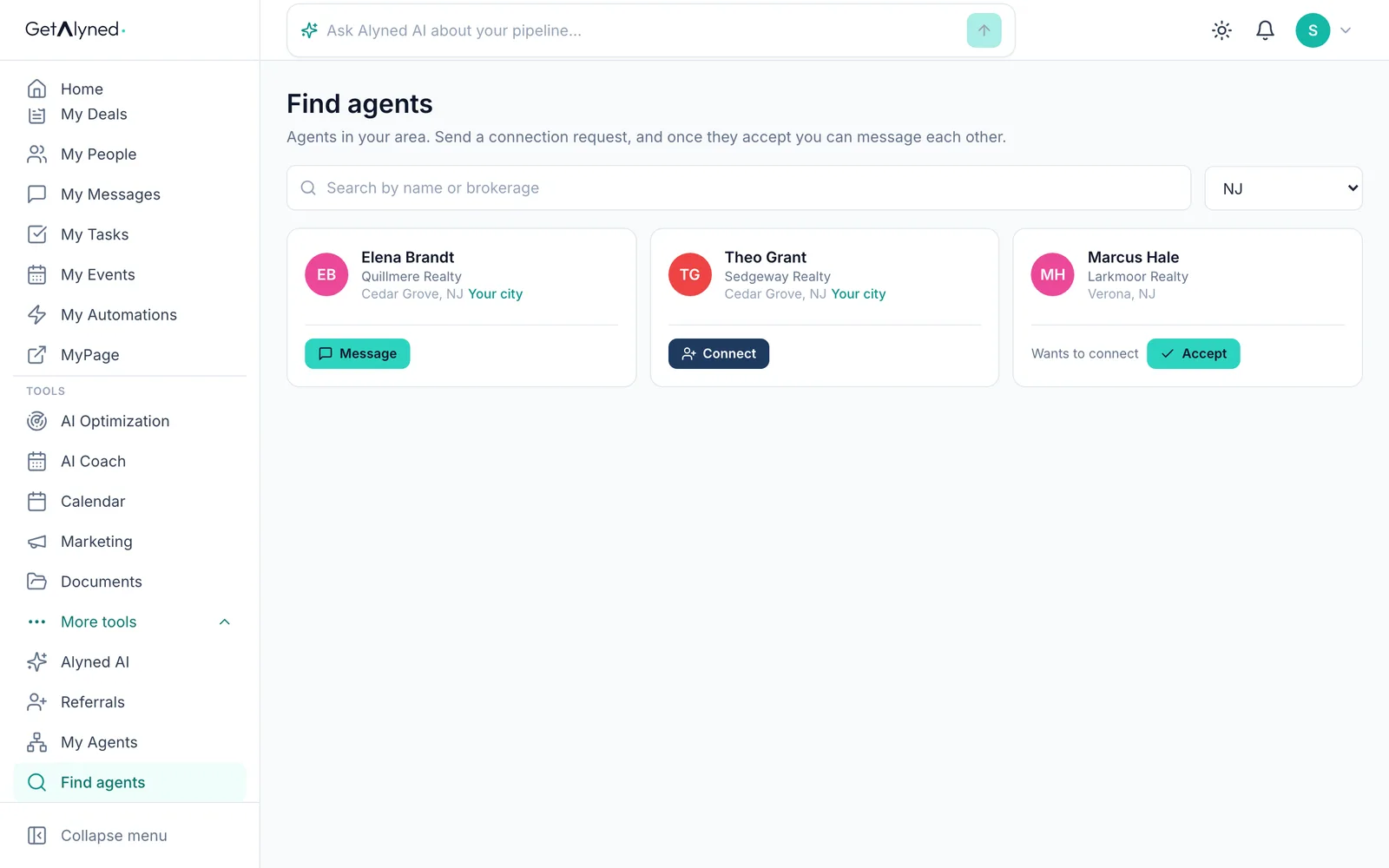
Find agents lists agents working near you.
-
Near you first
Your state is already picked. Agents in your own city come first.
-
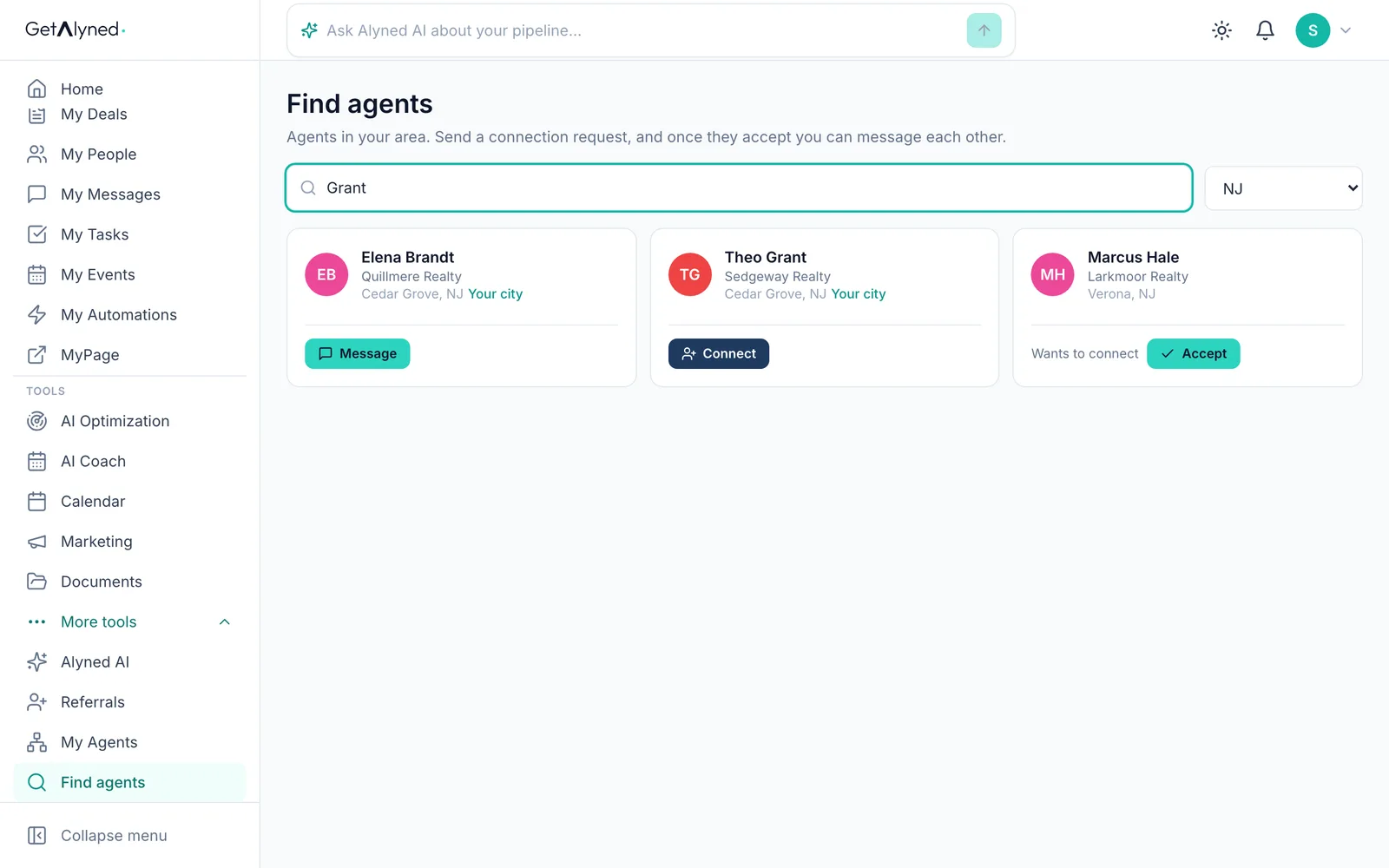
Search
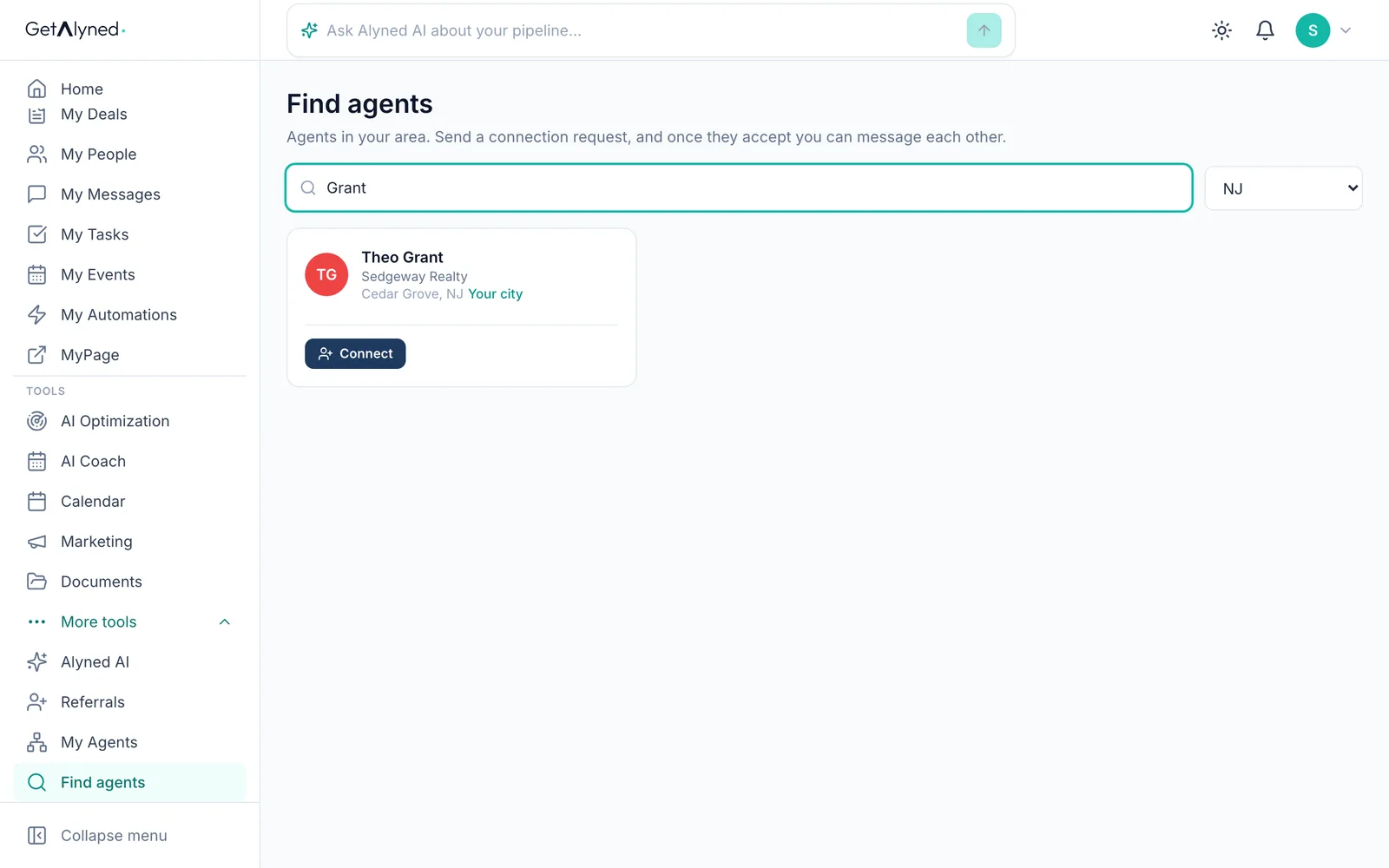
Search by name or brokerage.
-
Connect
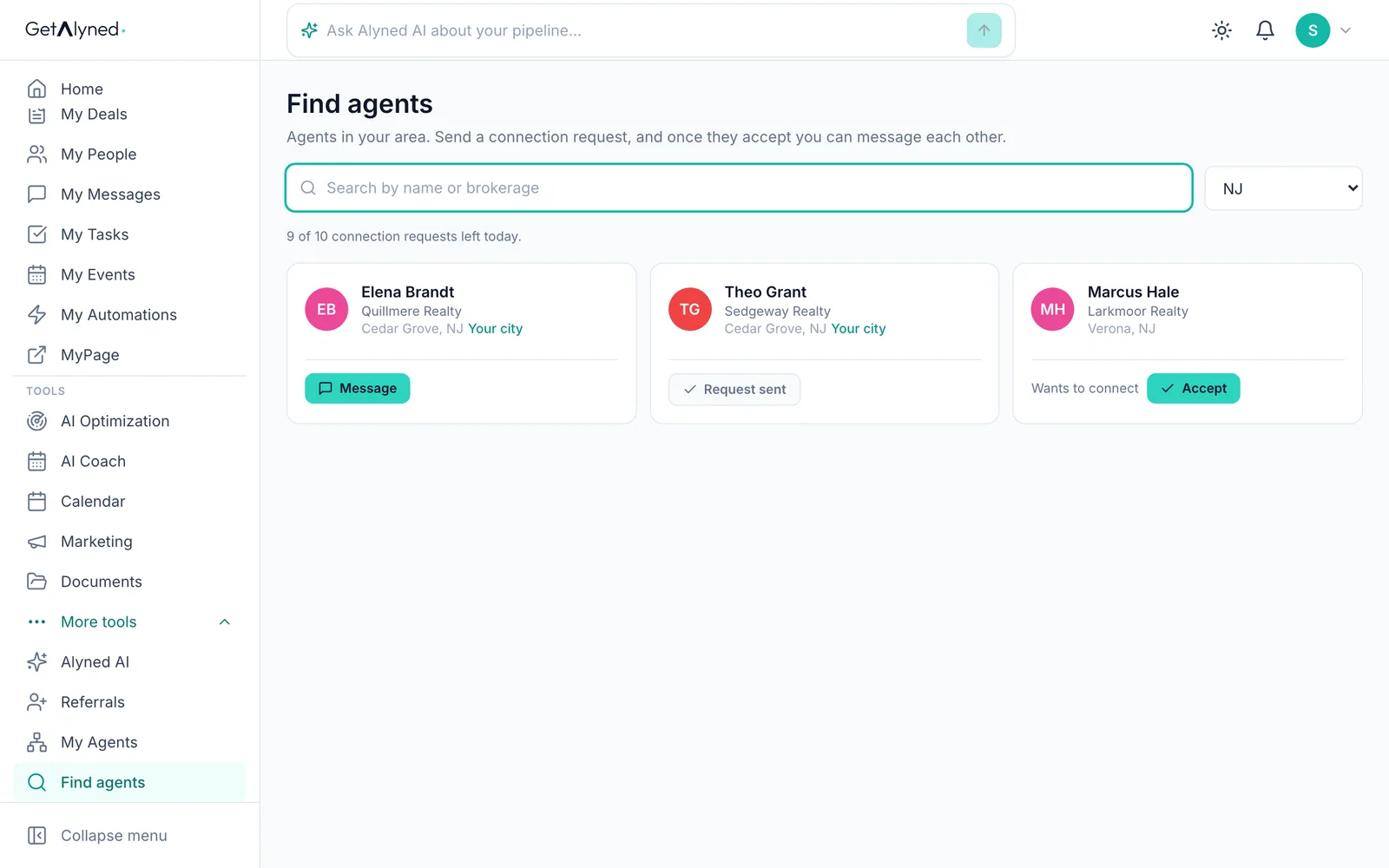
Agents you don't work with yet show Connect.
-
Send a request
Click Connect to send a request. You can message each other once they accept.
-
Already connected
Agents you're connected with show Message, which opens a private conversation.
-
They asked you
An agent who asked to connect with you shows Accept right here too.
-
My Agents
My Agents is your own list.
-
Connection requests
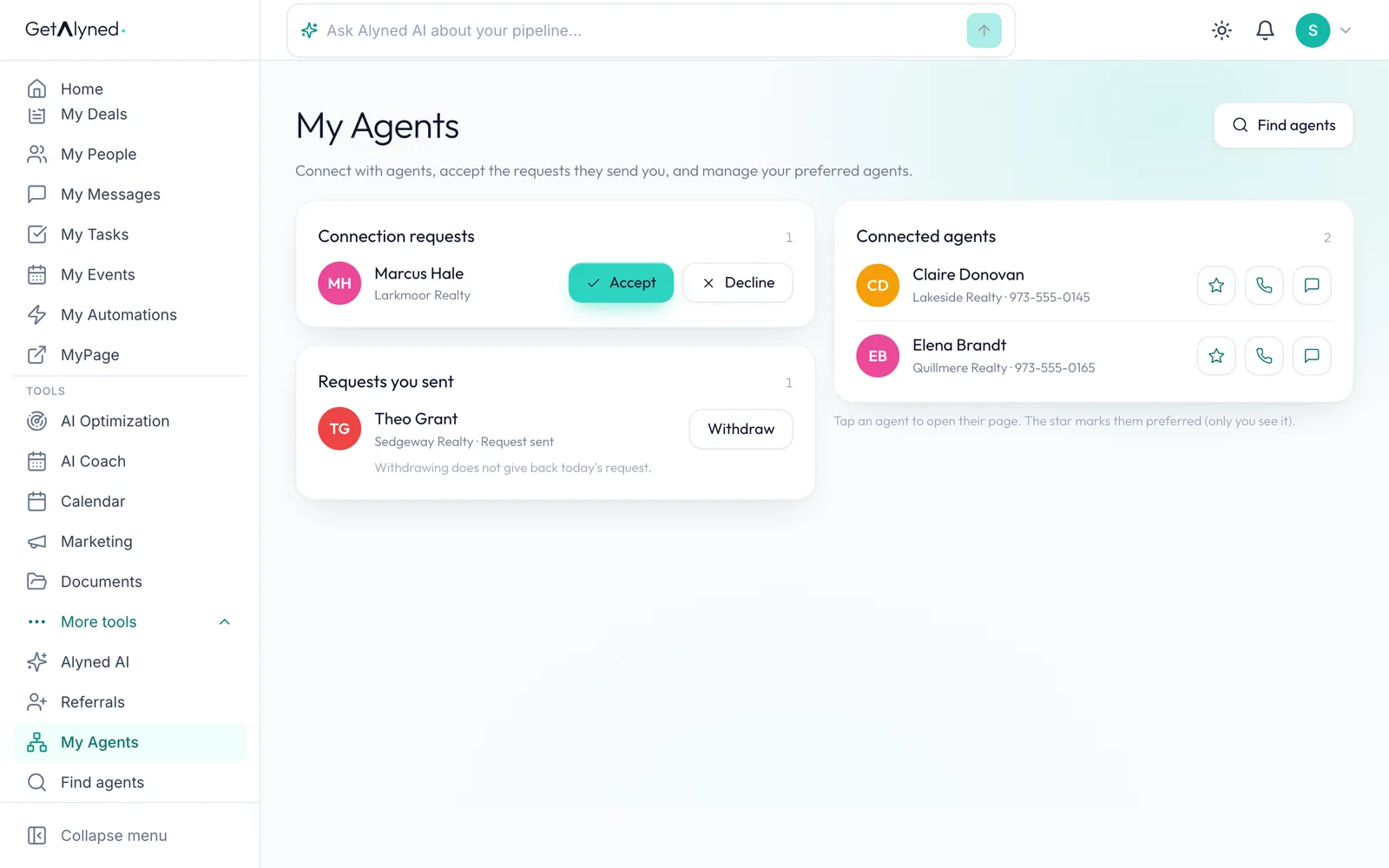
Connection requests is at the top. Anyone waiting on you is here.
-
Requests you sent
Requests you sent wait for an answer. Withdraw takes one back.
-
Who's asking
Each request shows who's asking and their brokerage. Click the name to read their MyPage first.
-
Accept
Click Accept. Decline clears it, and they aren't told.
-
Connected
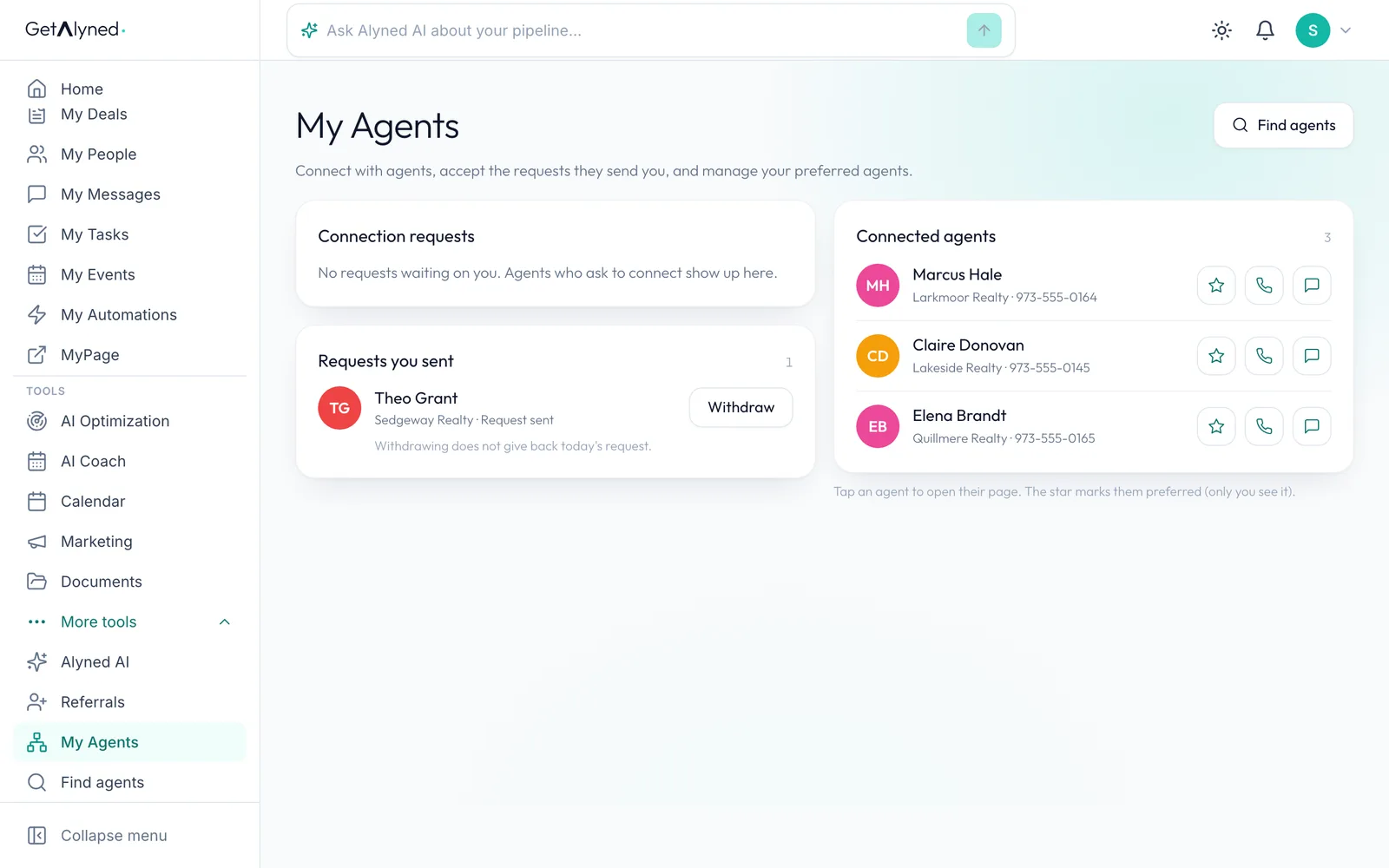
They move to Connected agents. Now you can message each other, and they can add you to deals.
-
Call or text
Call and Text open your own phone.
-
Preferred
The star marks an agent as preferred. Only you see it.
Related guides
- Your loan officer dashboard at a glance · Your dashboard is the first thing you see when you sign in. Here's what each card tells you, and the one thing to click on each.
- Log a pre-approval · Log each pre-approval letter so Alyned tracks it, warns you before it expires, and counts it when the loan funds.
- Work an agent's deal · When an agent adds you to a deal, mark your lender steps done, choose whether the client hears about it, and keep everyone in the deal chat.