Your loan officer dashboard at a glance
For loan officers · 3 min
Your dashboard is the first thing you see when you sign in. Here's what each card tells you, and the one thing to click on each.
Watch
Or read it step by step
-
Your dashboard
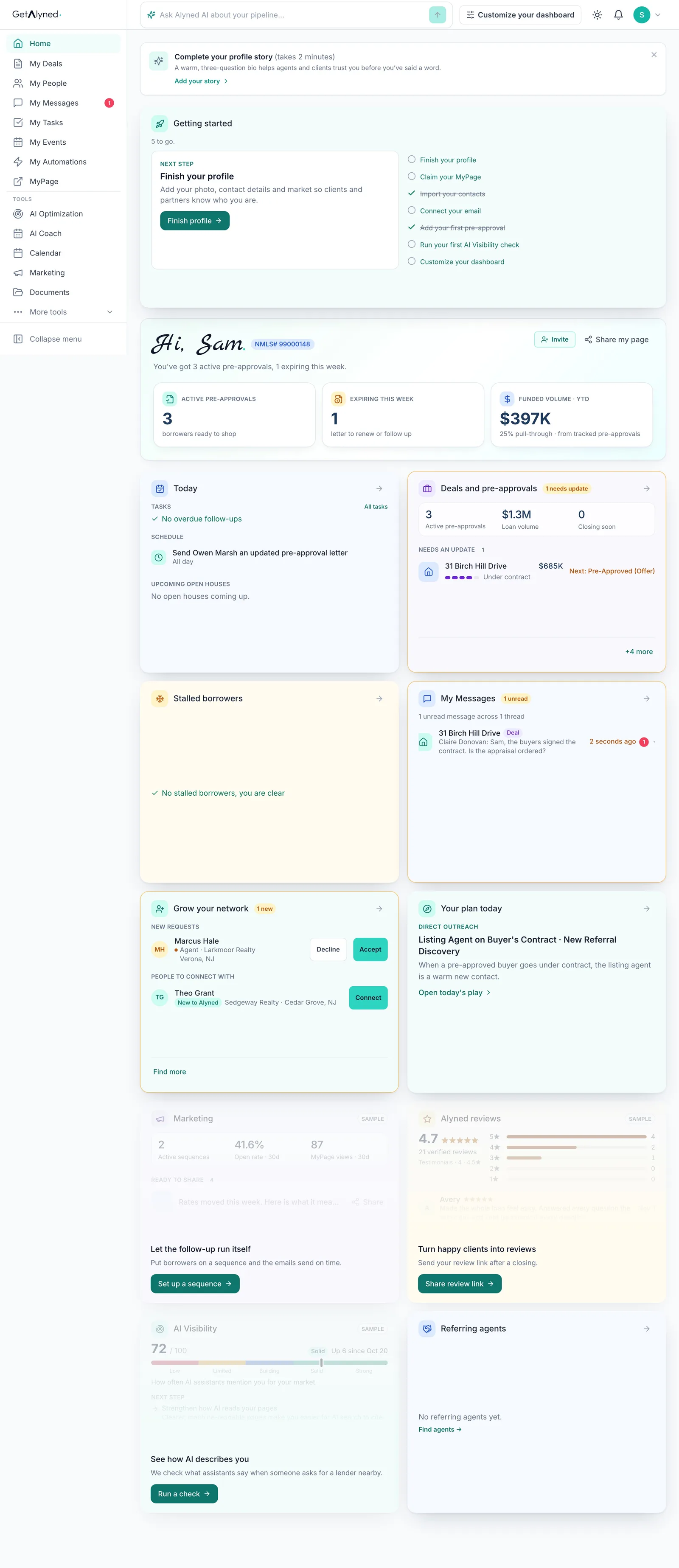
Home is your dashboard, the first thing you see when you sign in. This is the whole page, top to bottom.
-
Your profile story
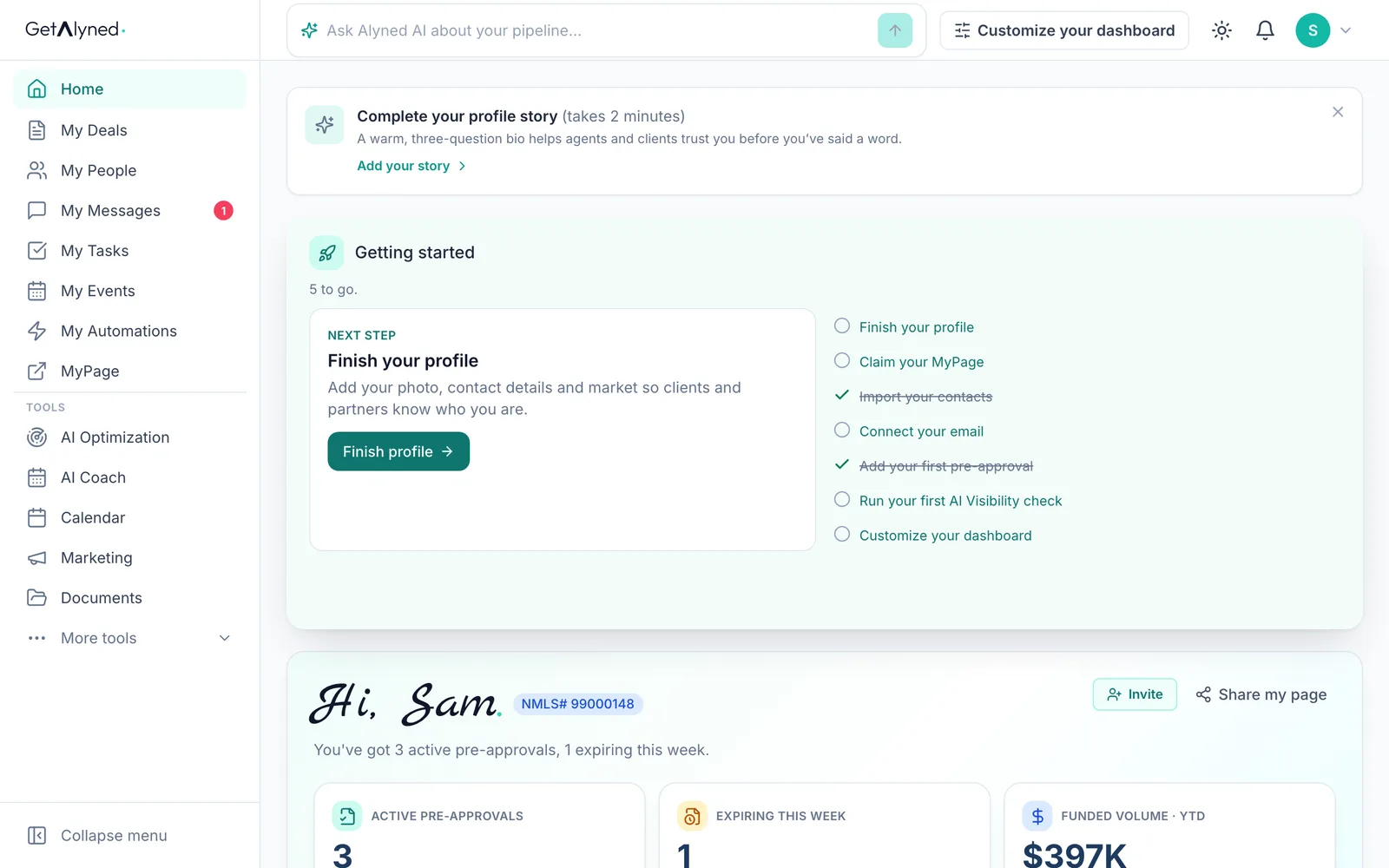
Complete your profile story asks three questions and writes a short bio, so agents and clients trust you before you've said a word.
-
Getting started
Getting started lists what to finish first and ticks off what's done. Click the next step. The card goes away once every step is done.
-
Your greeting
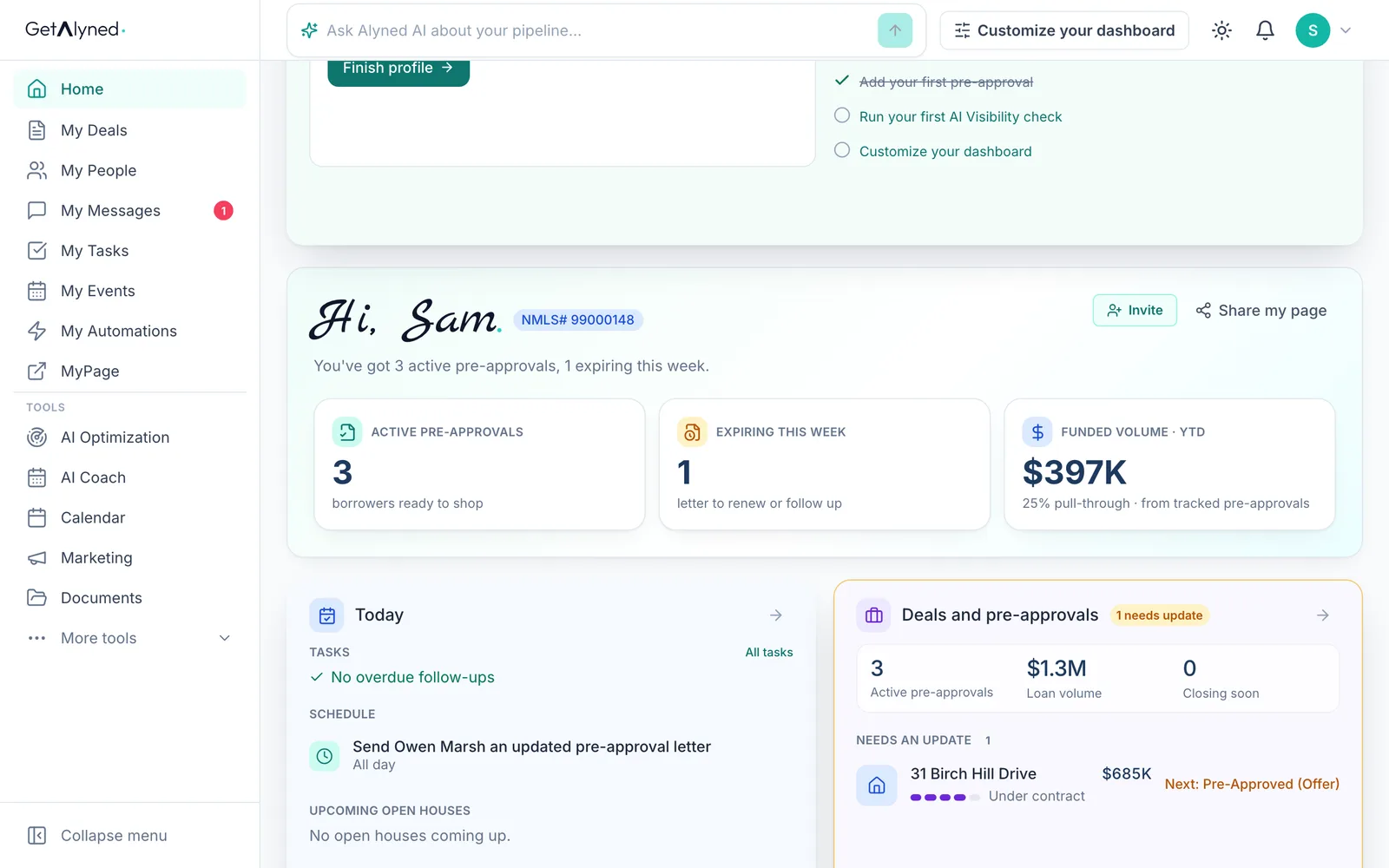
Your greeting sums up your pre-approvals today, with your NMLS number beside your name.
-
Active pre-approvals
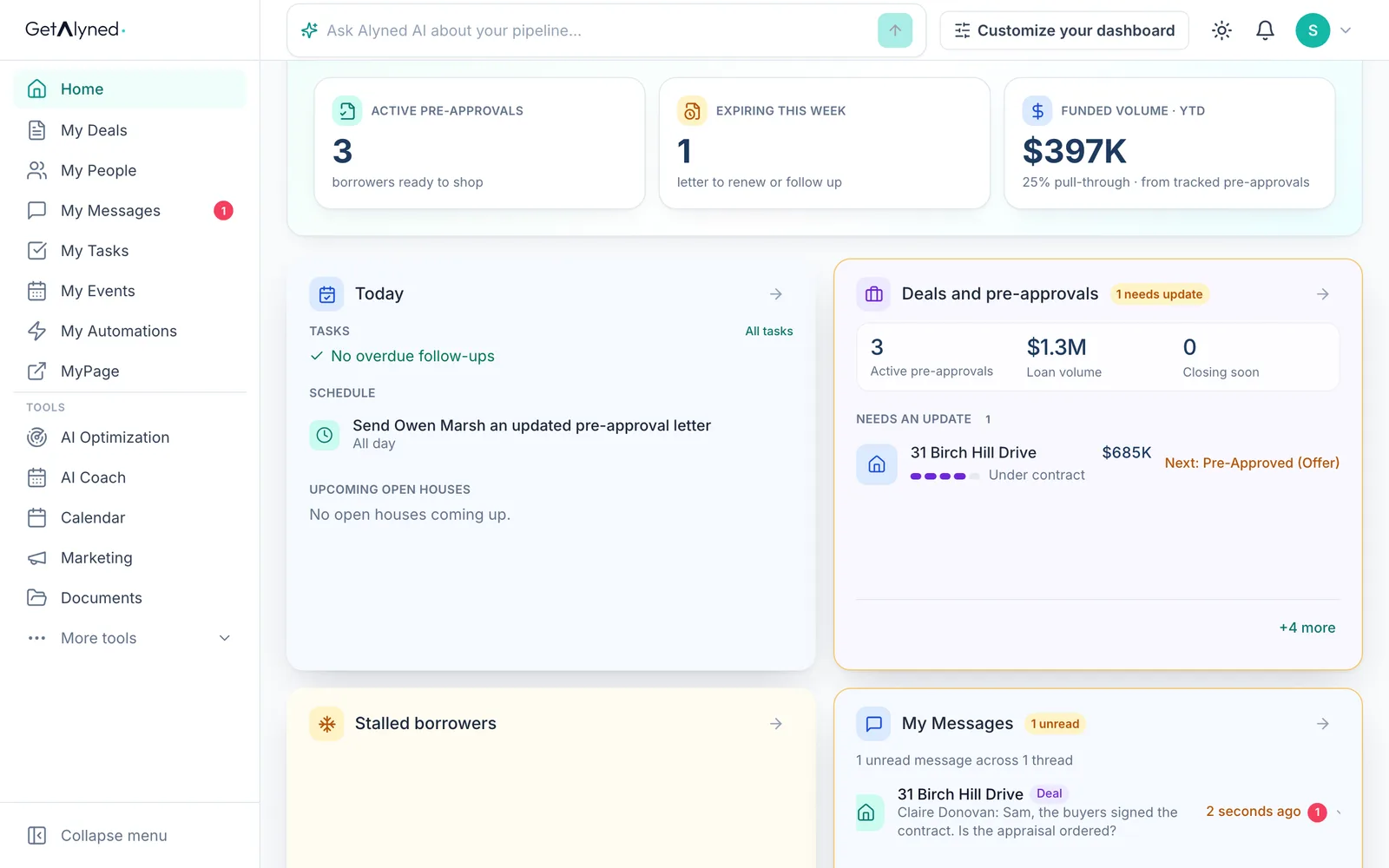
Active pre-approvals counts the borrowers ready to shop right now. Click it to open your letters.
-
Expiring this week
Expiring this week counts letters that run out soon, so you can renew them before a buyer is caught short.
-
Funded volume
Funded volume is what your tracked pre-approvals have funded this year, and how many went all the way.
-
Invite and share
Invite asks an agent or partner to join Alyned. Share my page sends out your public MyPage.
-
Today
Today is your day in one list: tasks and appointments, with anything late first.
-
Deals and pre-approvals
Deals and pre-approvals shows the deals you're on and your active letters. Click a deal to open it.
-
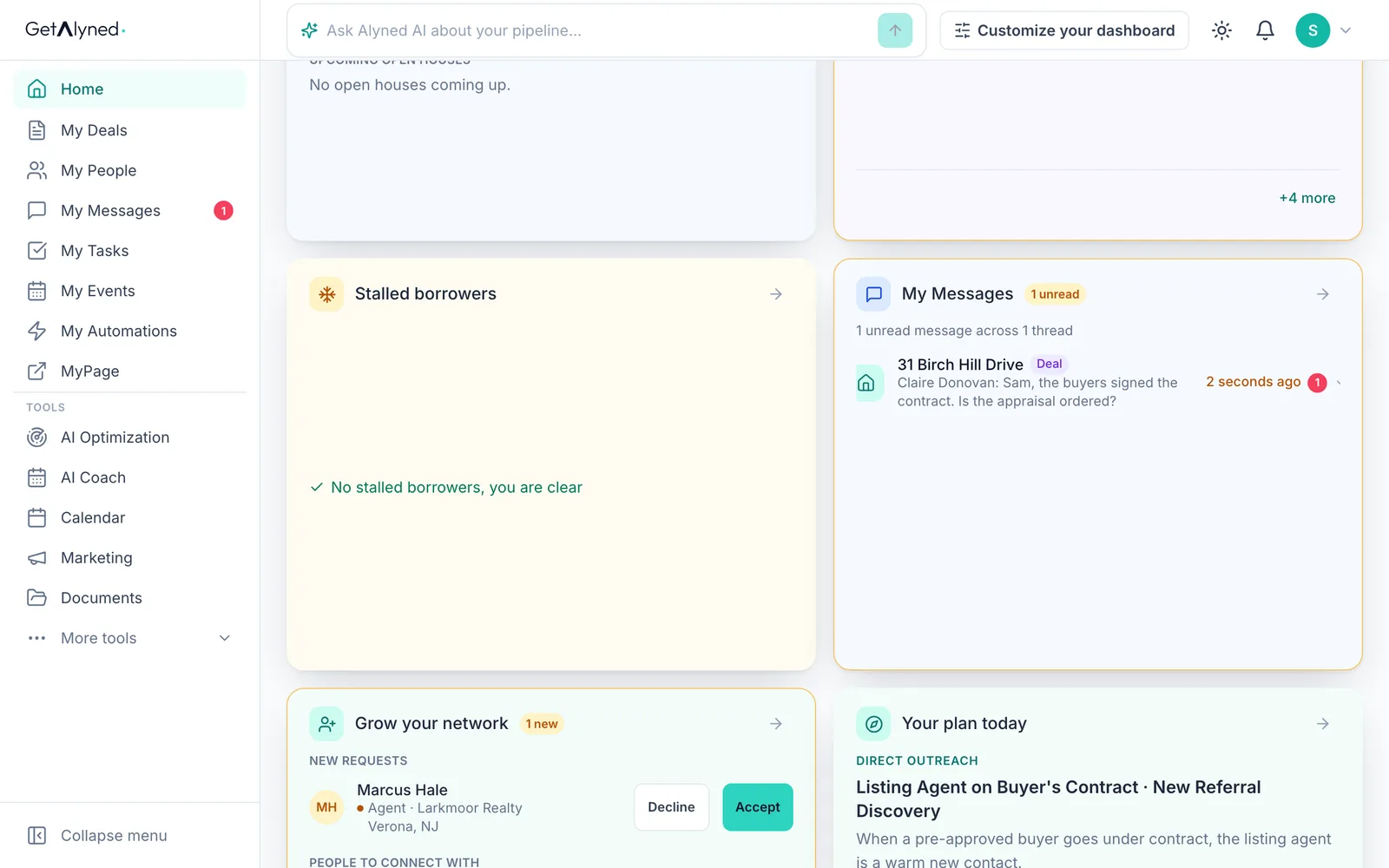
Stalled borrowers
Stalled borrowers names anyone who's gone quiet, so you can pick up the phone.
-
My Messages
My Messages shows your newest conversations with agents and clients.
-
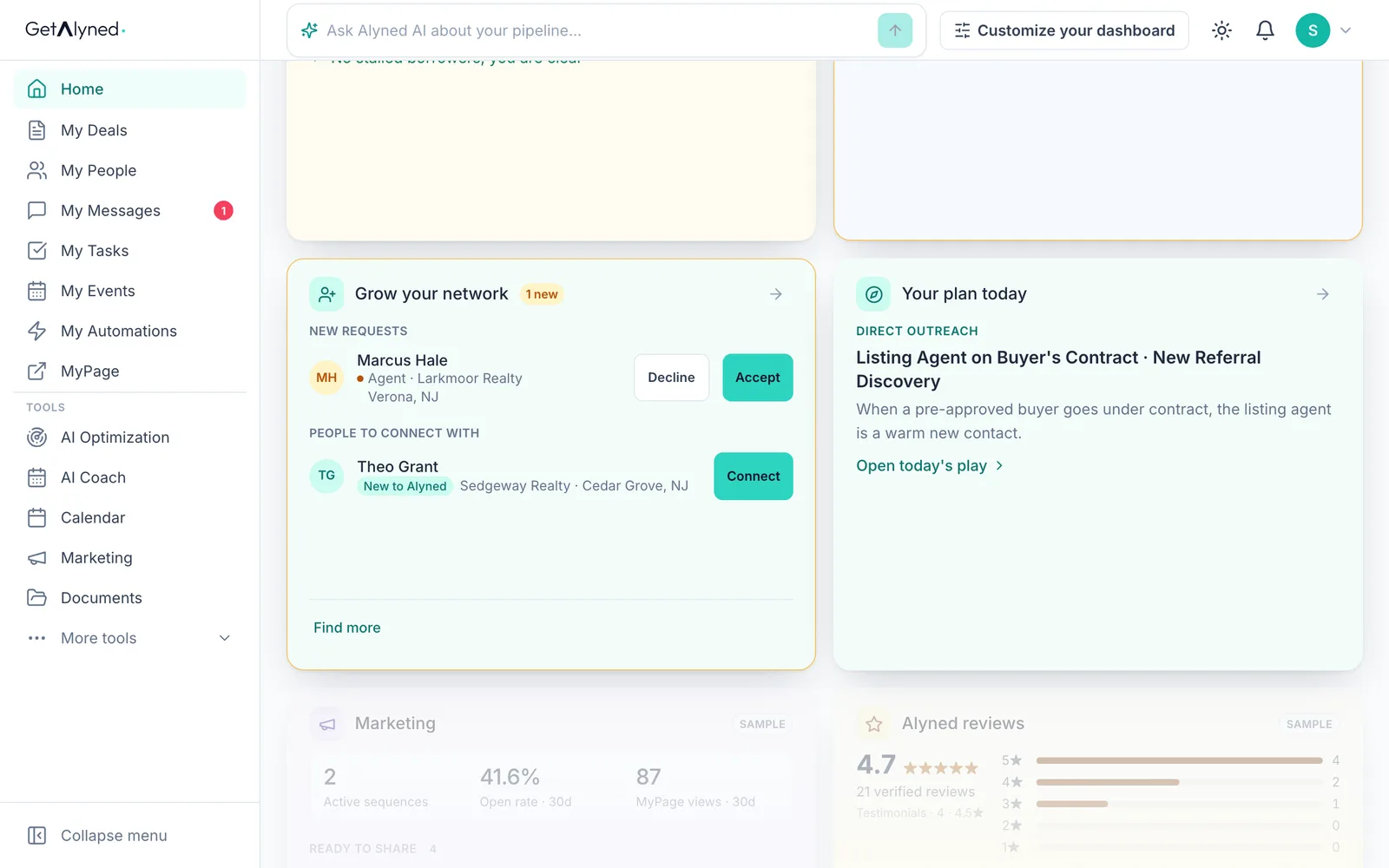
Grow your network
Grow your network shows agents who asked to connect, and agents near you. Accept or Connect right here.
-
Your plan today
Your plan today is the short list that keeps your business moving. Open today's play takes you to AI Coach.
-
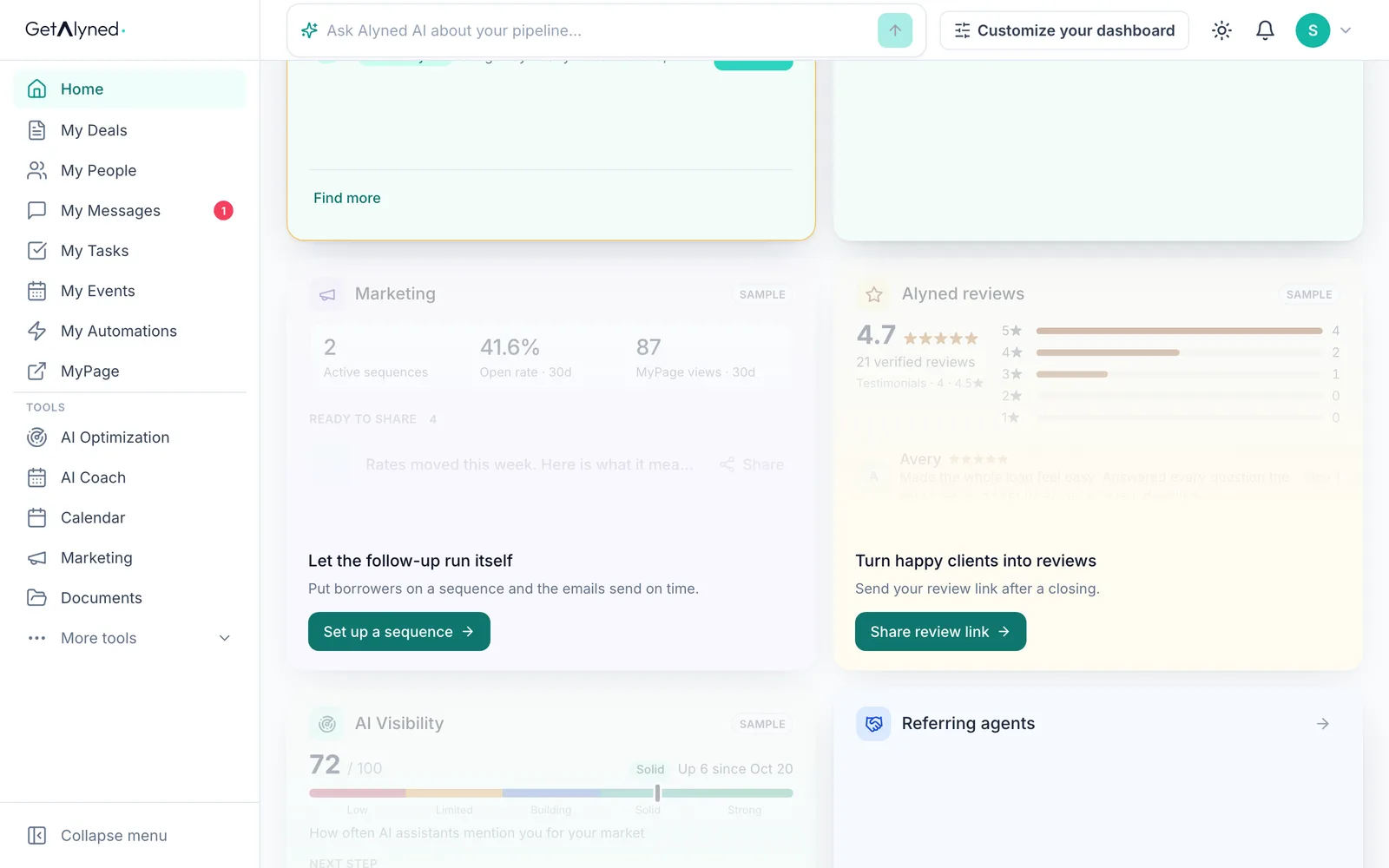
Marketing
Marketing is marked Sample until you've sent something. Set up a sequence starts your first.
-
Alyned reviews
Alyned reviews shows what your clients say about you. Share review link asks for one.
-
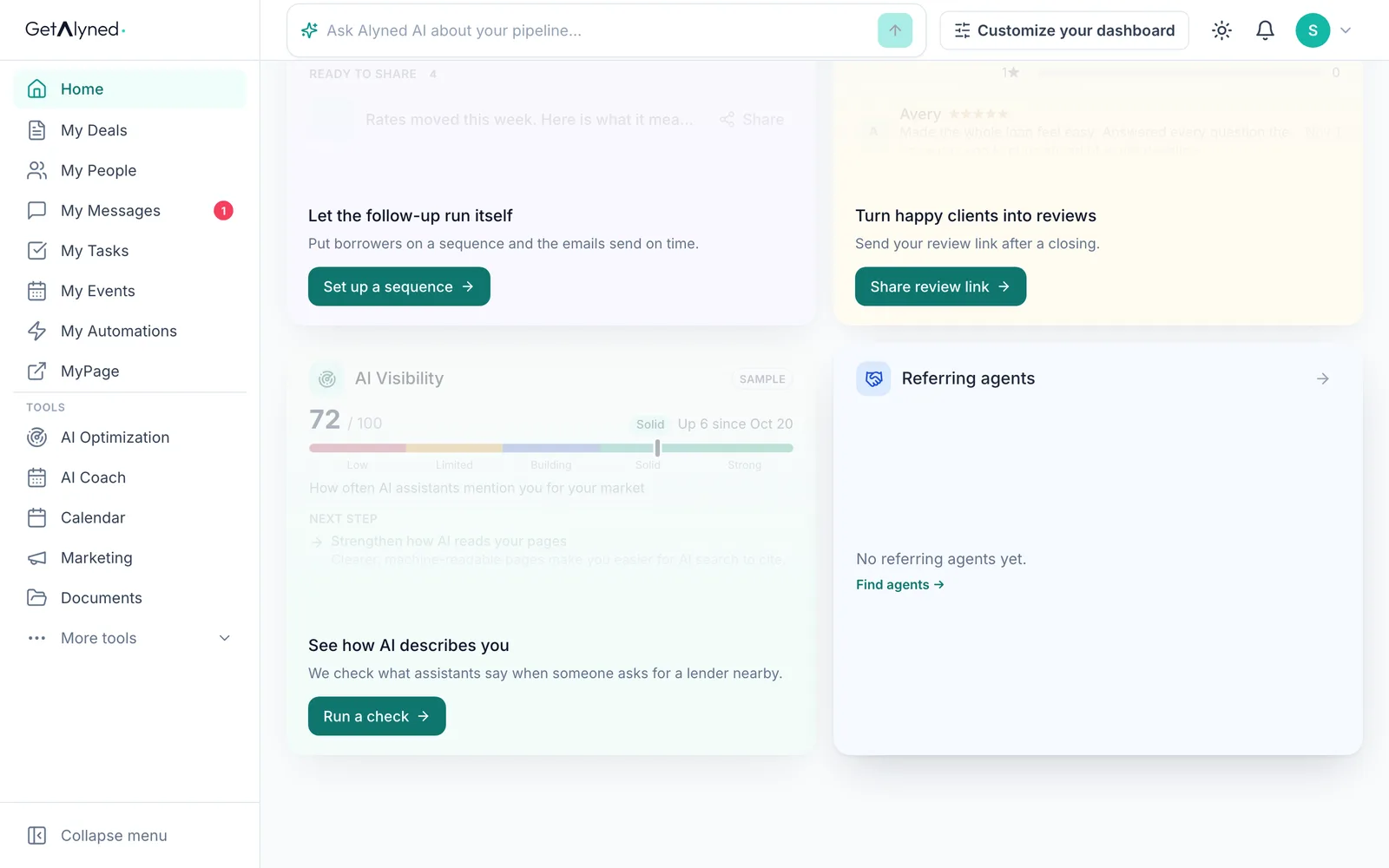
AI Visibility
AI Visibility shows how AI tools describe you when someone asks for a loan officer. Click Run a check.
-
Referring agents
Referring agents ranks the agents who send you business. None yet? Click Find agents.
-
Make it yours
Customize your dashboard lets you choose, move and resize these cards. It has its own guide.
Related guides
- Log a pre-approval · Log each pre-approval letter so Alyned tracks it, warns you before it expires, and counts it when the loan funds.
- Work an agent's deal · When an agent adds you to a deal, mark your lender steps done, choose whether the client hears about it, and keep everyone in the deal chat.
- Connect with agents · Find agents near you, send connection requests, and accept the ones who reach out, so they can add you to their deals.