Get ready for taxes
For agents · 3 min
See your whole tax year in one place, and hand your accountant one file with your income, expenses and receipts.
Watch
Or read it step by step
-
Open Taxes
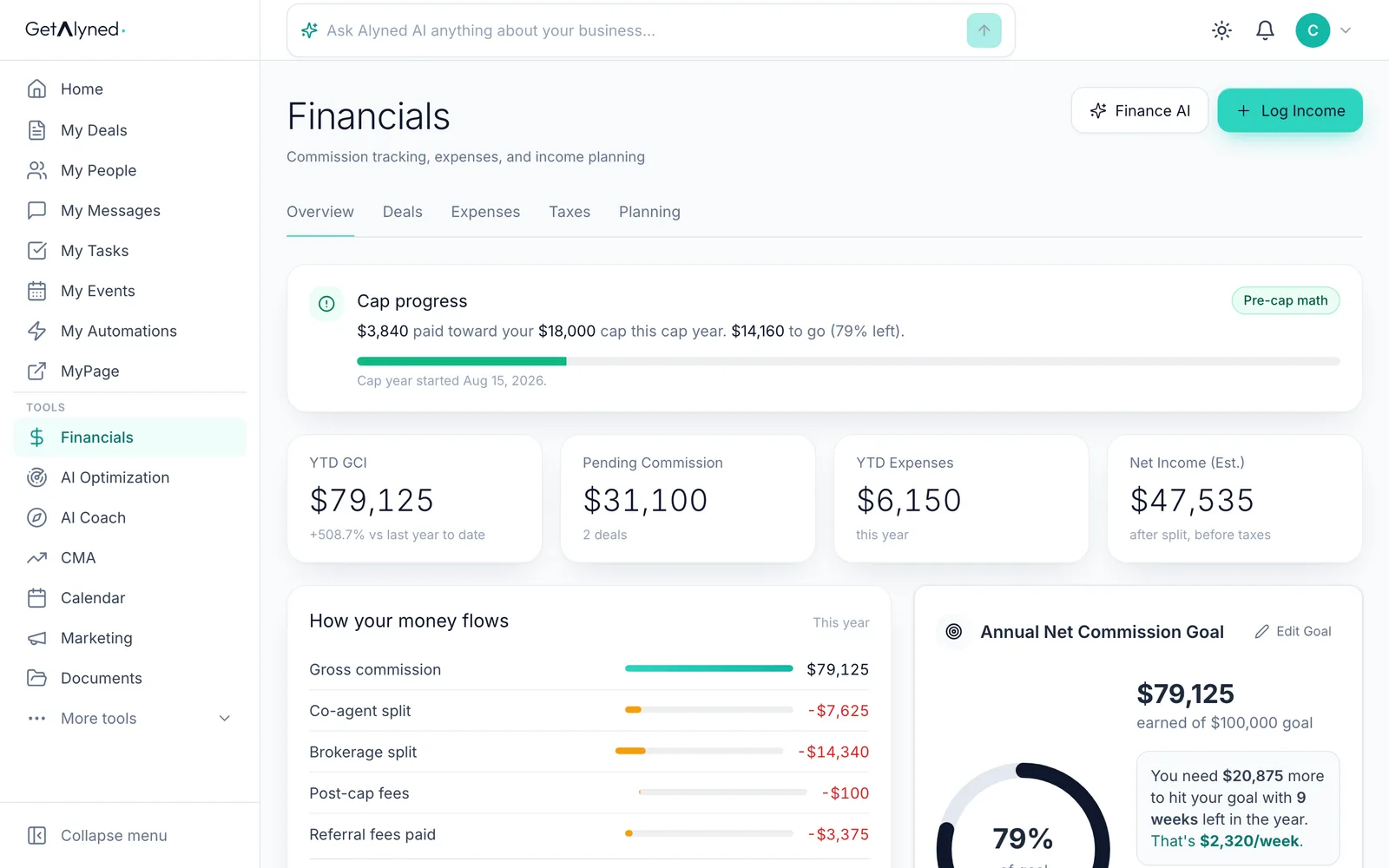
In Financials, click the Taxes tab.
-
Pick the tax year
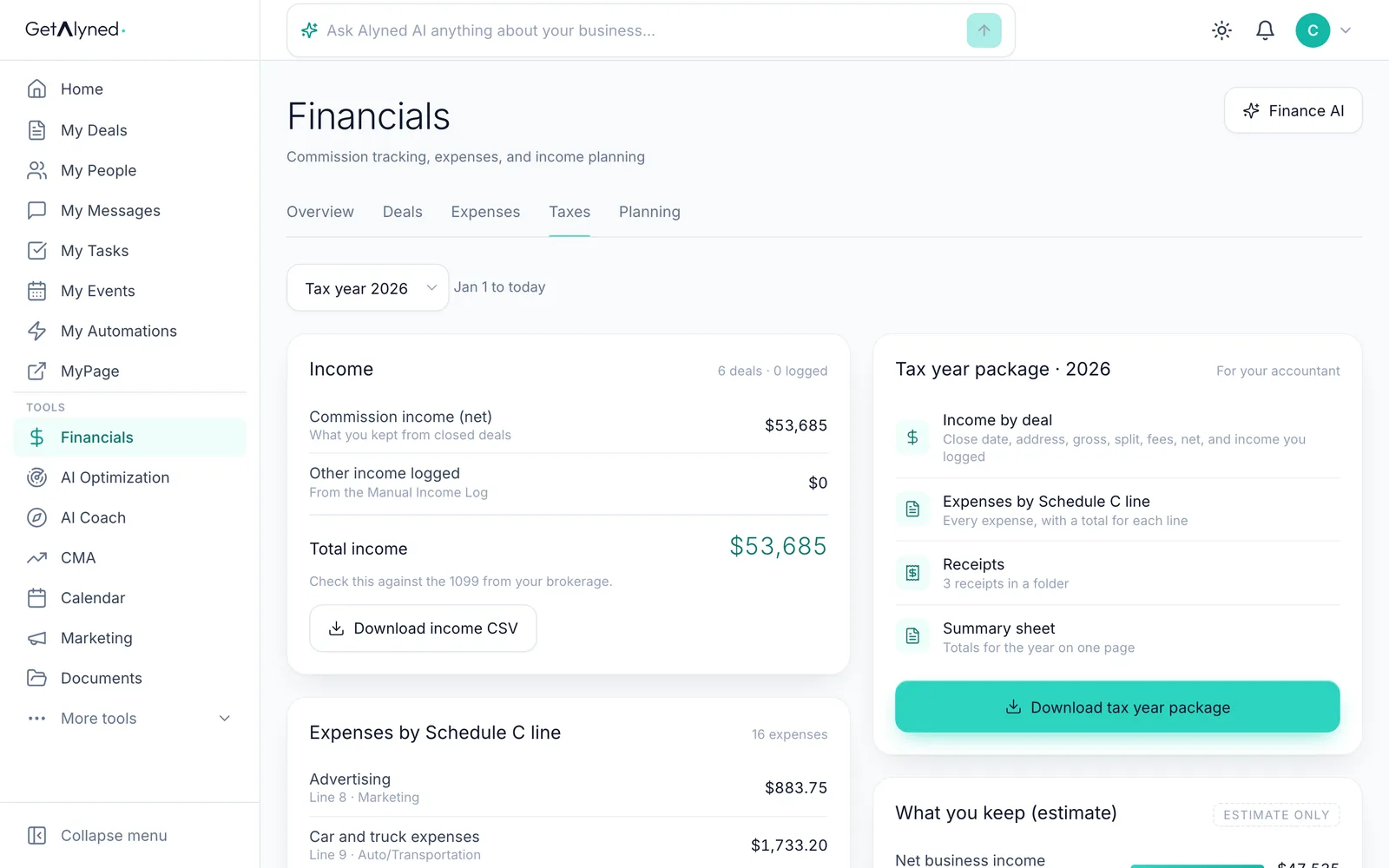
Pick the year in Tax year.
-
Check your income
Income is what you kept from closed deals, plus any income you logged. Check it against the 1099 from your brokerage.
-
Expenses by tax line
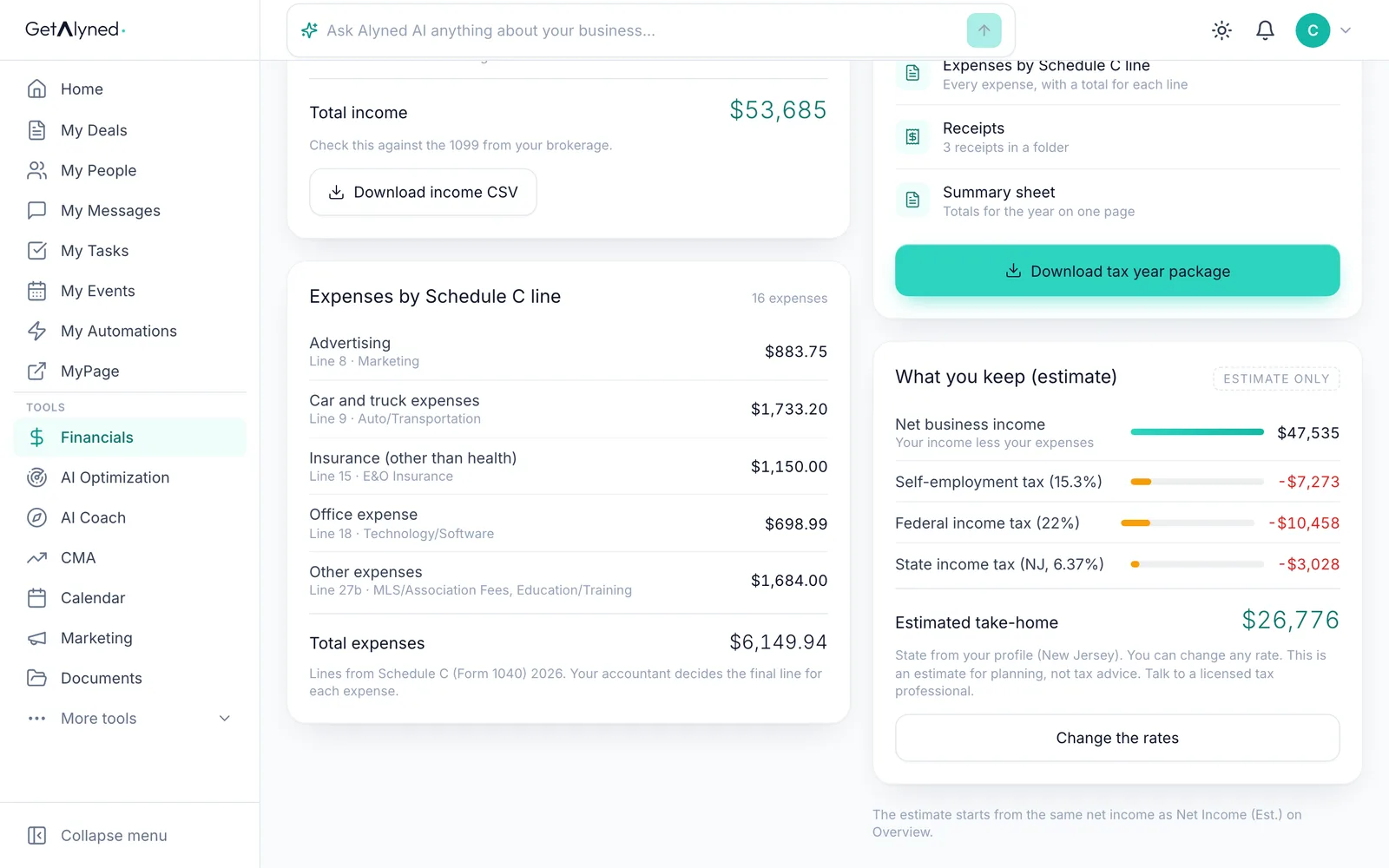
Your expenses are totaled by the line of Schedule C they go on, the form your accountant files.
-
What you keep
What you keep estimates your take-home after self-employment, federal and state tax.
-
Your state, your rates
The state comes from your profile, and you can change any rate. It's an estimate for planning, not tax advice.
-
Your tax year package
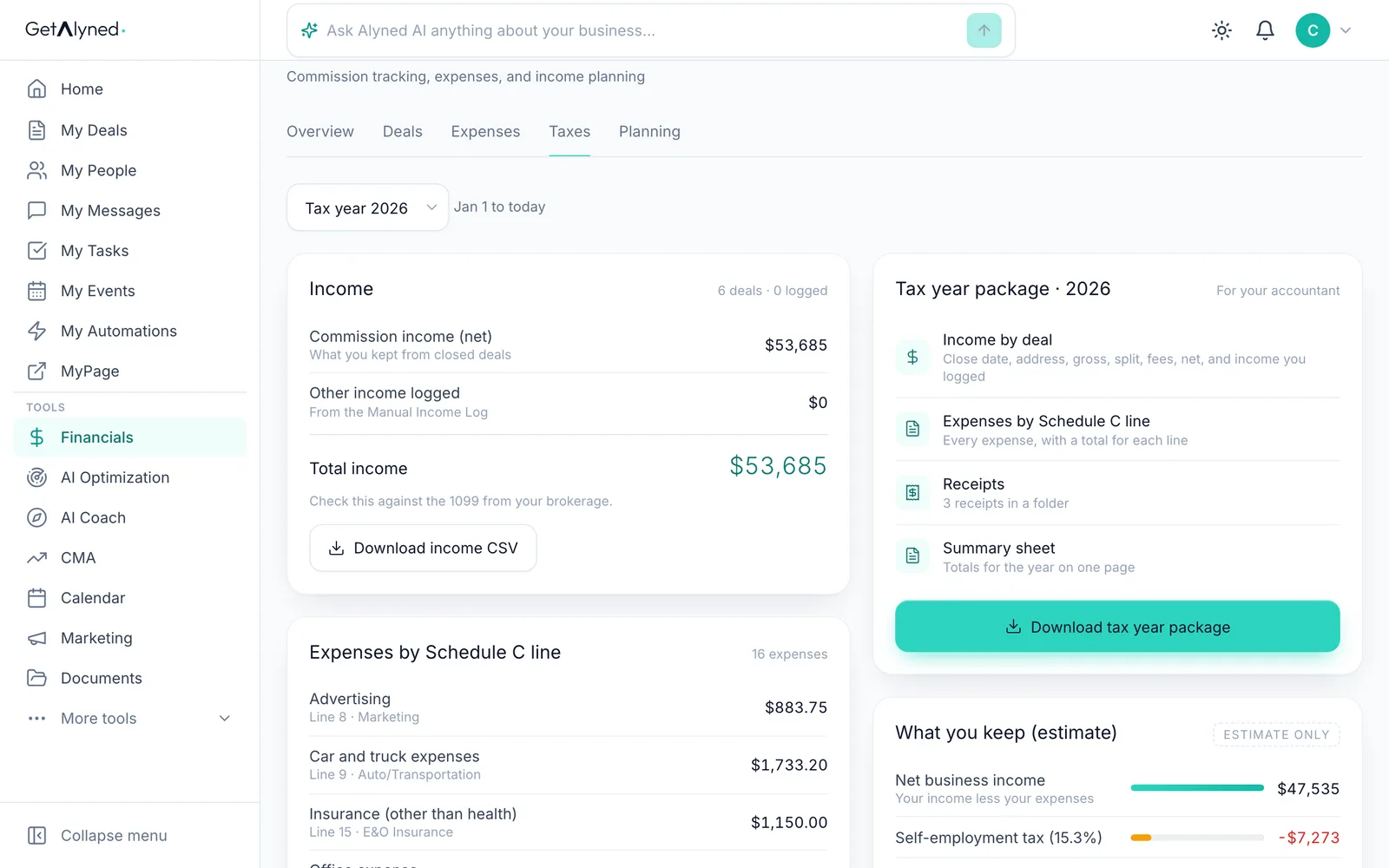
The Tax year package gathers everything your accountant needs: income by deal, expenses by line, receipts and a summary.
-
Download it
Click Download tax year package. It comes as one zip file.
-
What's inside
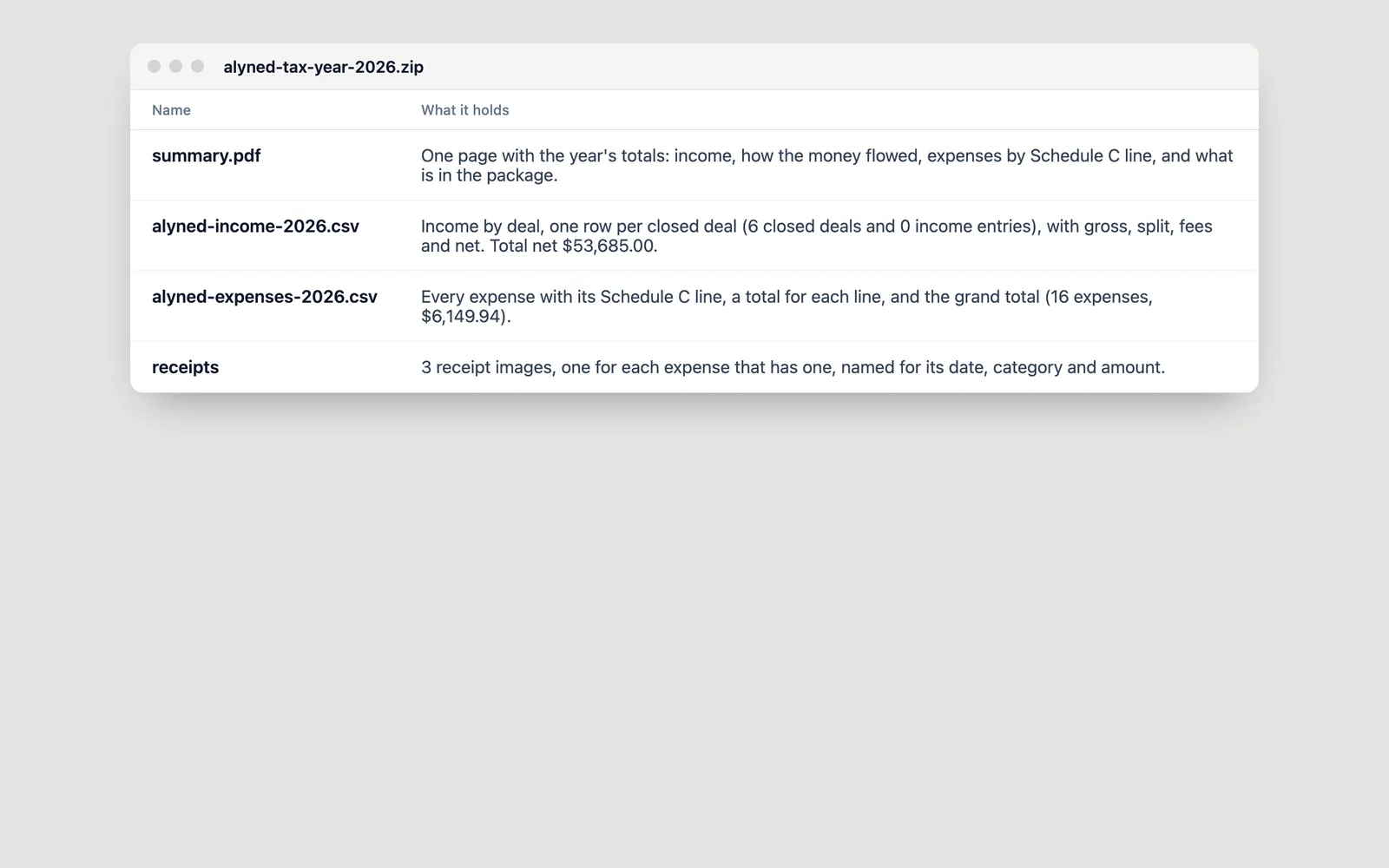
A one-page summary, your income by deal, your expenses by Schedule C line, and a folder of your receipts.
-
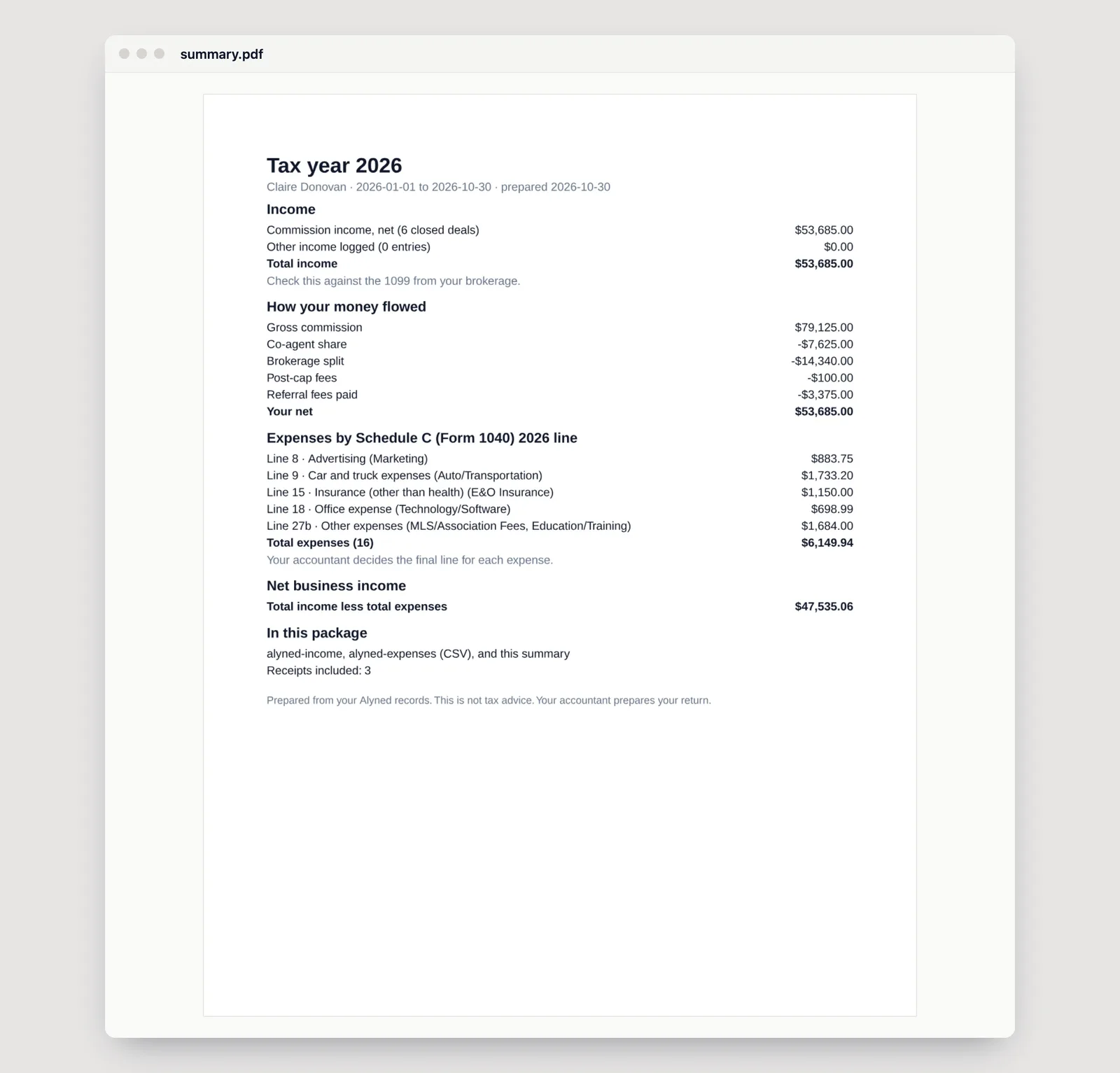
The summary page
The year's totals on one page, ready for your accountant.
Related guides
- Log an expense · Log a business expense in seconds, with its receipt. Type it in, or snap a photo and let Alyned fill in the details.
- How the money flows from a deal · See where every dollar of a deal goes: your brokerage split, referral fees and co-agents, and how it all adds up in Financials.
- Set your split and commission structure · Tell Alyned your split, your usual commission and your brokerage cap once. Every new deal then shows what you'll make, and Financials tracks your cap for you.