How the money flows from a deal
For agents · 4 min
See where every dollar of a deal goes: your brokerage split, referral fees and co-agents, and how it all adds up in Financials.
Watch
Or read it step by step
-
Open a deal
In My Deals, open a deal.
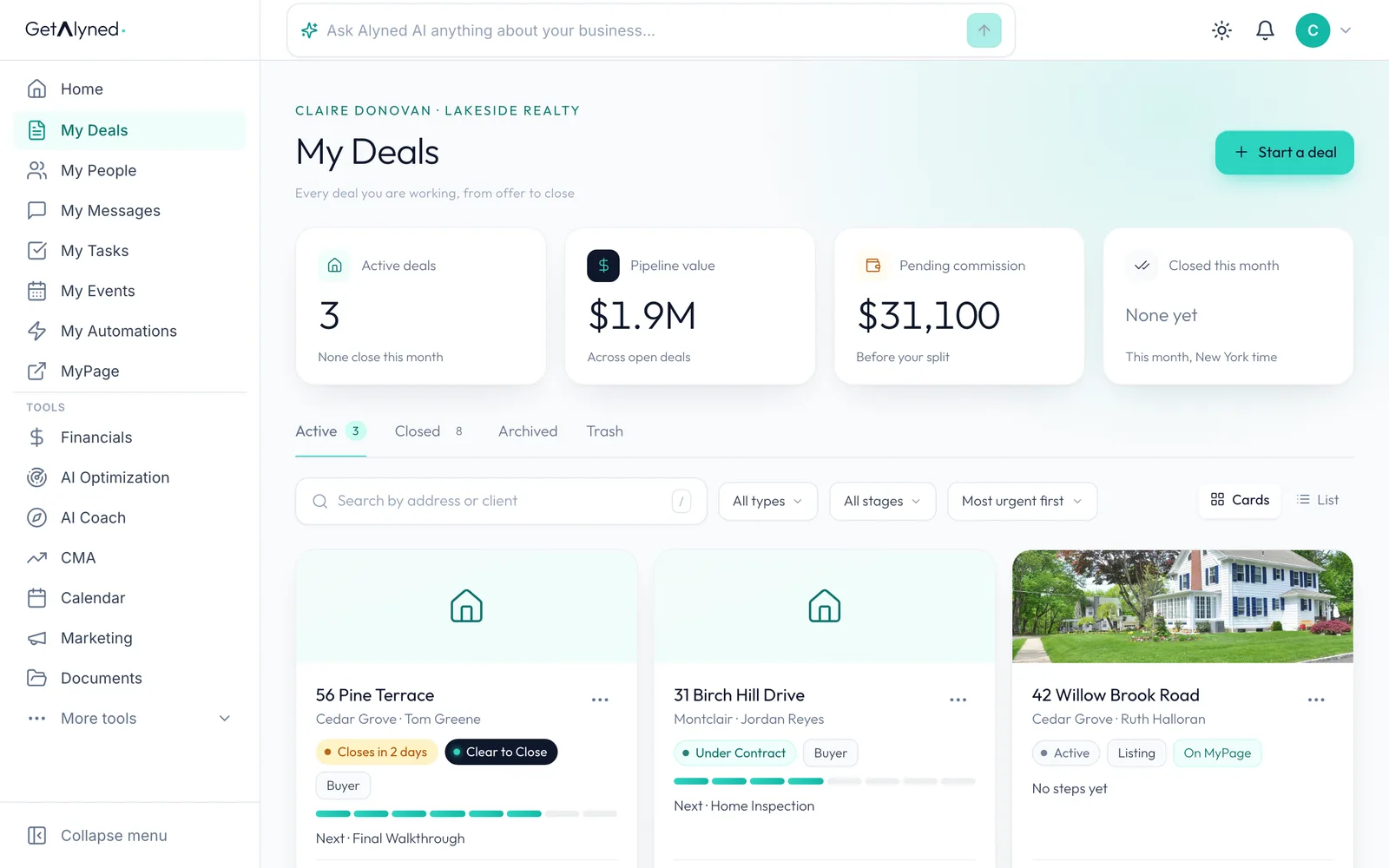
-
Open its Financials tab
Each deal has its own Financials tab.
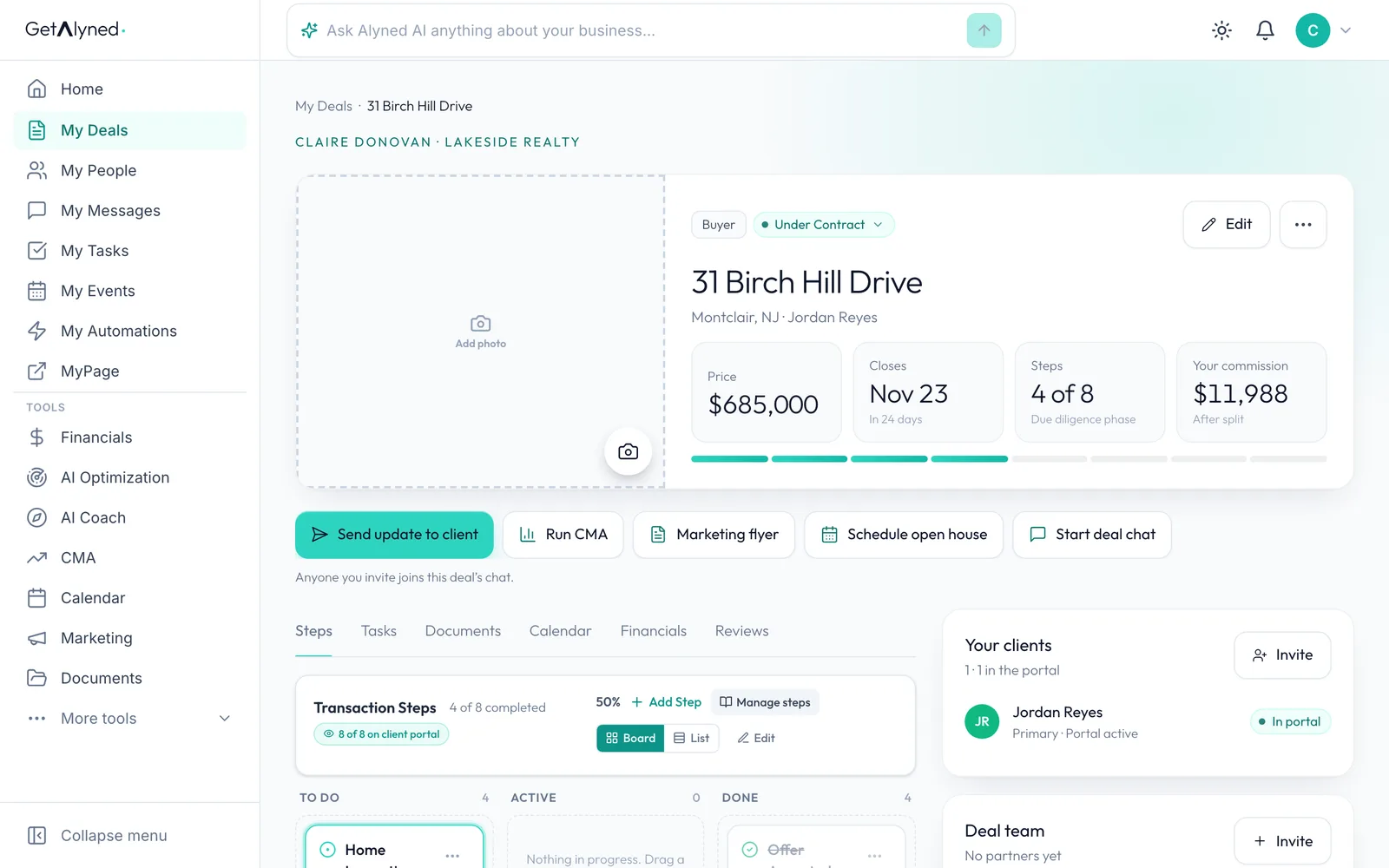
-
Start with the commission
The sale price and commission rate give the gross commission. Your split is filled in from your commission structure.
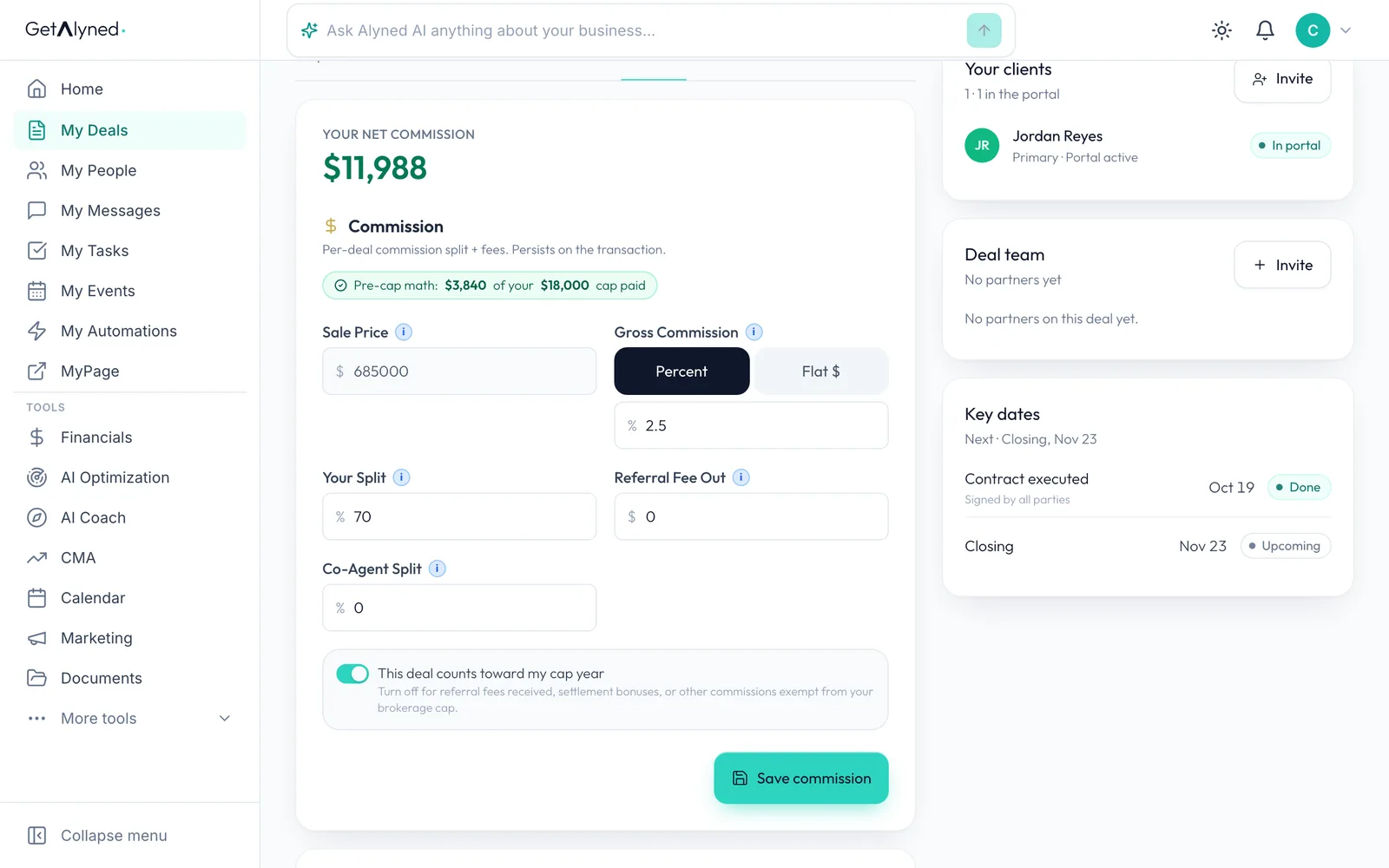
-
Follow the money
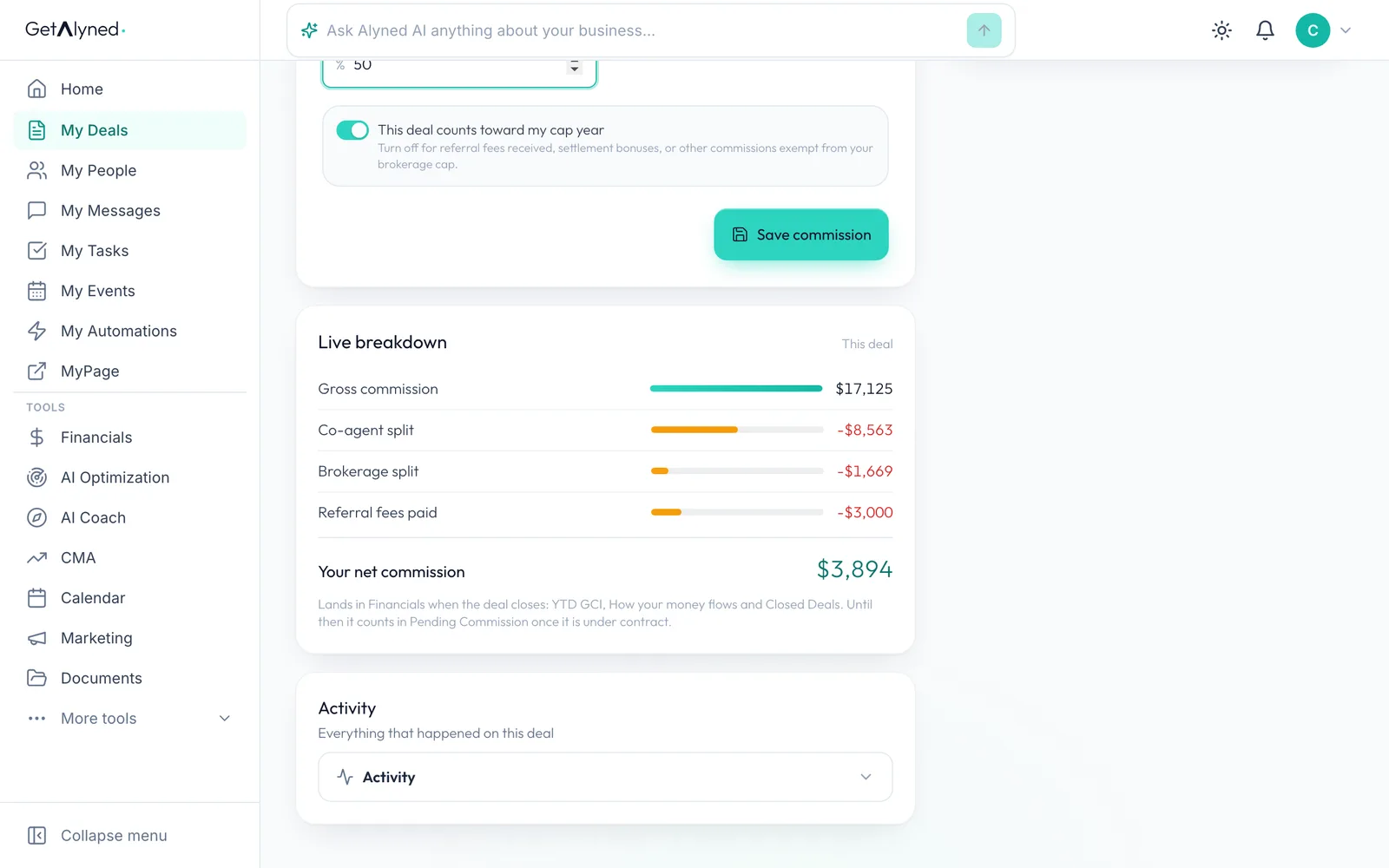
Live breakdown starts with the gross commission, takes off your brokerage's share, and shows what you keep.
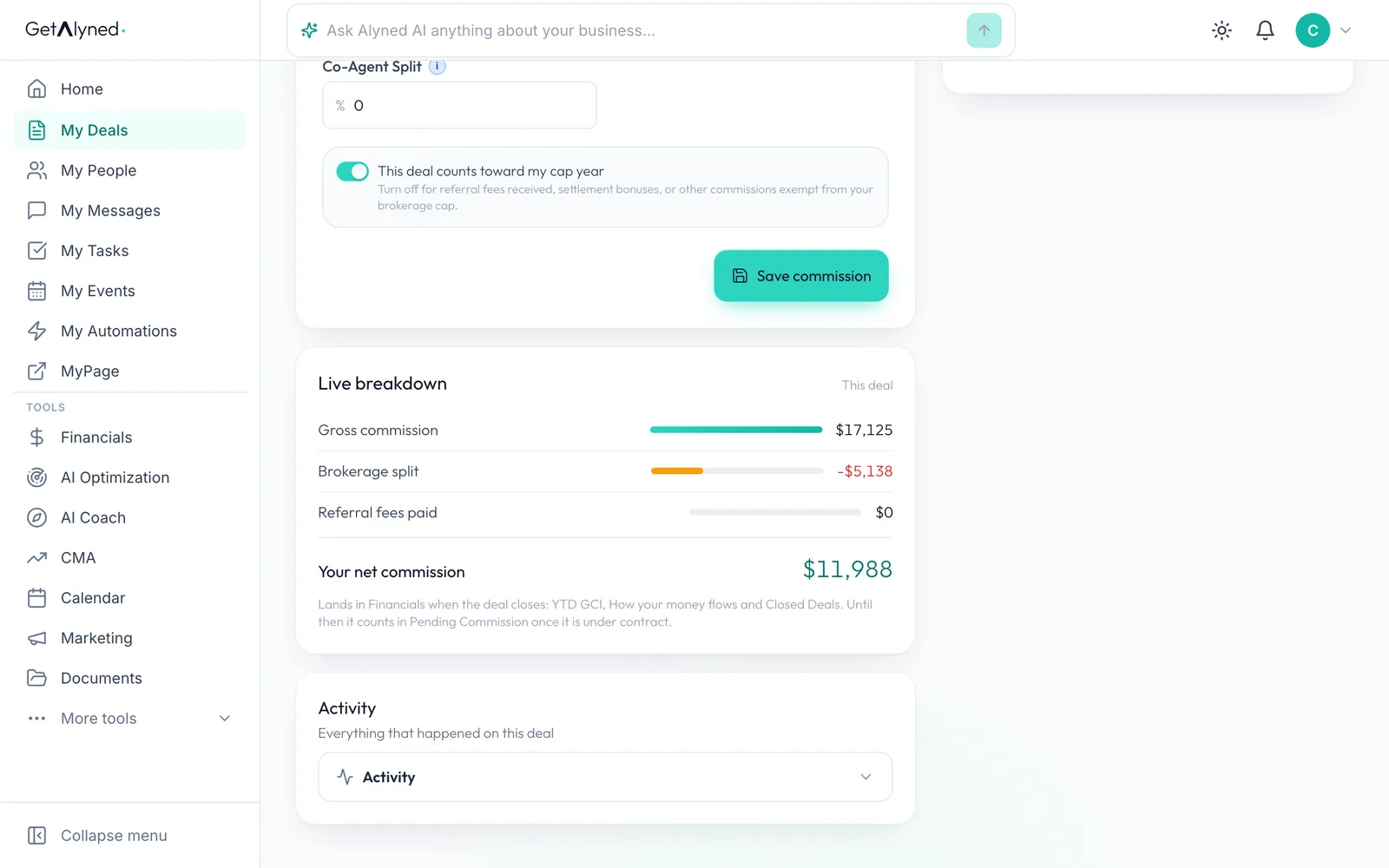
-
Add a referral fee
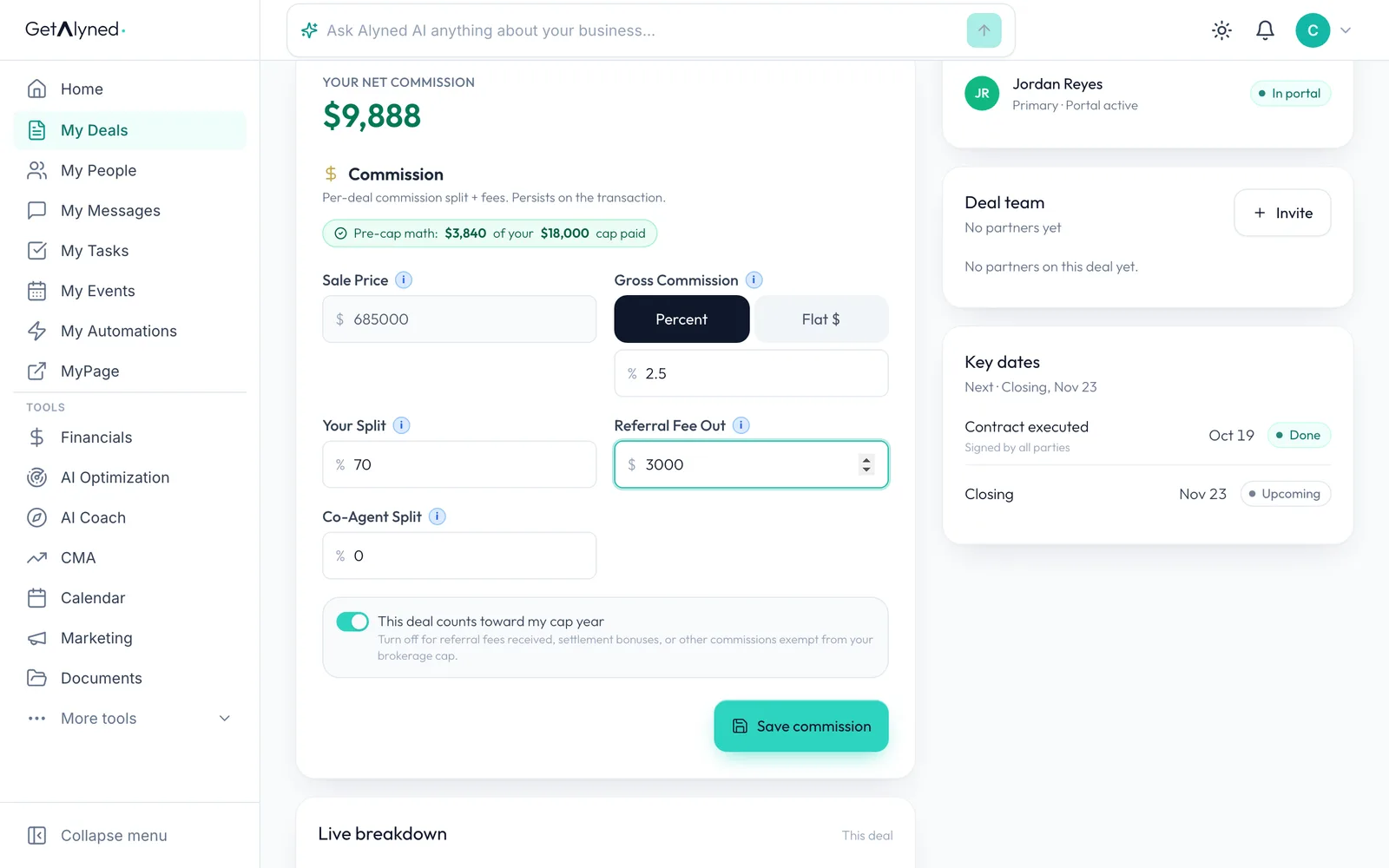
If you pay another agent a referral fee for this client, enter it in dollars in Referral Fee Out.
-
Add a co-agent
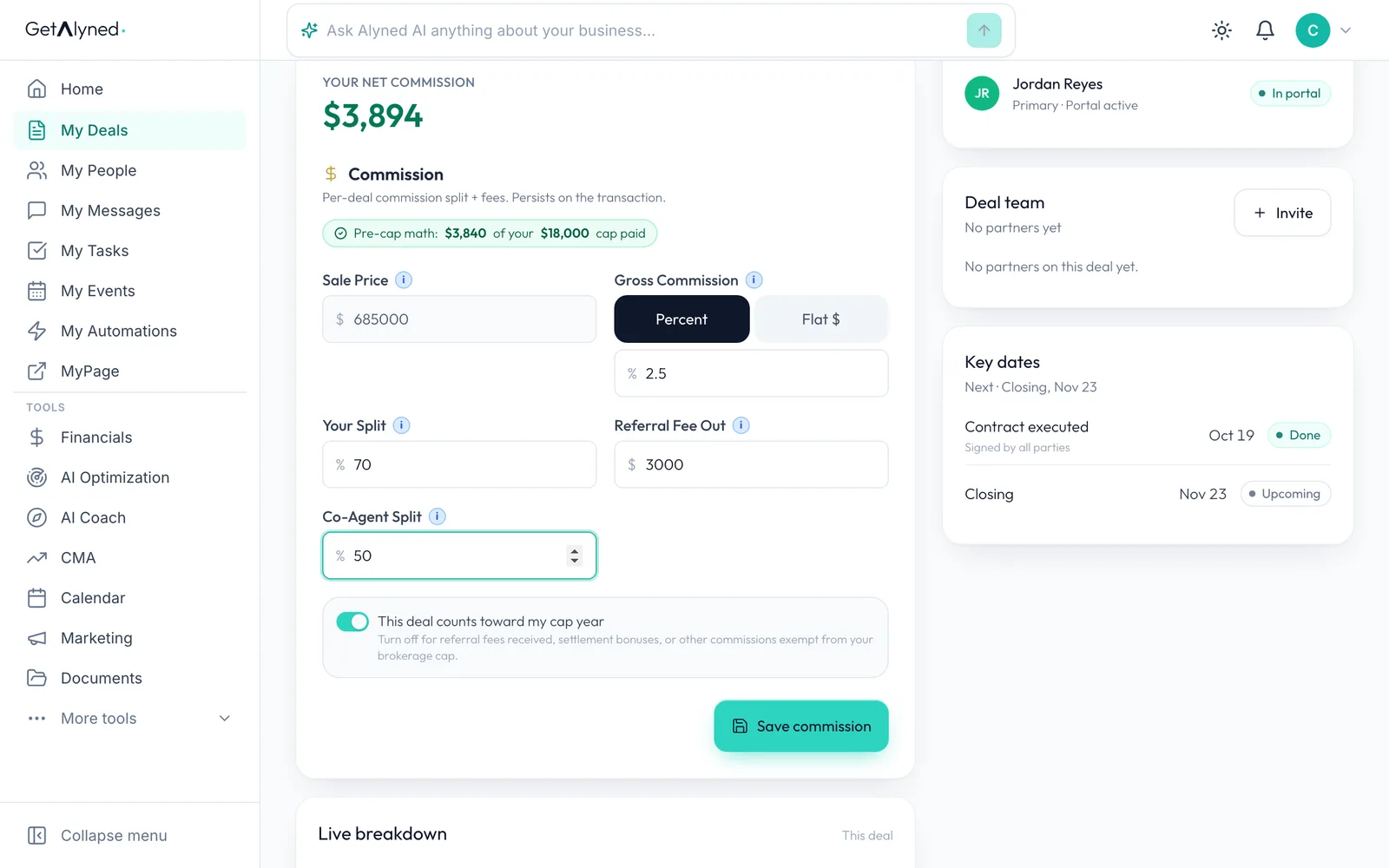
If you share this side with a co-agent, enter their percent in Co-Agent Split.
-
It updates as you type
The co-agent's share comes off first, then the referral fee, then your brokerage split.
-
Counts toward your cap
Leave This deal counts toward my cap year on for a normal deal. Turn it off for money your brokerage doesn't count, like a referral fee you received.
-
Save it
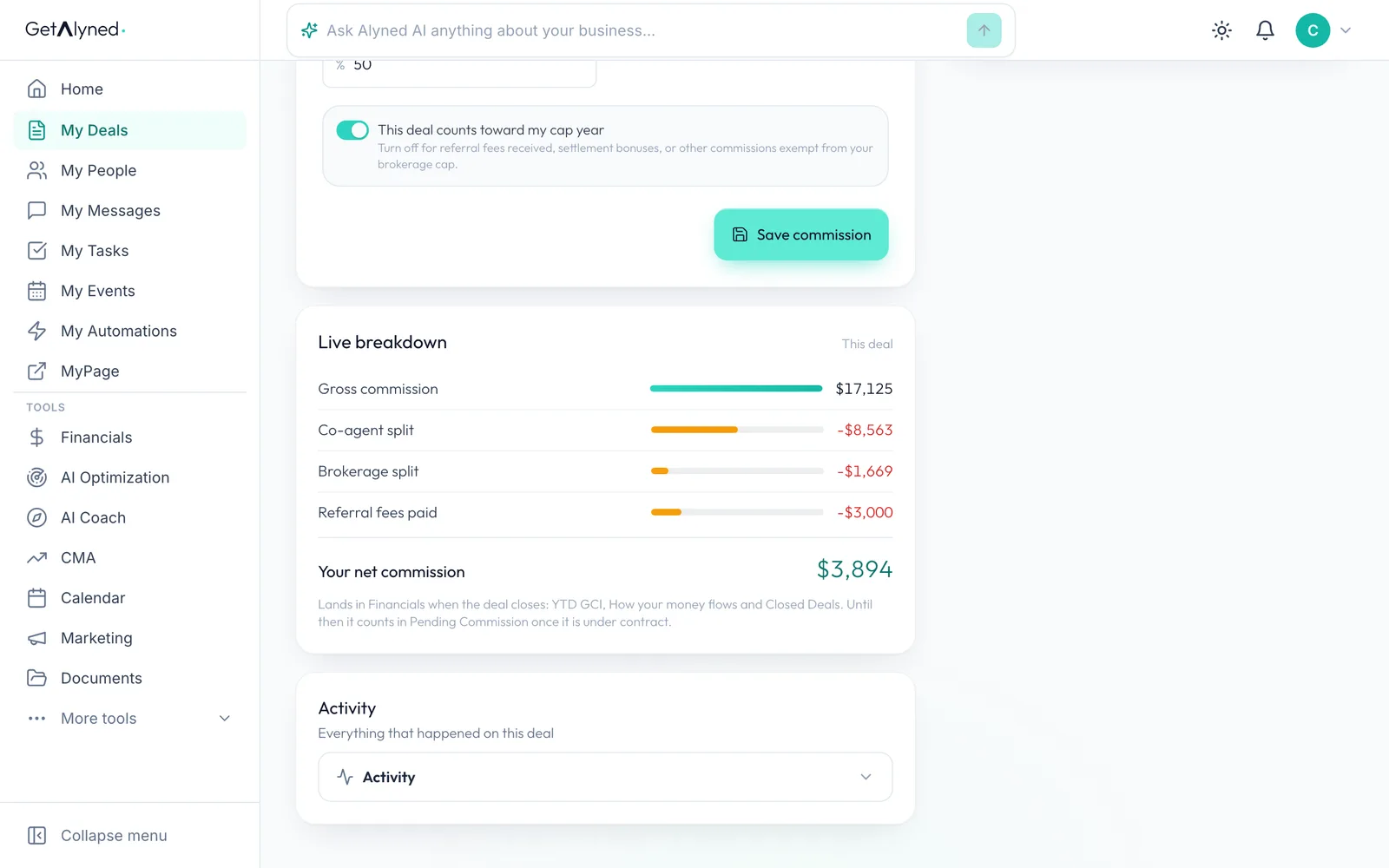
Click Save commission.
-
Where it lands
While the deal is open, it counts in Pending Commission. When it closes, it moves to your year-to-date numbers.
-
Open Financials
Click Financials in the menu.
-
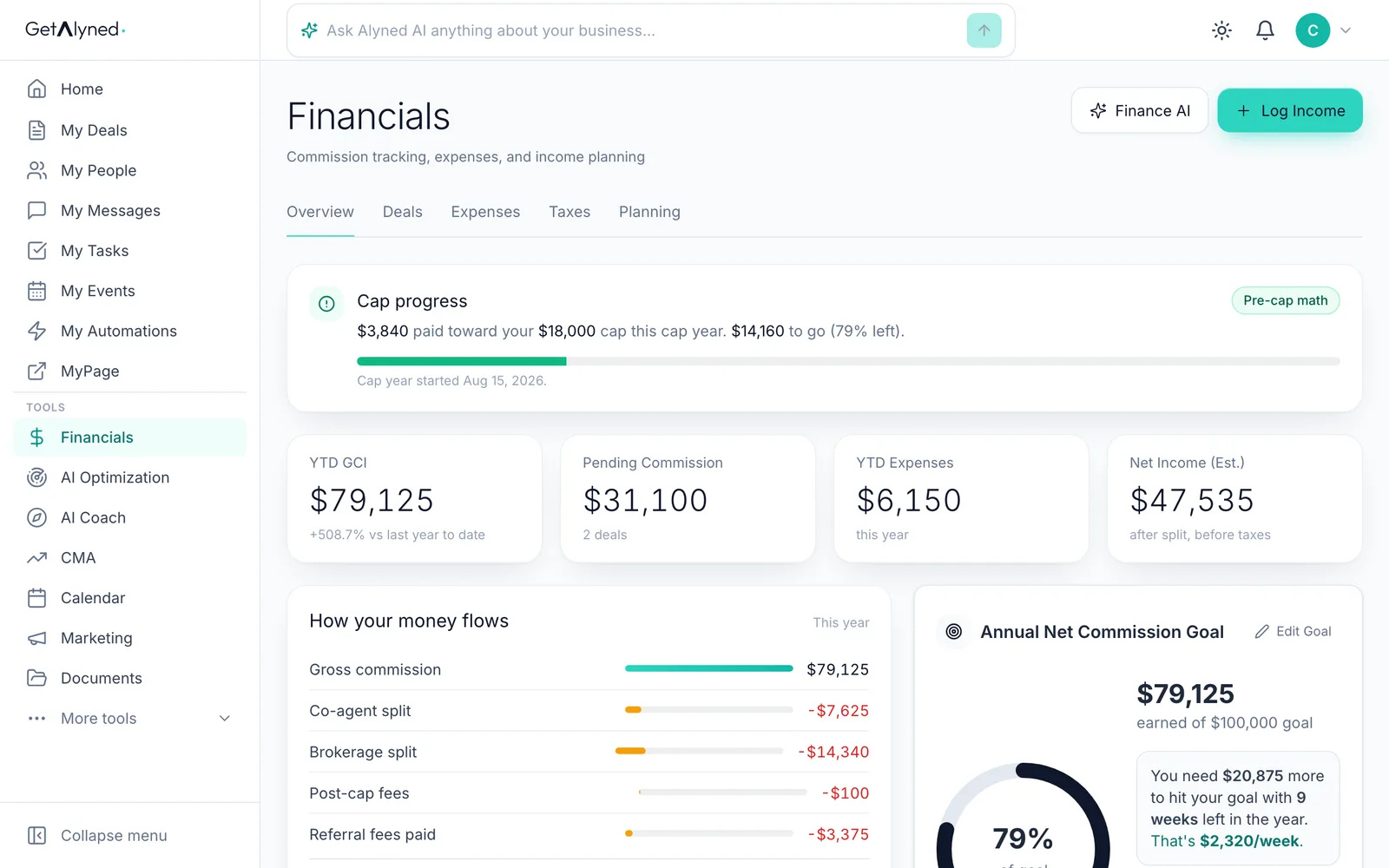
Pending Commission
Pending Commission is the gross commission on your deals under contract.
-
Cap progress
What your brokerage takes on each closed deal counts toward your cap, until your cap year resets.
-
Year-to-date GCI
YTD GCI is the gross commission from every deal you've closed this year.
-
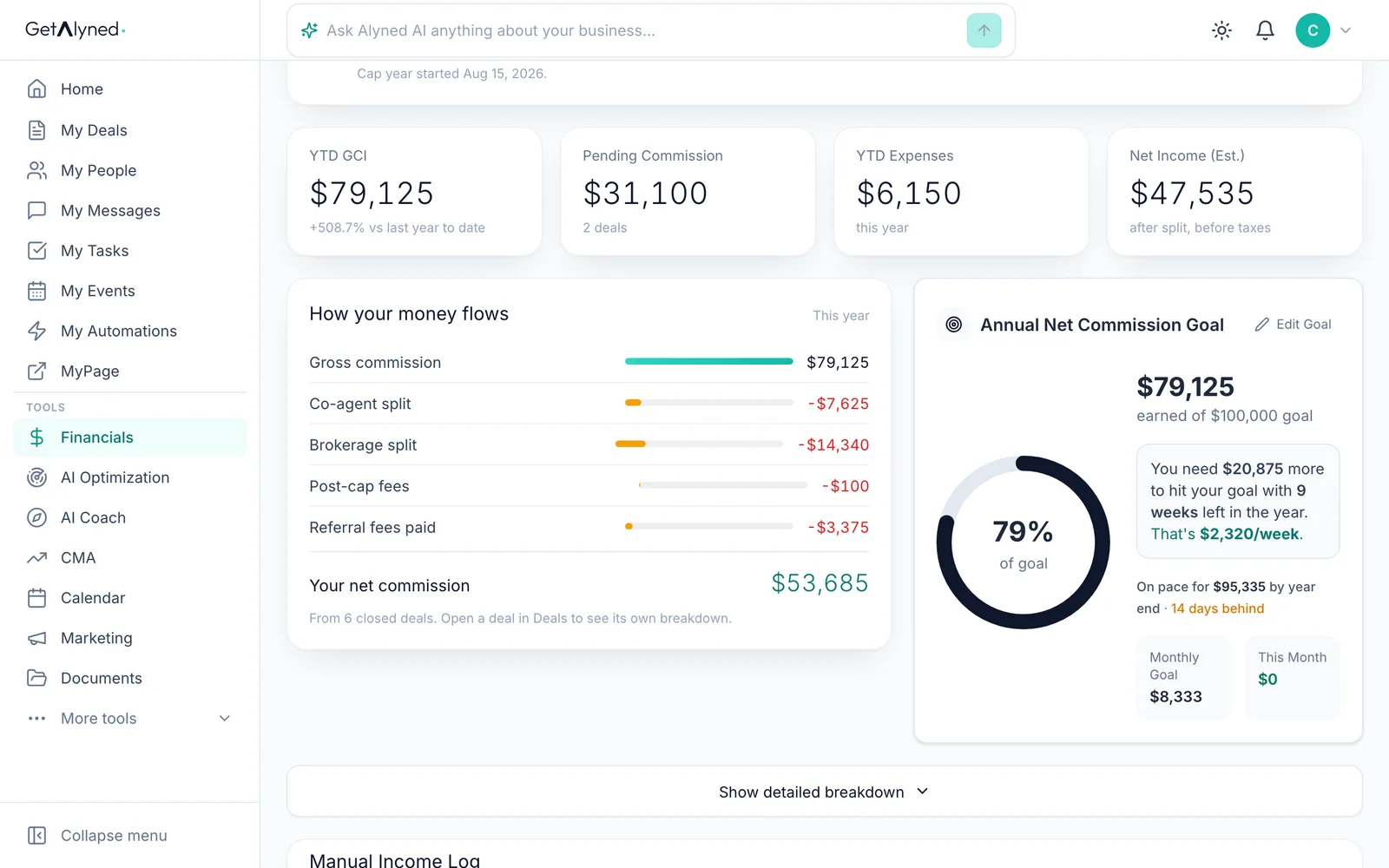
The whole year, start to finish
How your money flows takes the year from gross commission to what you kept: co-agent splits, your brokerage split, fees after your cap and referral fees paid.
-
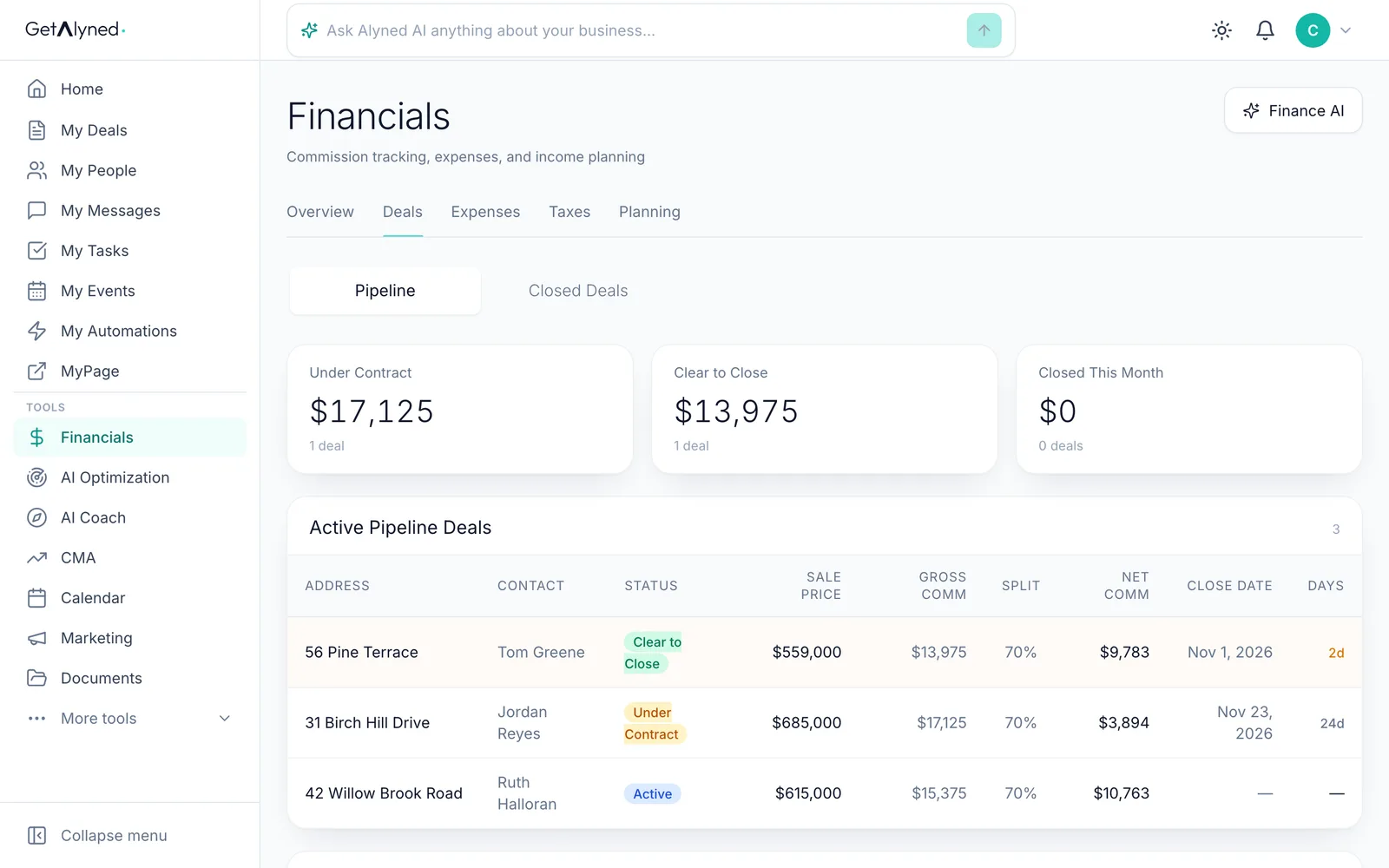
Open Deals
Click the Deals tab.
-
Open Closed Deals
Click Closed Deals.
-
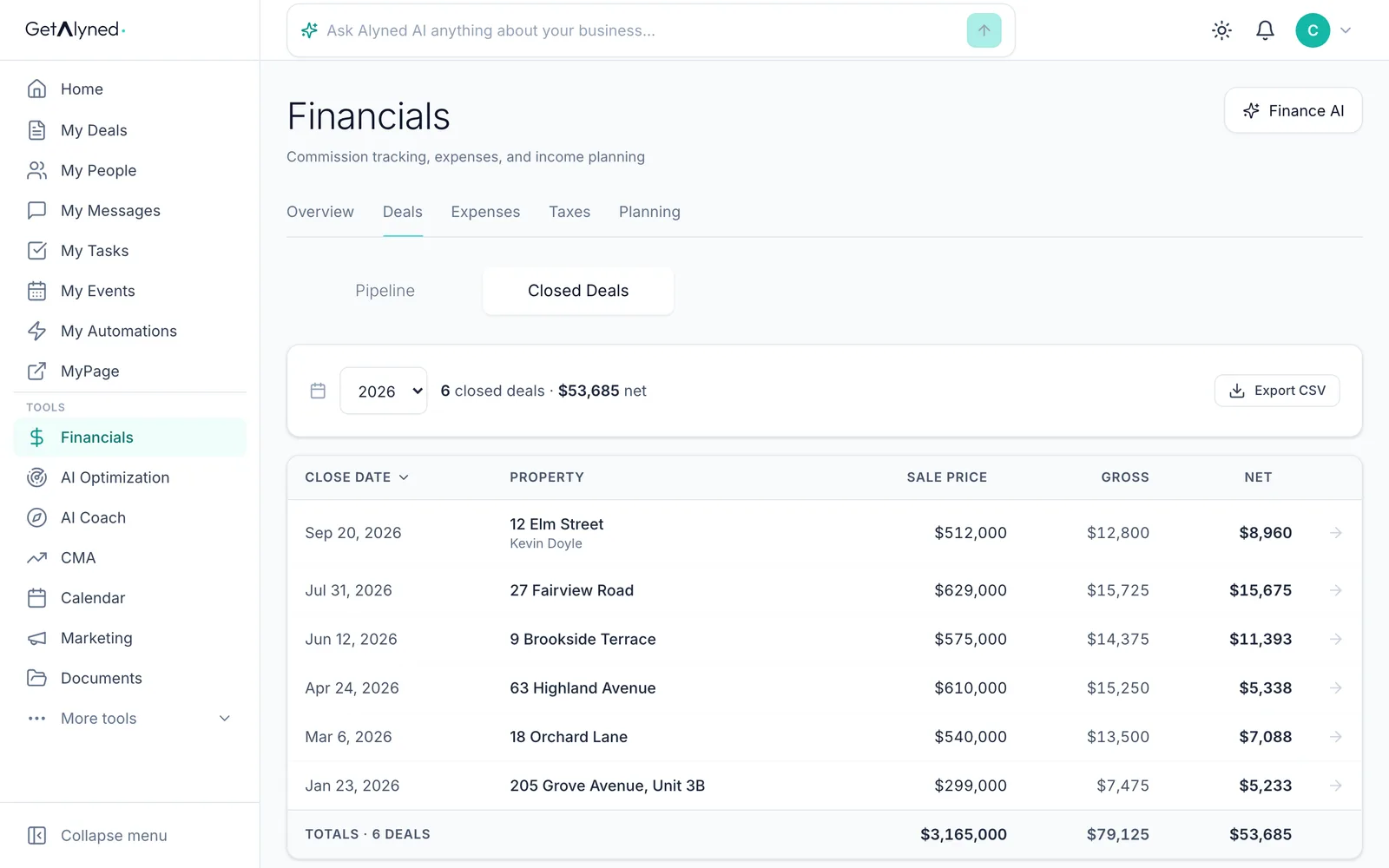
Every deal you closed
Each closed deal with its sale price, gross commission and what you kept, with totals for the year.
-
Open a closed deal
Click a closed deal to see its own numbers.
-
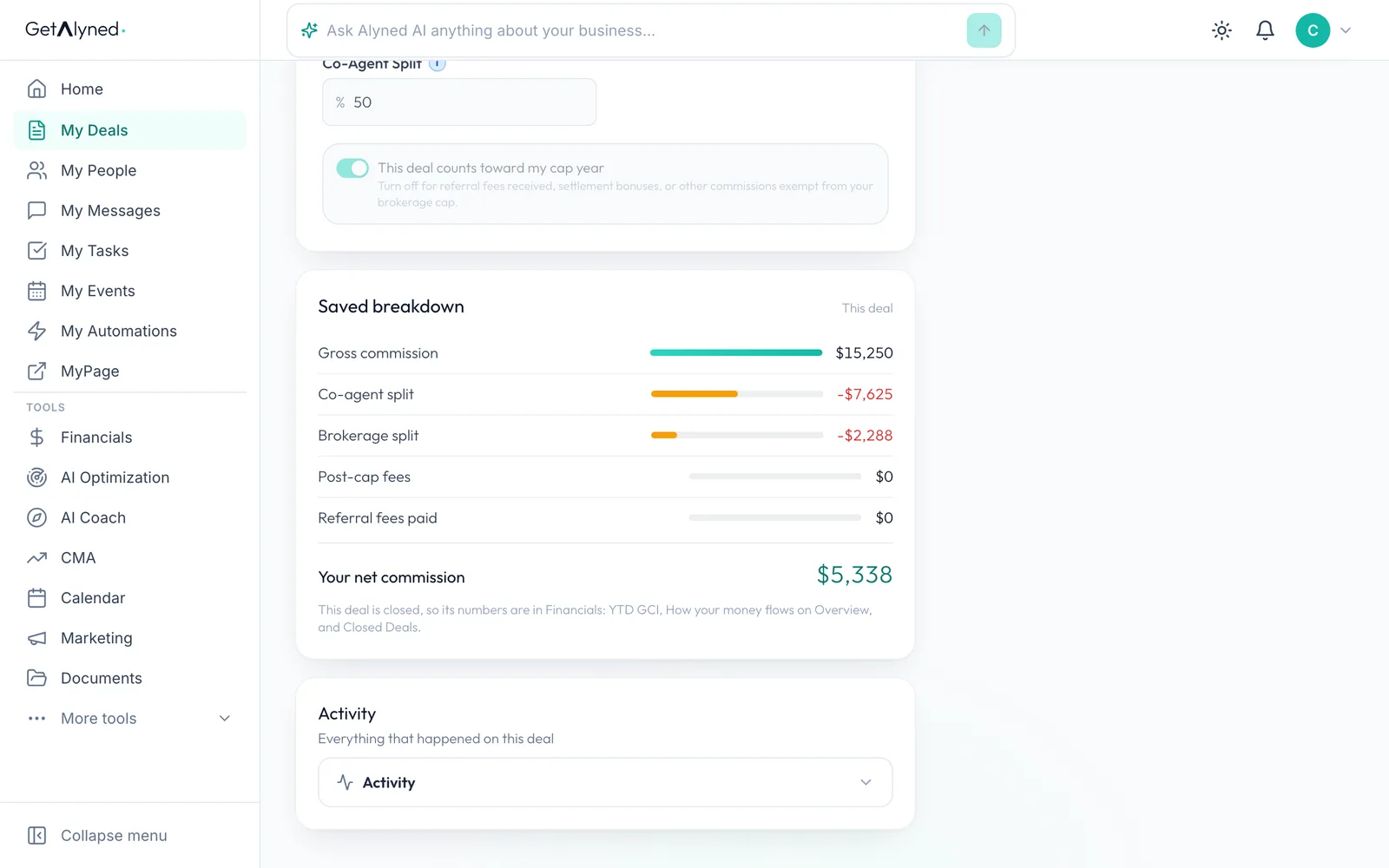
Saved when it closed
A closed deal keeps the breakdown from the day it closed. This one was shared with a co-agent, so half the gross went to them first.
Related guides
- Set your split and commission structure · Tell Alyned your split, your usual commission and your brokerage cap once. Every new deal then shows what you'll make, and Financials tracks your cap for you.
- Close a deal · Finish the last steps on a deal, close it out, and see the commission show up in Financials.
- Get ready for taxes · See your whole tax year in one place, and hand your accountant one file with your income, expenses and receipts.
- Add your loan officer to a deal · Bring your loan officer onto a deal so their financing steps show up on your timeline and your client's, and they join the deal chat.