Close a deal
For agents · 2 min
Finish the last steps on a deal, close it out, and see the commission show up in Financials.
Watch
Or read it step by step
-
Open the deal
On My Deals, click the deal you're closing. Only the last steps are left.
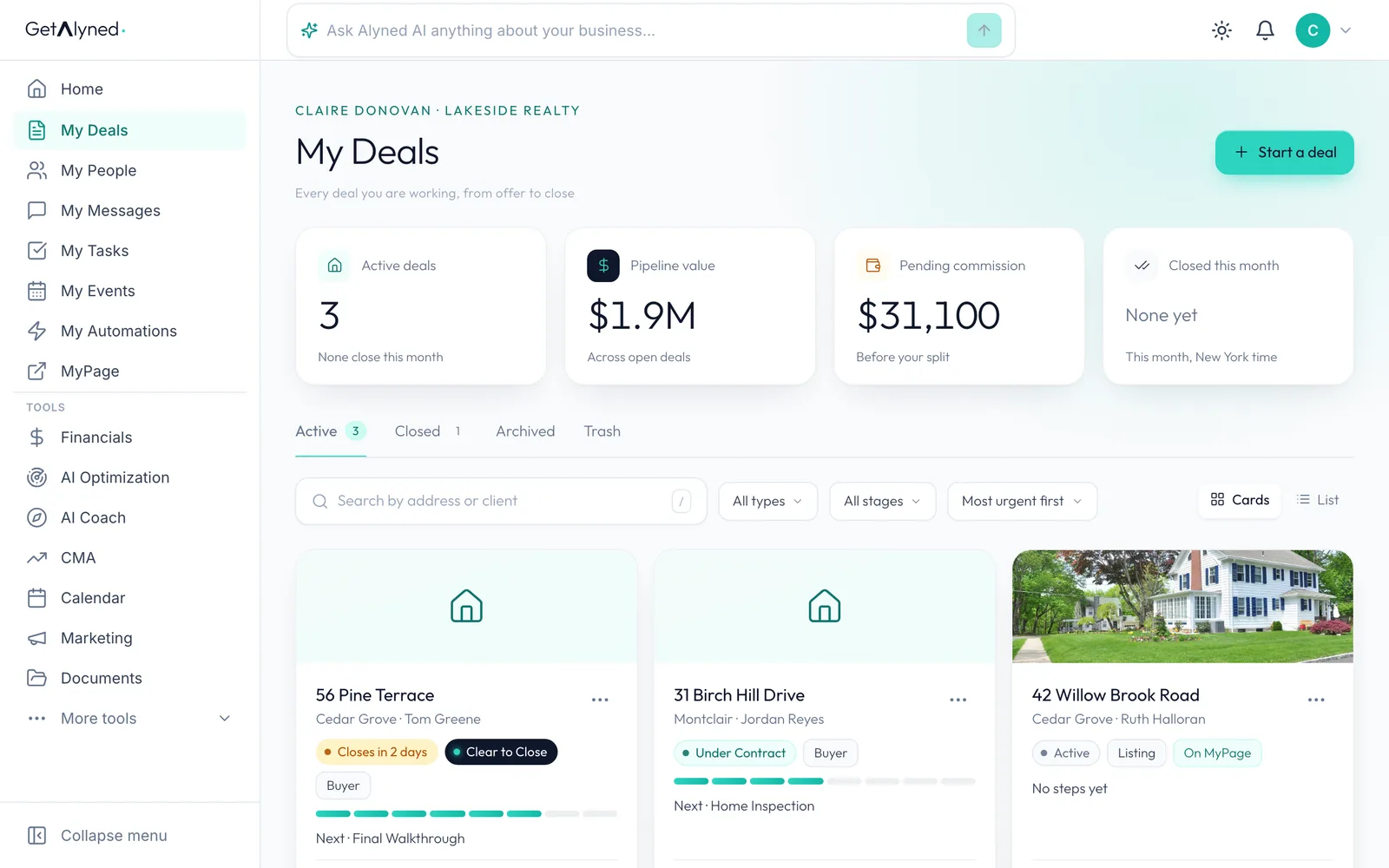
-
Mark the walkthrough done
After the final walkthrough, click Mark done on that step.
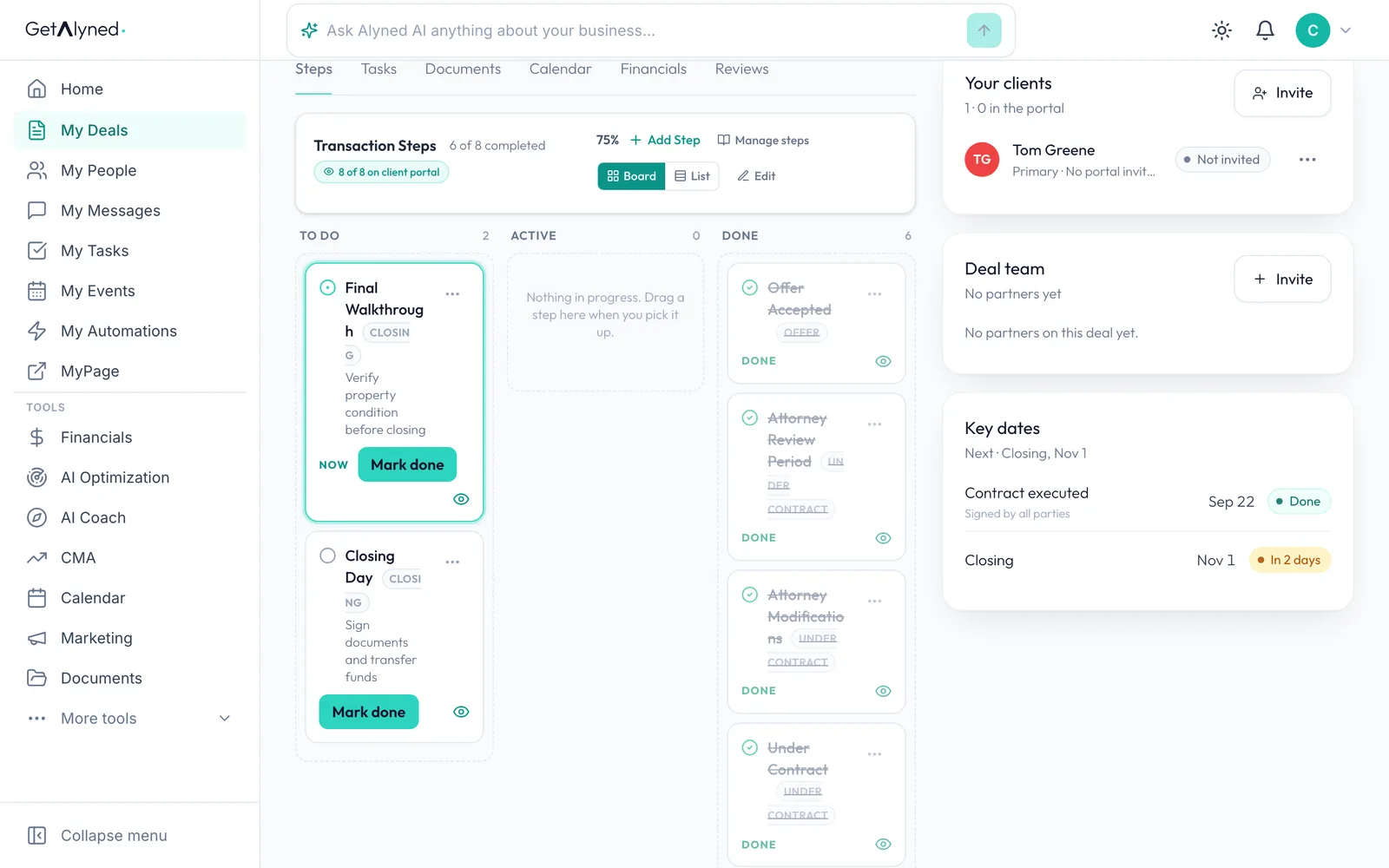
-
Choose whether to notify
Alyned asks before it messages your client. Save Without Notifying updates the deal quietly.
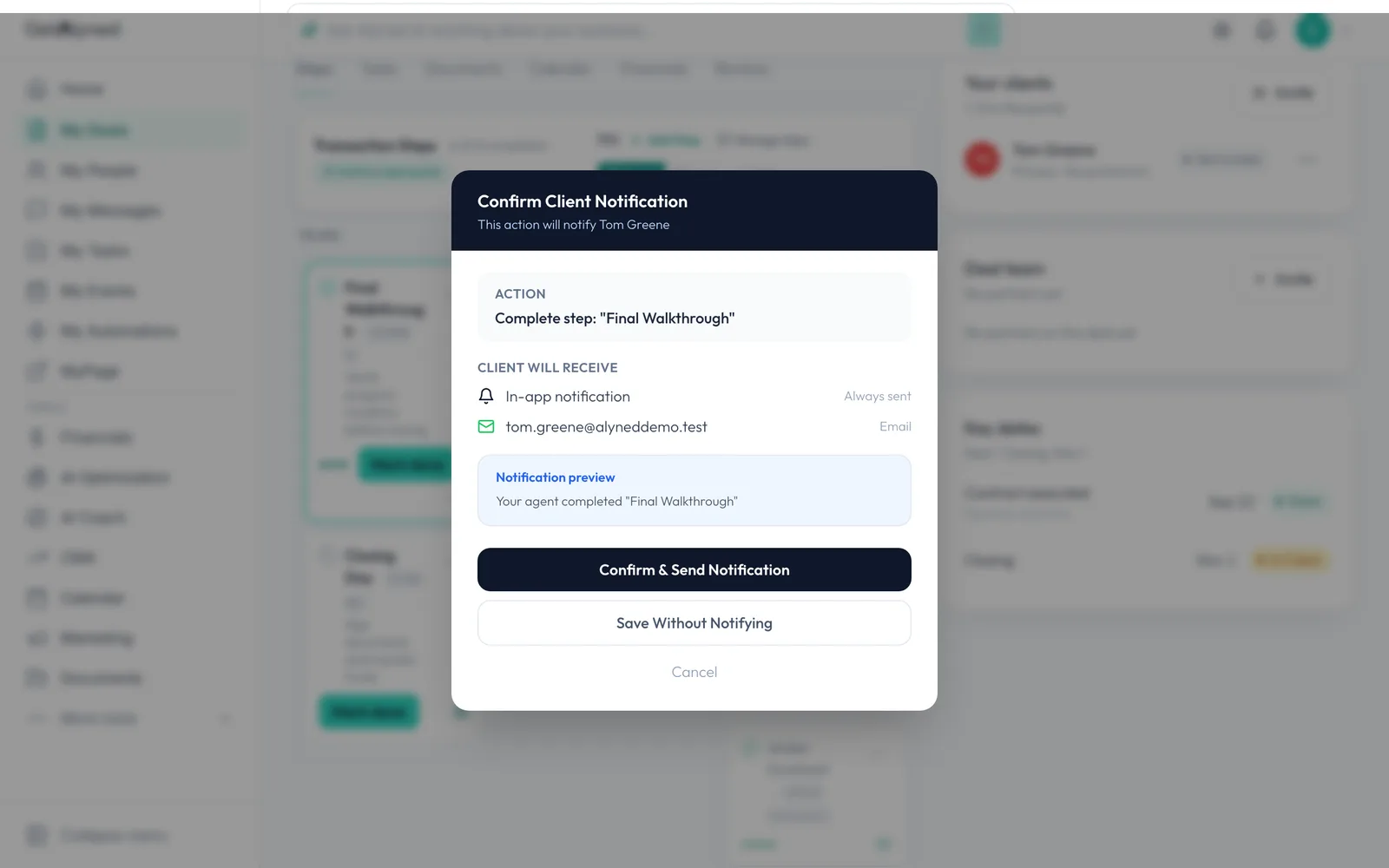
-
Change the stage
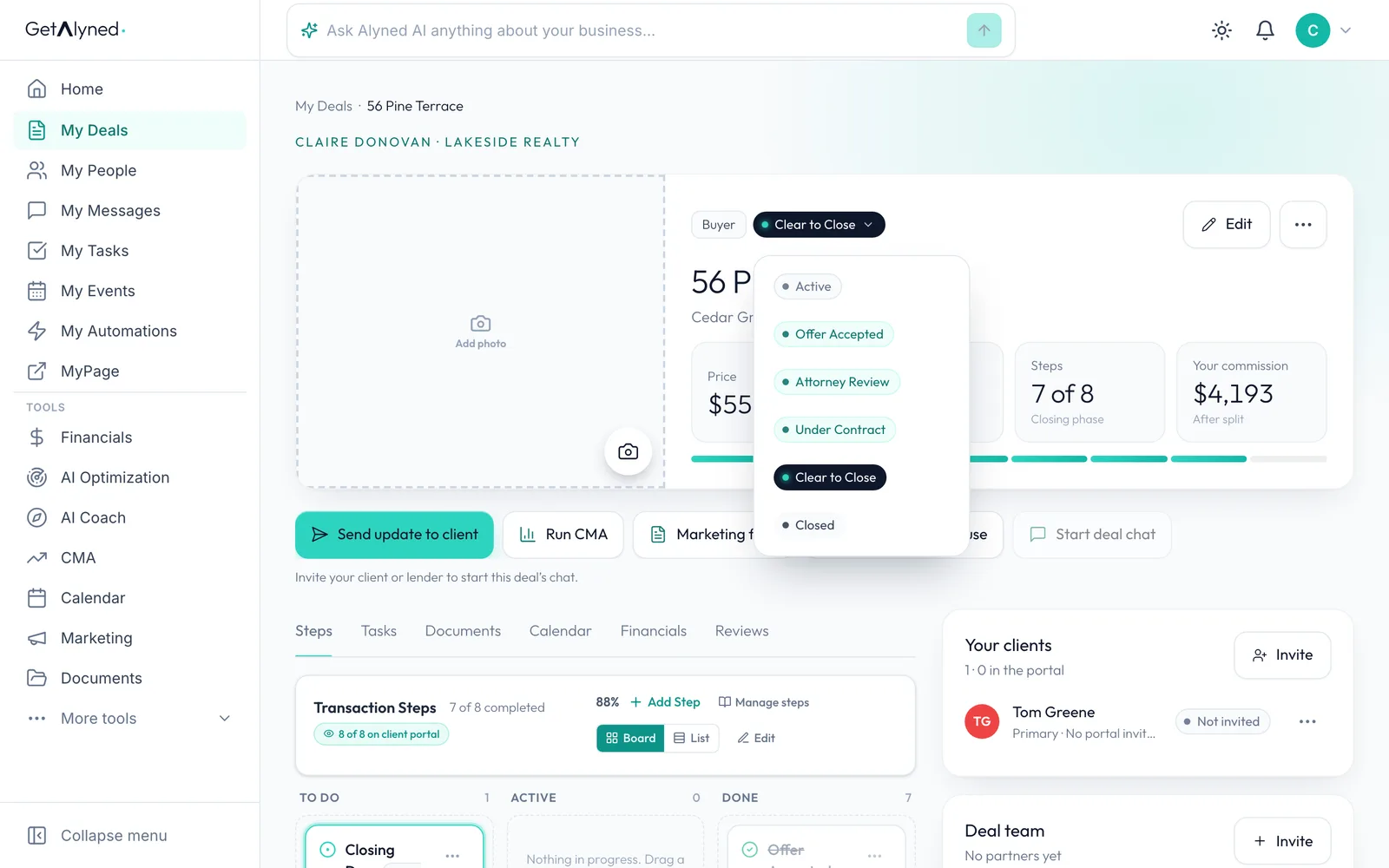
When the deal has closed, click the stage pill at the top of the deal, next to Buyer or Listing.
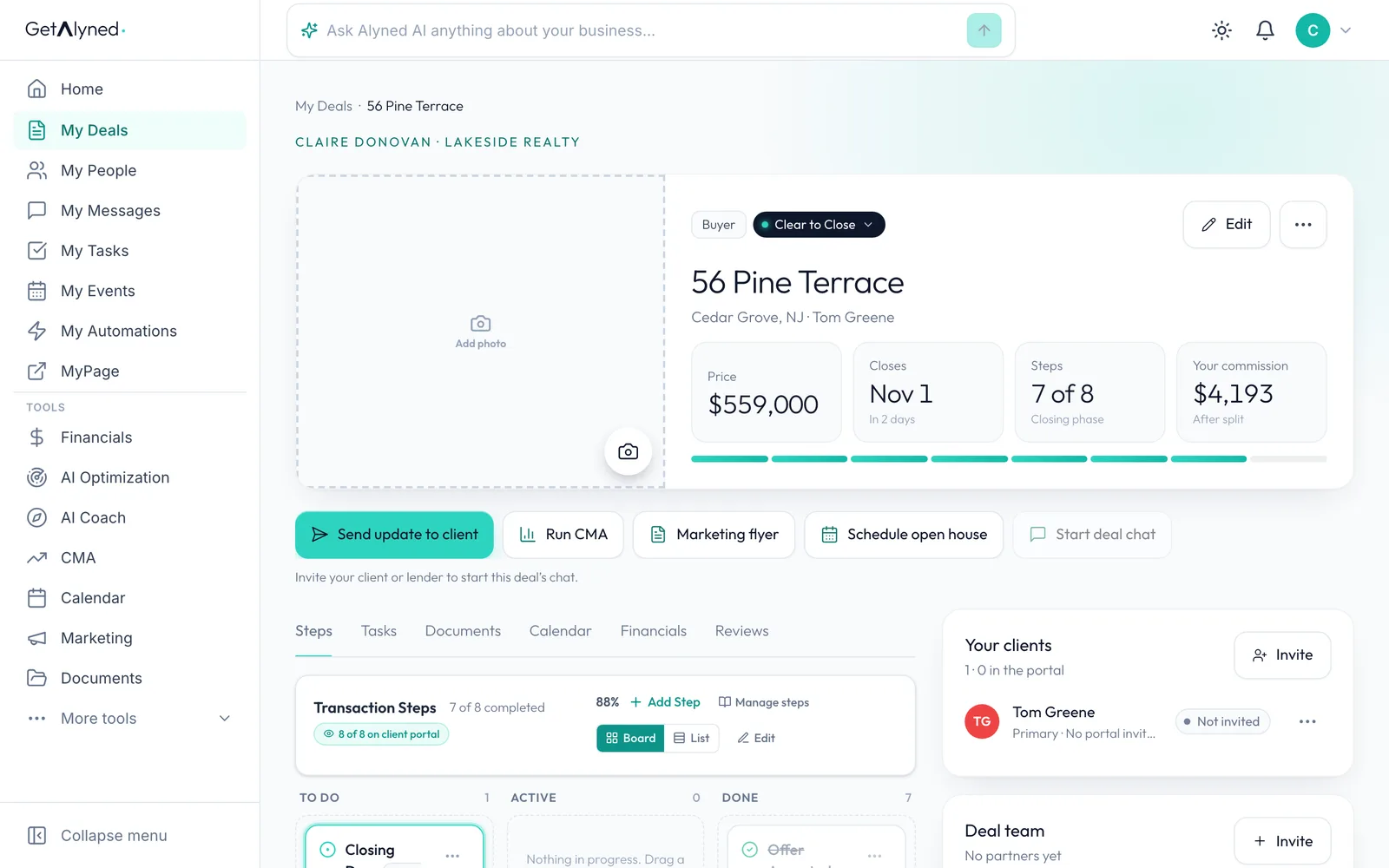
-
Pick Closed
Pick Closed from the list.
-
Close the deal
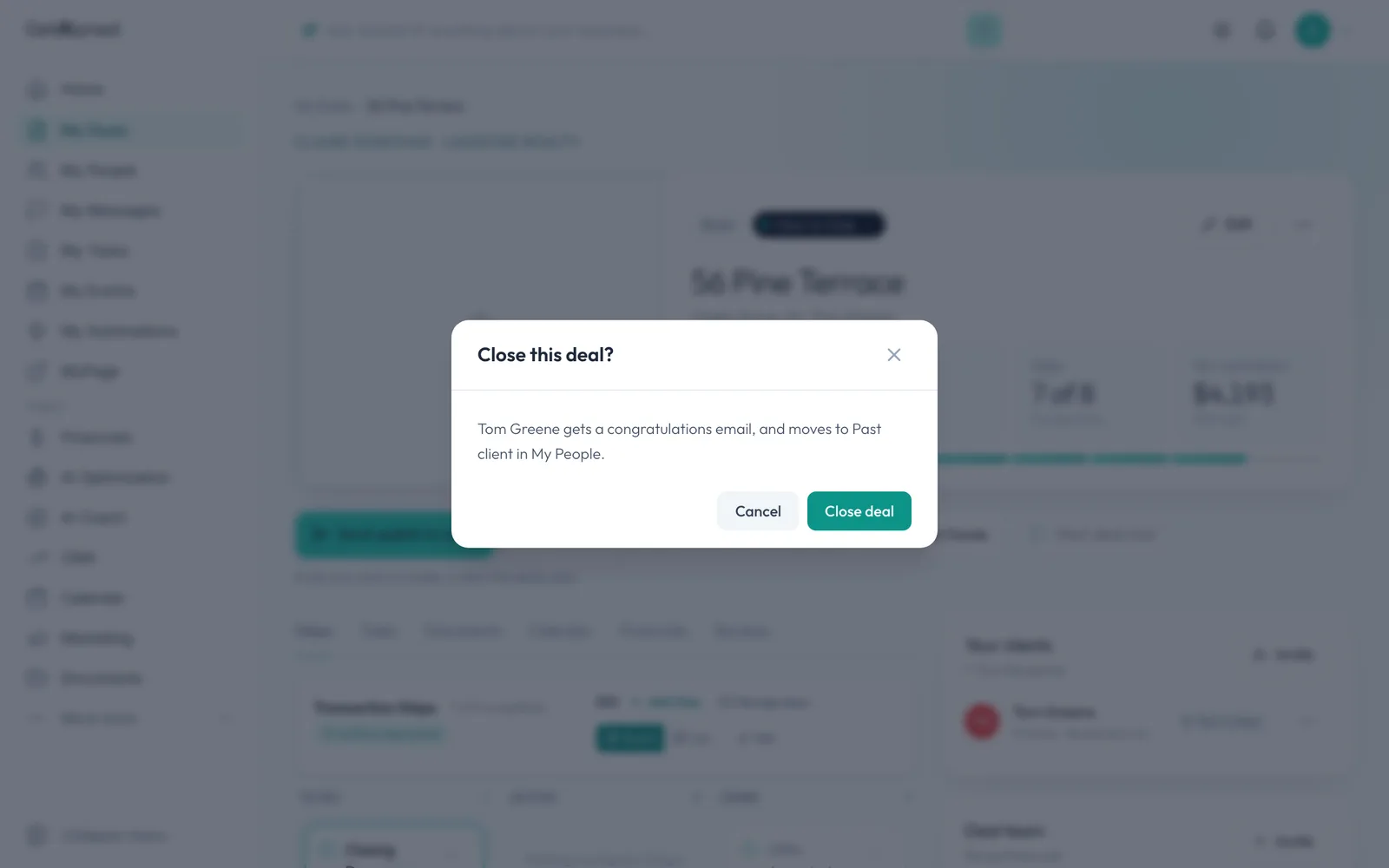
Alyned checks first. Click Close deal: your client gets a congratulations email and moves to Past client in My People.
-
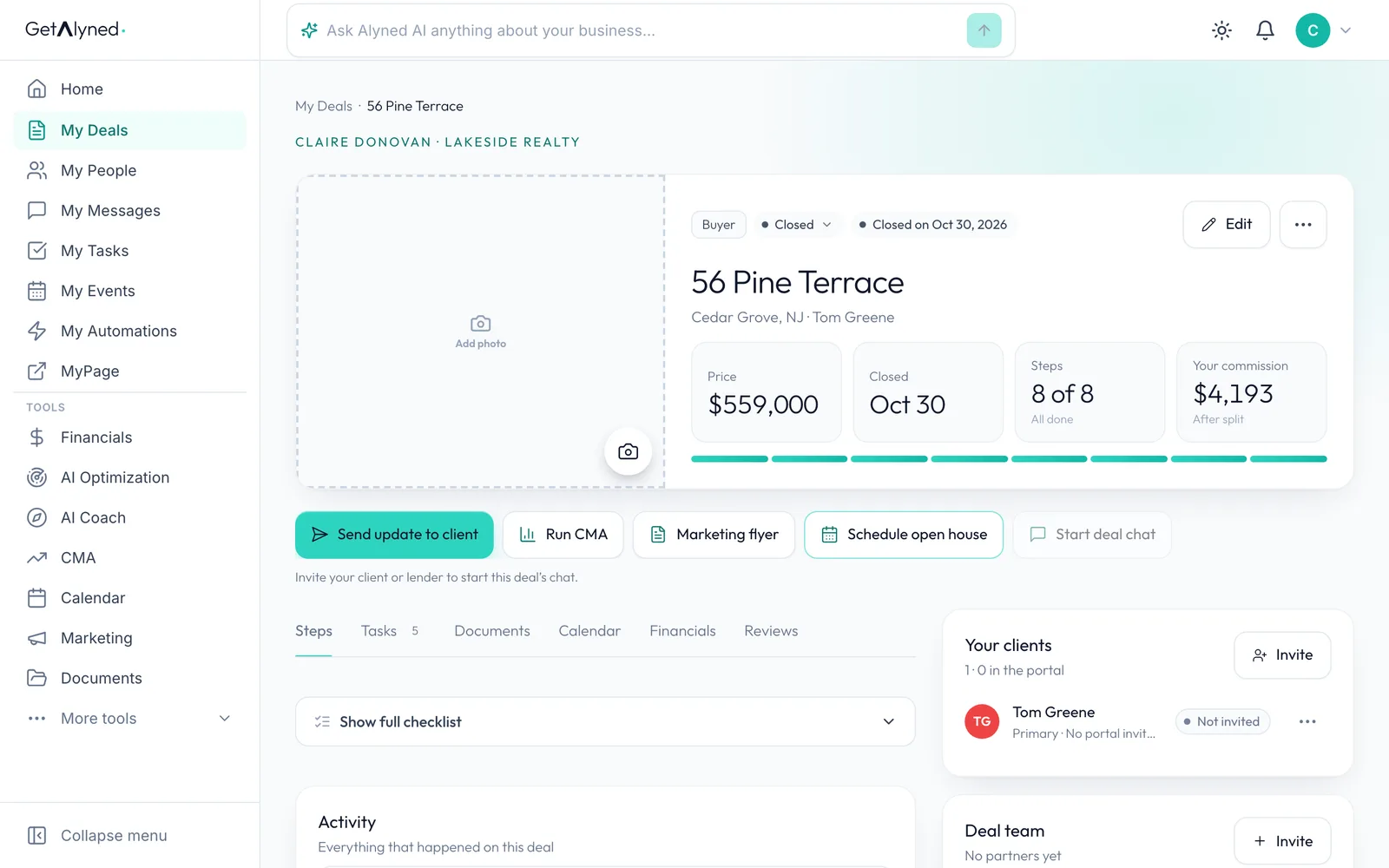
The deal is closed
The deal now shows Closed, with the day it closed.
-
Back to My Deals
Click My Deals to go back to your list.
-
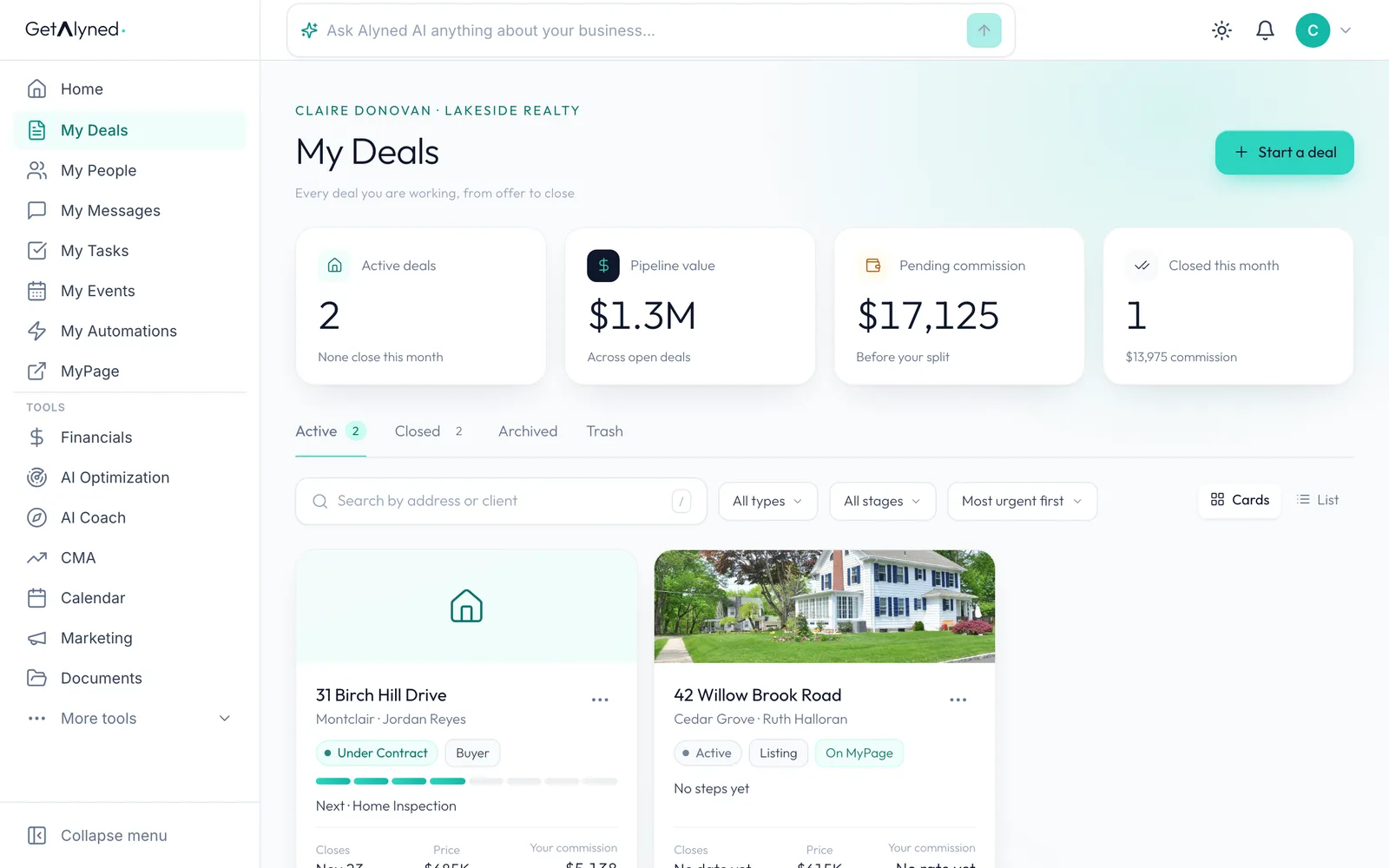
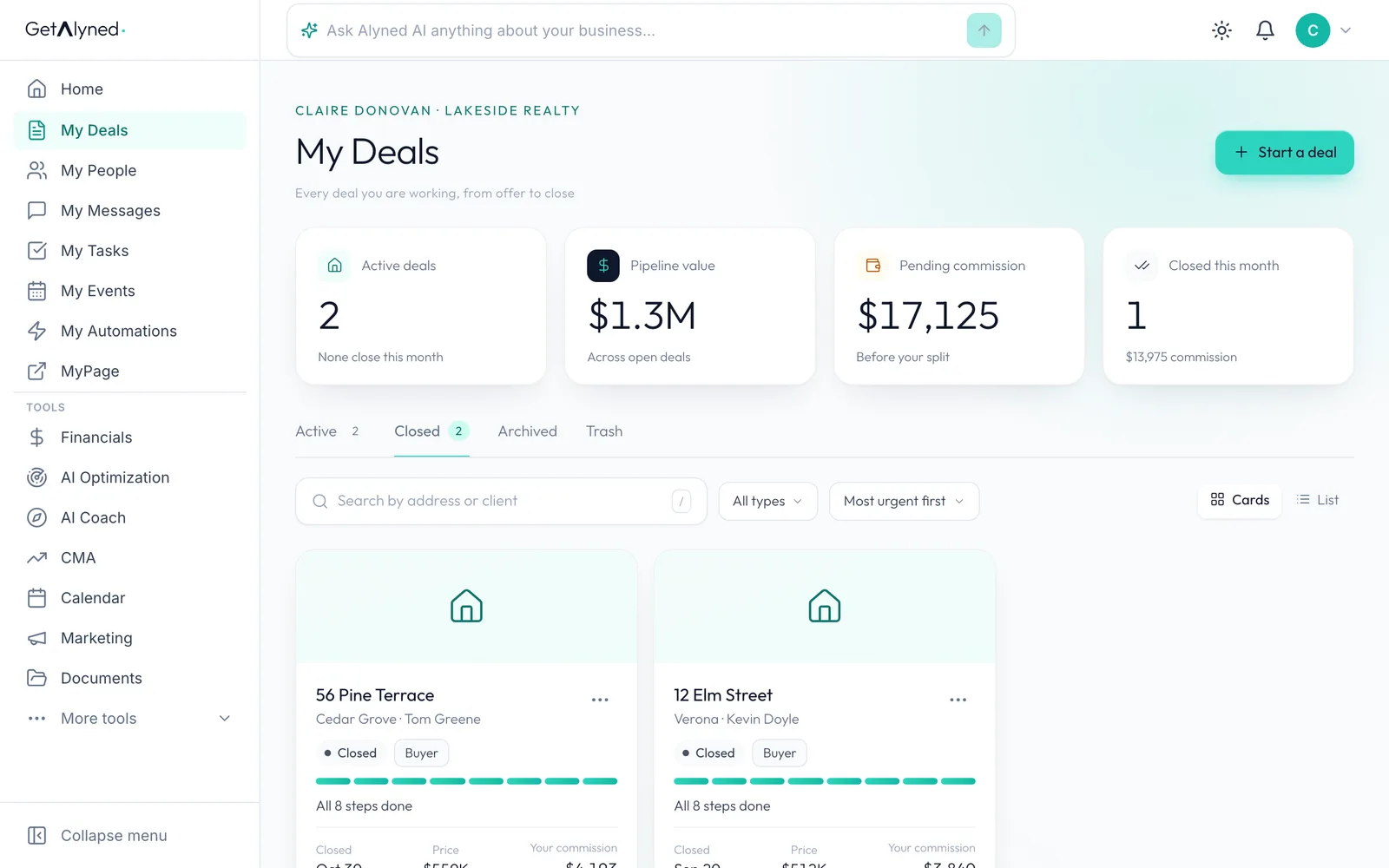
Open the Closed tab
Closed deals move from Active to the Closed tab.
-
Your closed deal
Each closed deal keeps the day it closed, its price and your commission.
-
Closed this month
Closed this month counts the deal, with its commission.
-
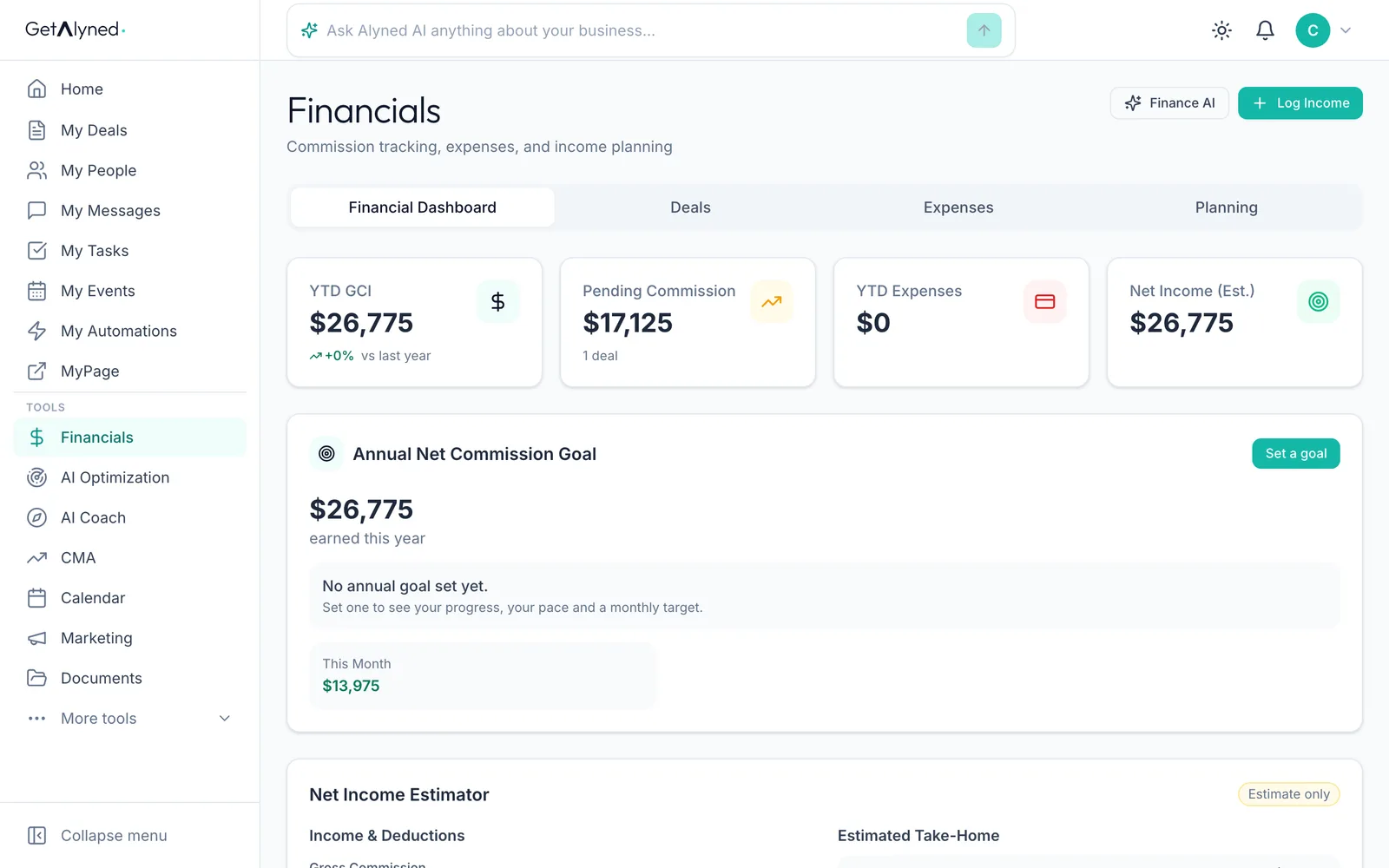
Open Financials
Click Financials in the menu to see what you've earned.
-
Your commission is counted
The commission from the deal is added to your year-to-date gross commission and to this month.
Related guides
- Move a deal forward · Change a deal's stage, check off steps as they're done, and see how your client is told right away in their portal.
- Add and share documents on a deal · Upload a document to a deal, keep it private or share it with your client, and see them mark it reviewed from their phone.
- Collect reviews and testimonials · Ask past clients for a review, share a testimonial link with anyone else you've helped, and see both show up on your MyPage on their own.
- How the money flows from a deal · See where every dollar of a deal goes: your brokerage split, referral fees and co-agents, and how it all adds up in Financials.
- Set your split and commission structure · Tell Alyned your split, your usual commission and your brokerage cap once. Every new deal then shows what you'll make, and Financials tracks your cap for you.
- Get ready for taxes · See your whole tax year in one place, and hand your accountant one file with your income, expenses and receipts.
- Log an expense · Log a business expense in seconds, with its receipt. Type it in, or snap a photo and let Alyned fill in the details.
- Build a repair request from an inspection report · Turn the inspector's report into a clear repair request in minutes: a plain-words summary for your buyer, every finding sorted by priority, and one link for the other side to answer. Start it from the deal, or from Repair Ask in the menu.