Collect reviews and testimonials
For agents · 2 min
Ask past clients for a review, share a testimonial link with anyone else you've helped, and see both show up on your MyPage on their own.
Watch
Or read it step by step
-
Open My Reviews
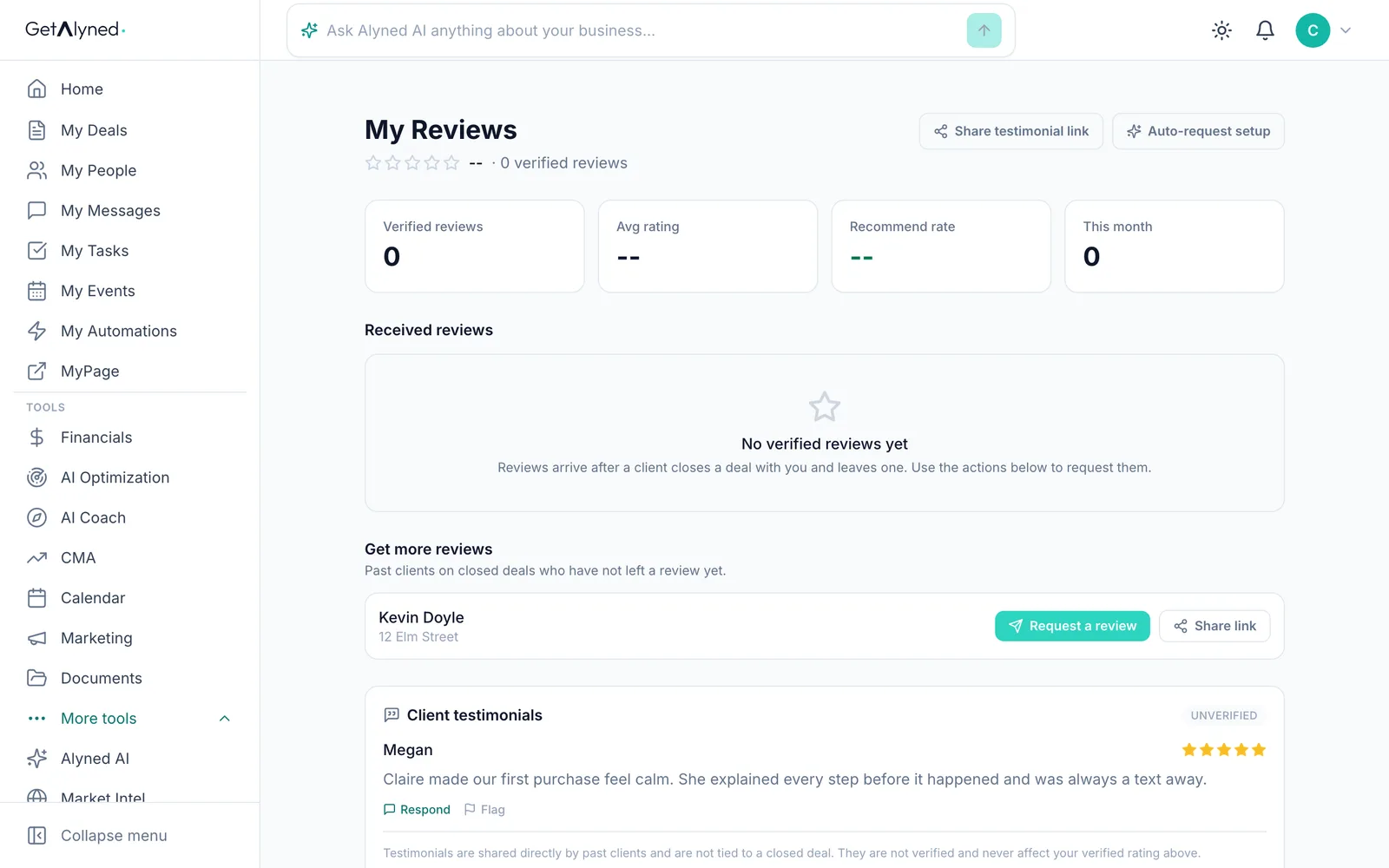
My Reviews is under More tools in the menu. Clients on your closed deals who haven't left a review yet are listed under Get more reviews.
-
Request a review
Click Request a review to email your client a link to a short review. Verified reviews are tied to the closed deal.
-
Share your testimonial link
For anyone else you've helped, click Share testimonial link.
-
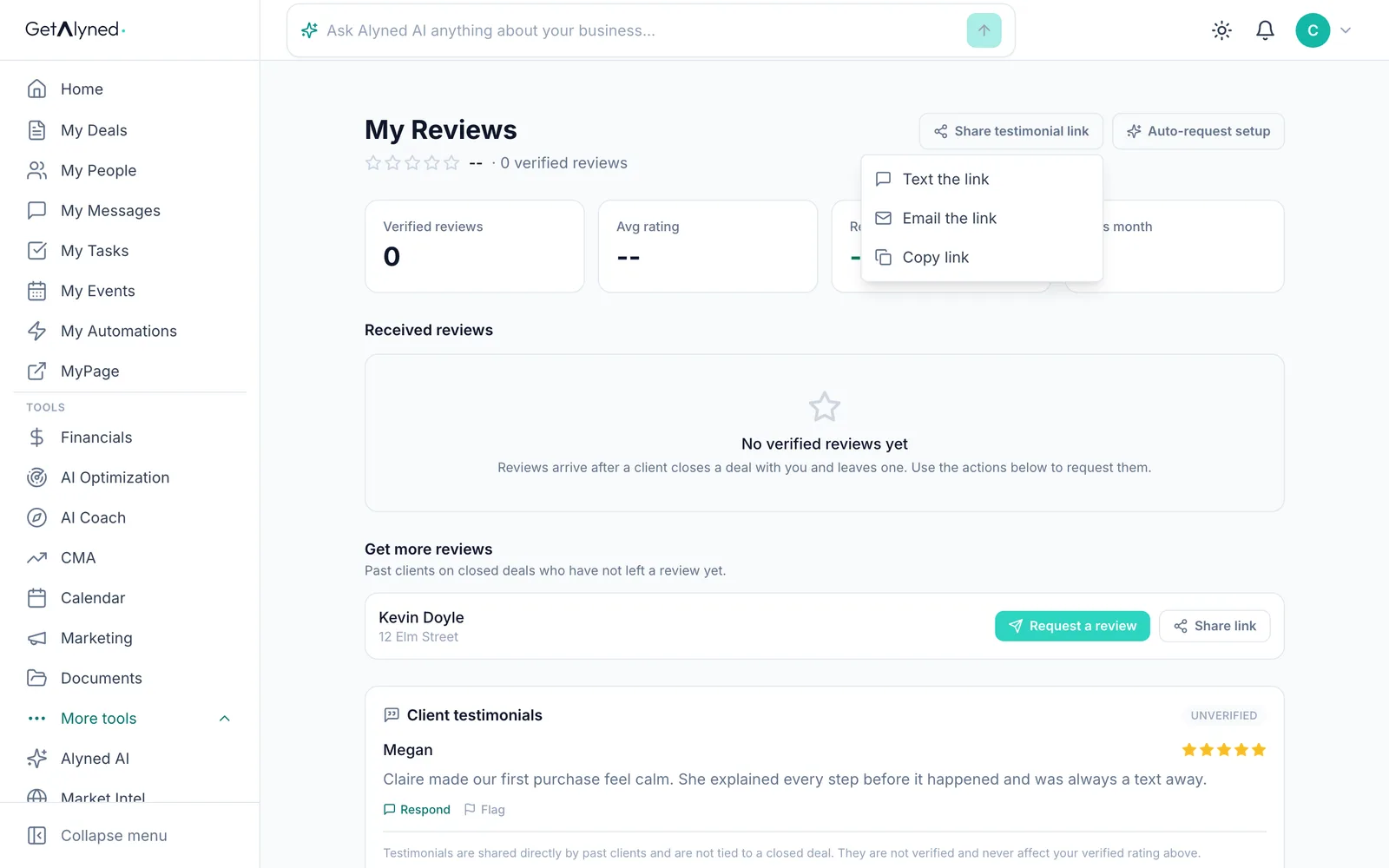
Send it your way
Text it, email it or copy it. Testimonials show separately from verified reviews.
-
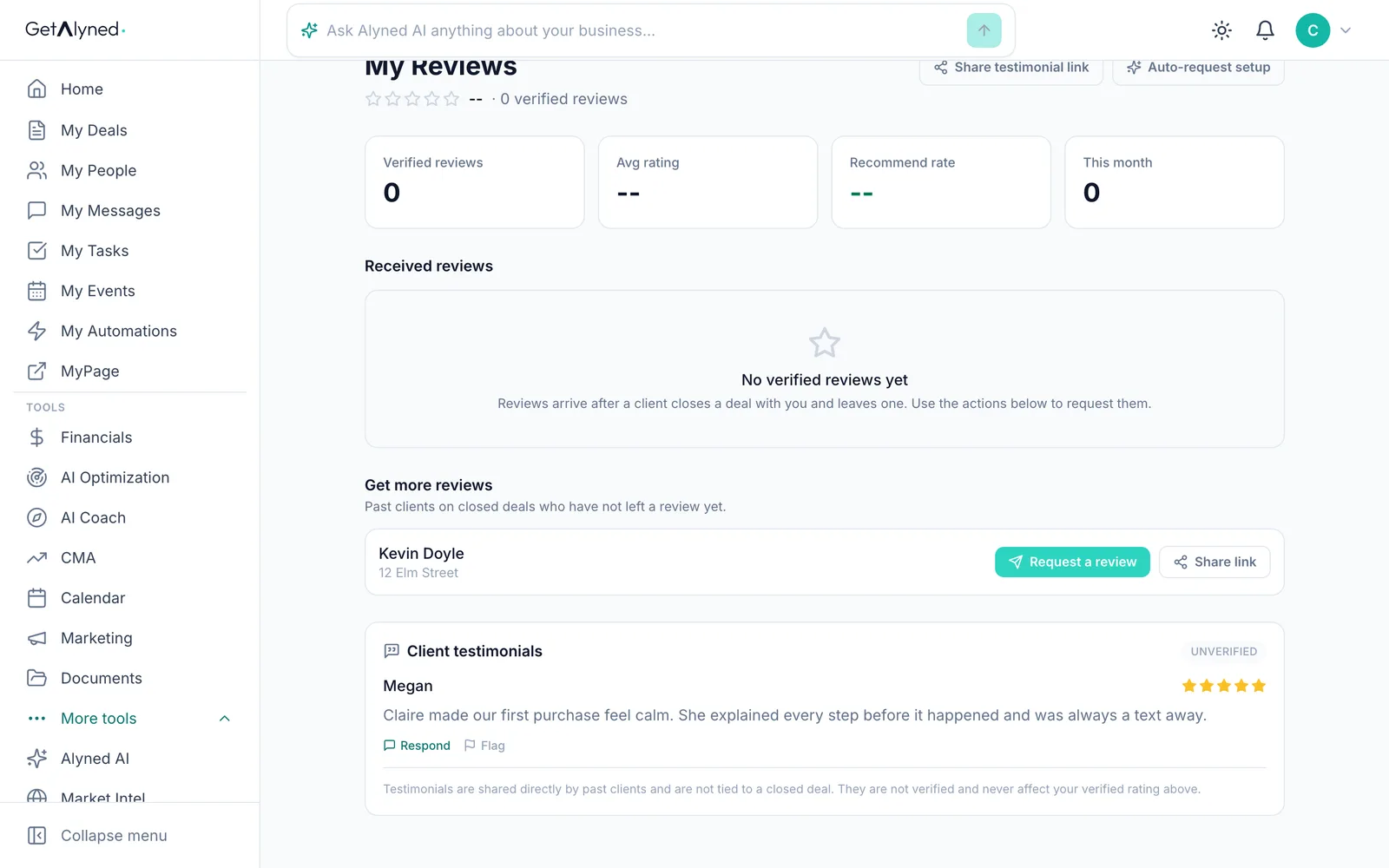
Testimonials arrive here
A testimonial appears here once the client confirms it from the email Alyned sends them. You can reply to it, or flag it if something's wrong.
-
Go to your MyPage
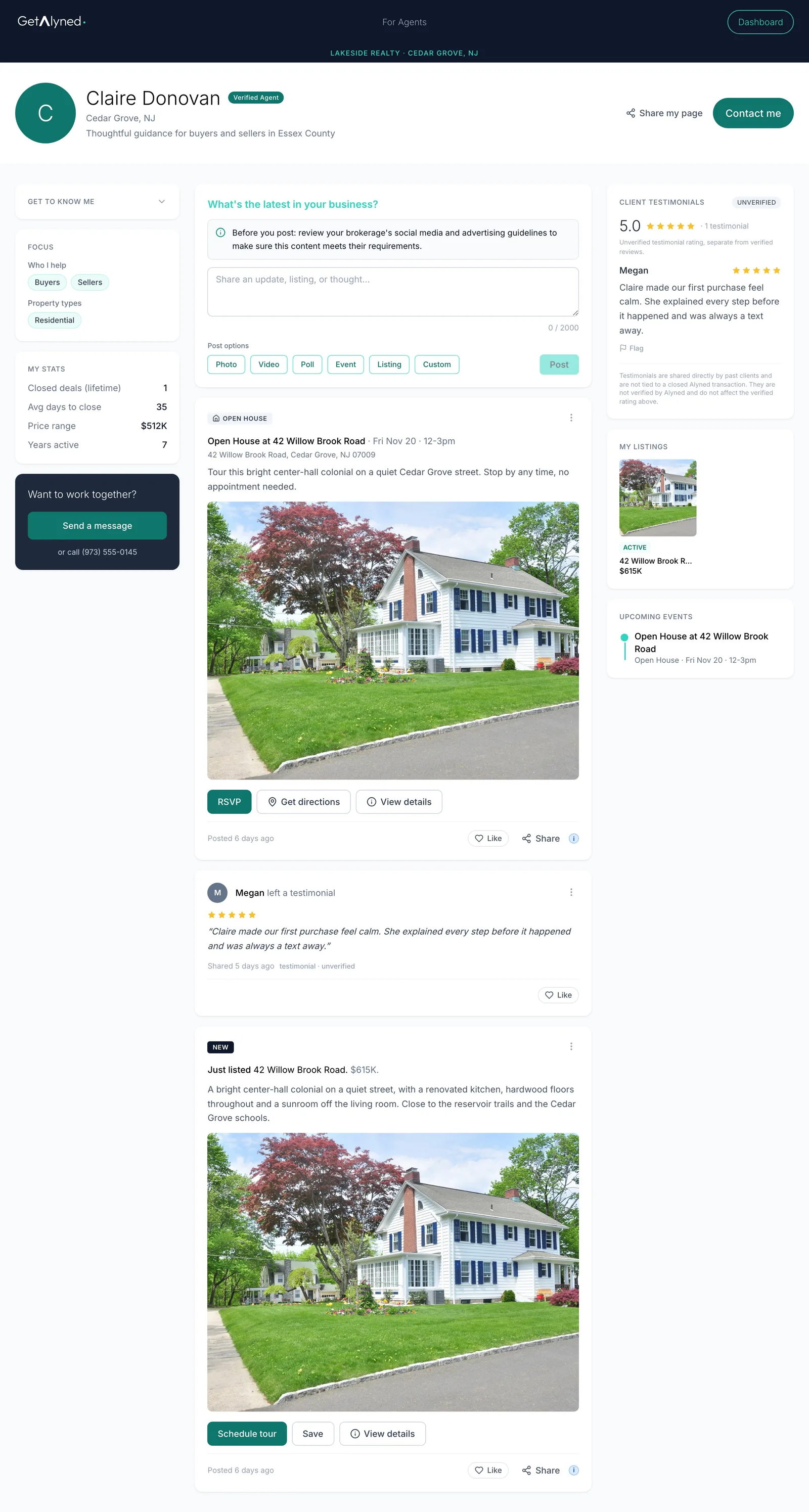
Reviews and testimonials show on your MyPage by themselves. Click MyPage to see them.
-
Their own card
Testimonials get their own card on your page, marked unverified.
-
Posted to your feed
A new testimonial is also posted to your MyPage feed.
Related guides
- Set up your MyPage · Fill in the parts of your public page that make it yours: your handle, photo, bio and the areas you cover. Then see it the way visitors do.
- Share your MyPage · Send your page out by link or QR code, and see what visitors can do when they open it on their phone.
- Post from the Curated Feed · Pick a ready-made post written for your market, make it yours, and copy it to social or publish it straight to your MyPage.
- Close a deal · Finish the last steps on a deal, close it out, and see the commission show up in Financials.