Add and share documents on a deal
For agents · 3 min
Upload a document to a deal, keep it private or share it with your client, and see them mark it reviewed from their phone.
Watch
Or read it step by step
-
Open the deal
In My Deals, click the deal.
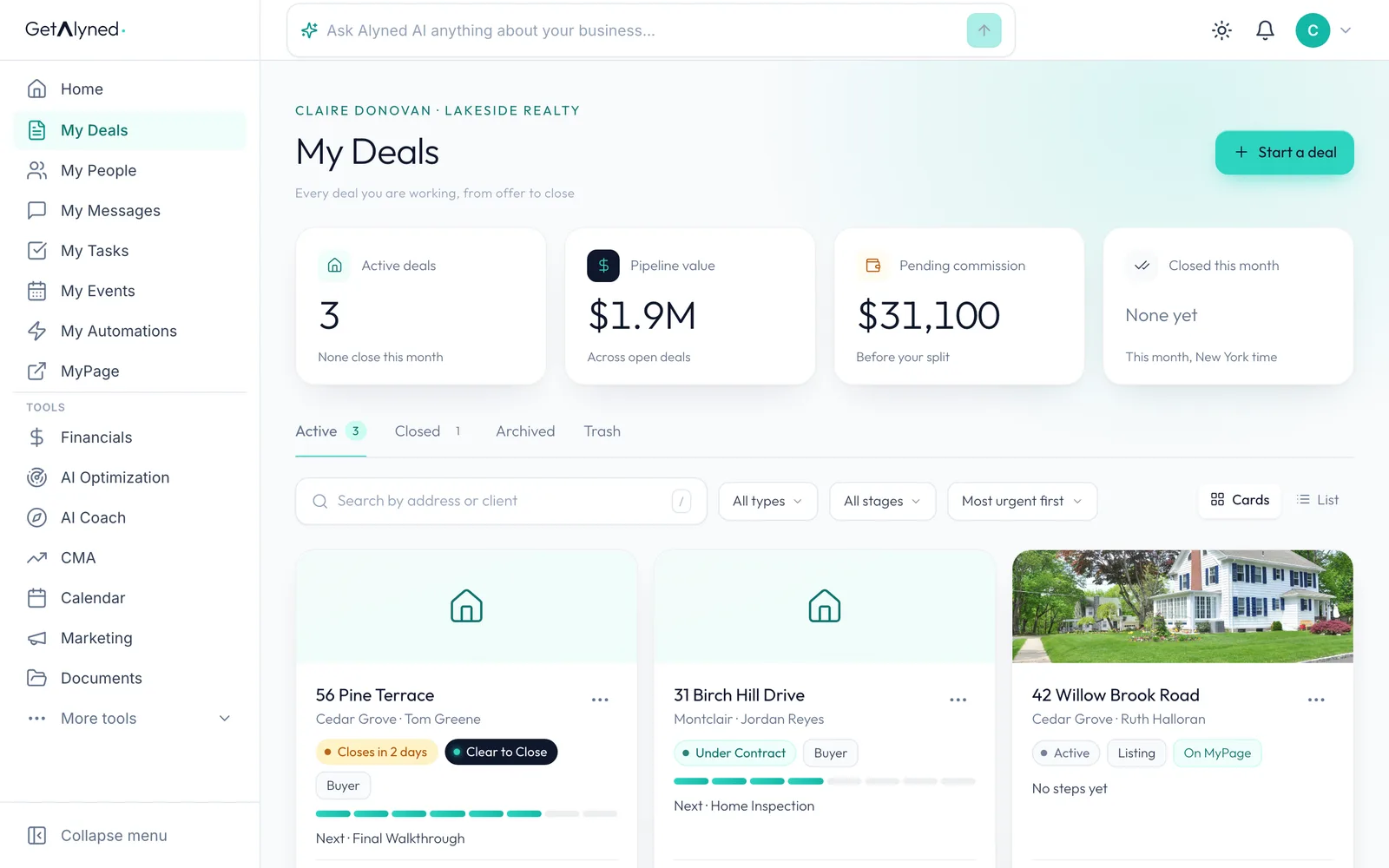
-
Open Documents
Click the Documents tab.
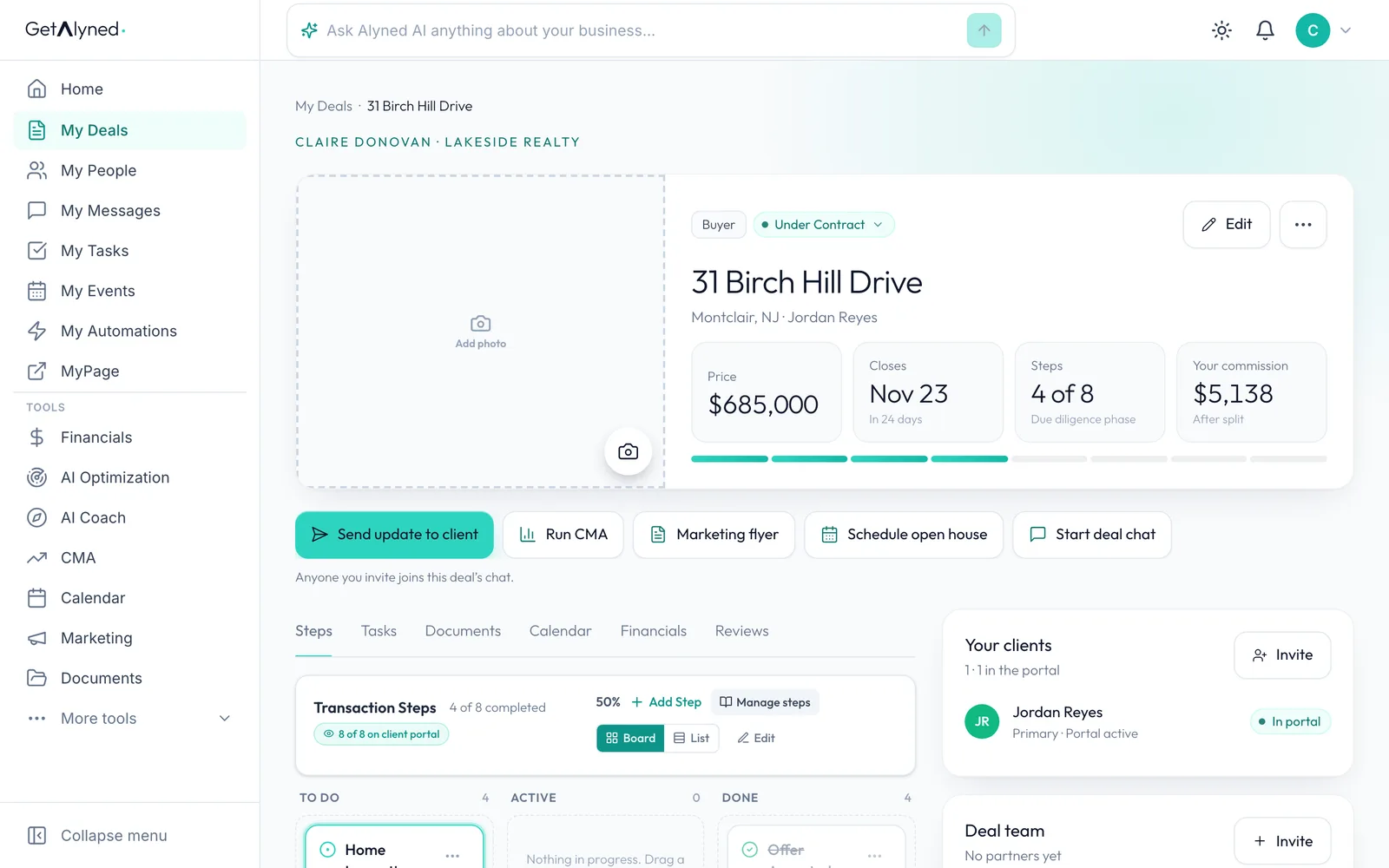
-
Add a file
Drag a file onto the box, or click it to pick one. PDFs, Word files and photos all work.
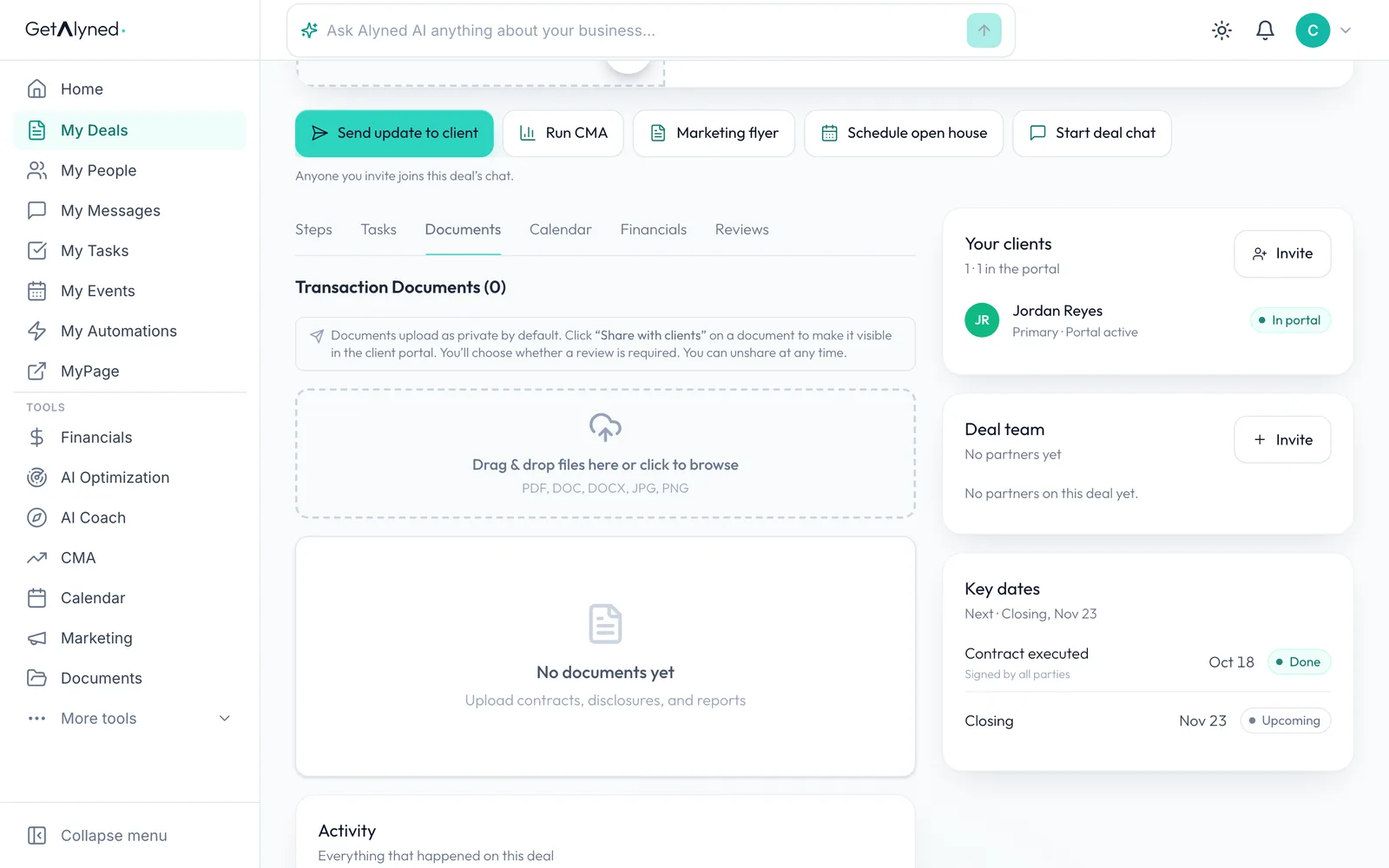
-
Name it
Give the document a name your client will recognize. A note is optional.
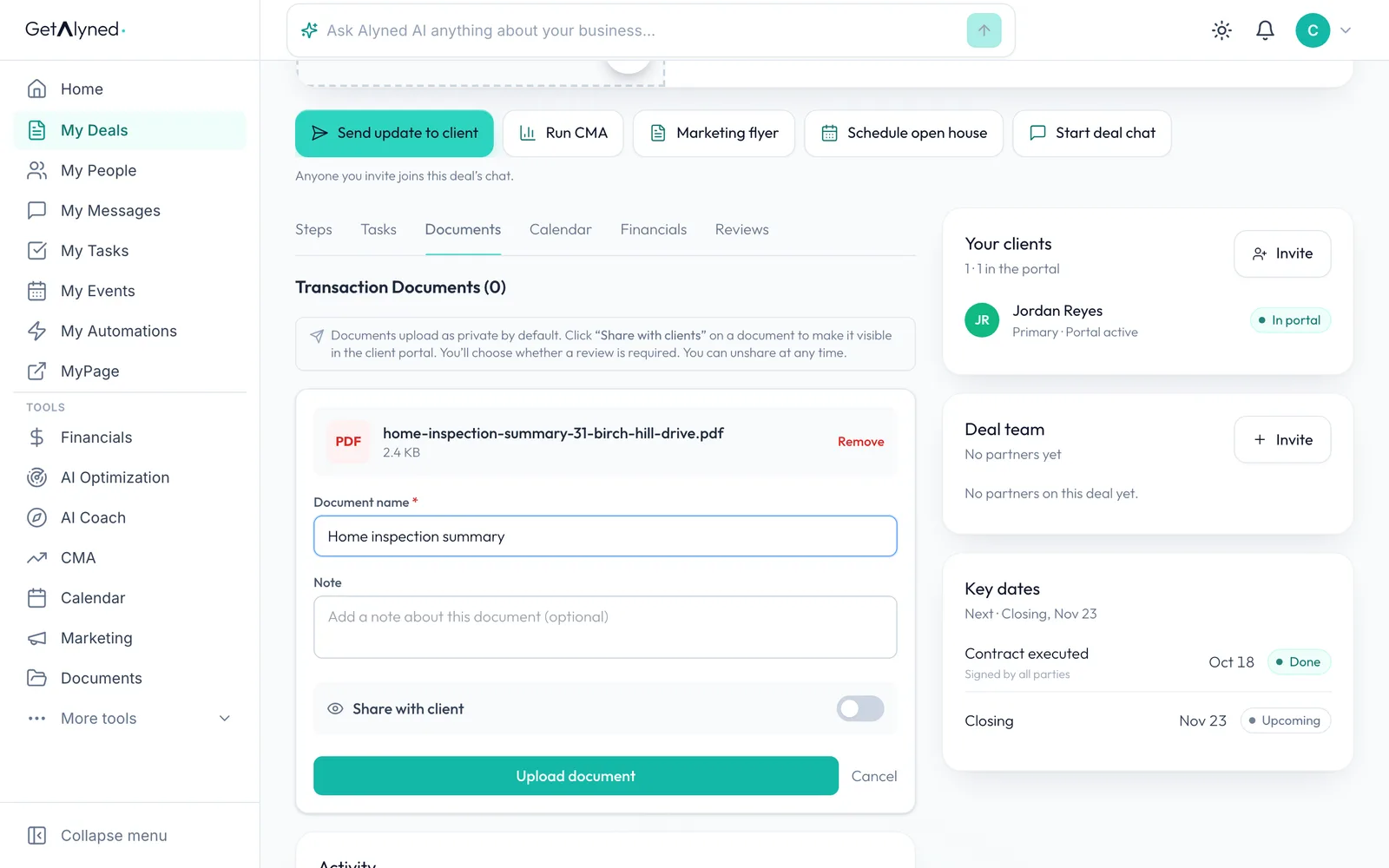
-
Share now, or keep it private
Leave Share with client off to keep the document private to you. Turn it on to share it as you upload.
-
Upload it
Click Upload document. This one is stored privately first.
-
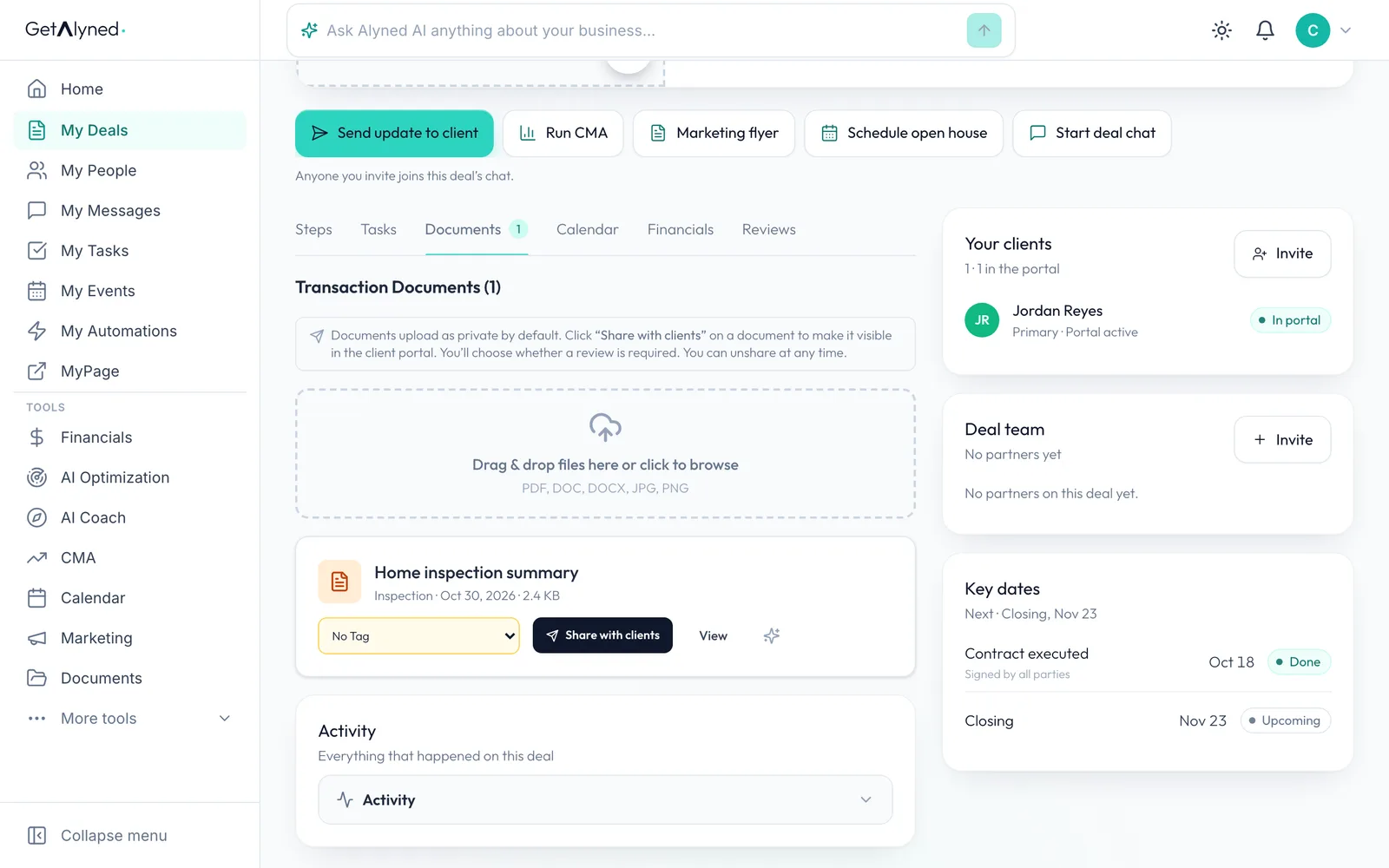
It's on the deal
The document is on the deal, private to you until you share it.
-
Share it
When it's ready, click Share with clients.
-
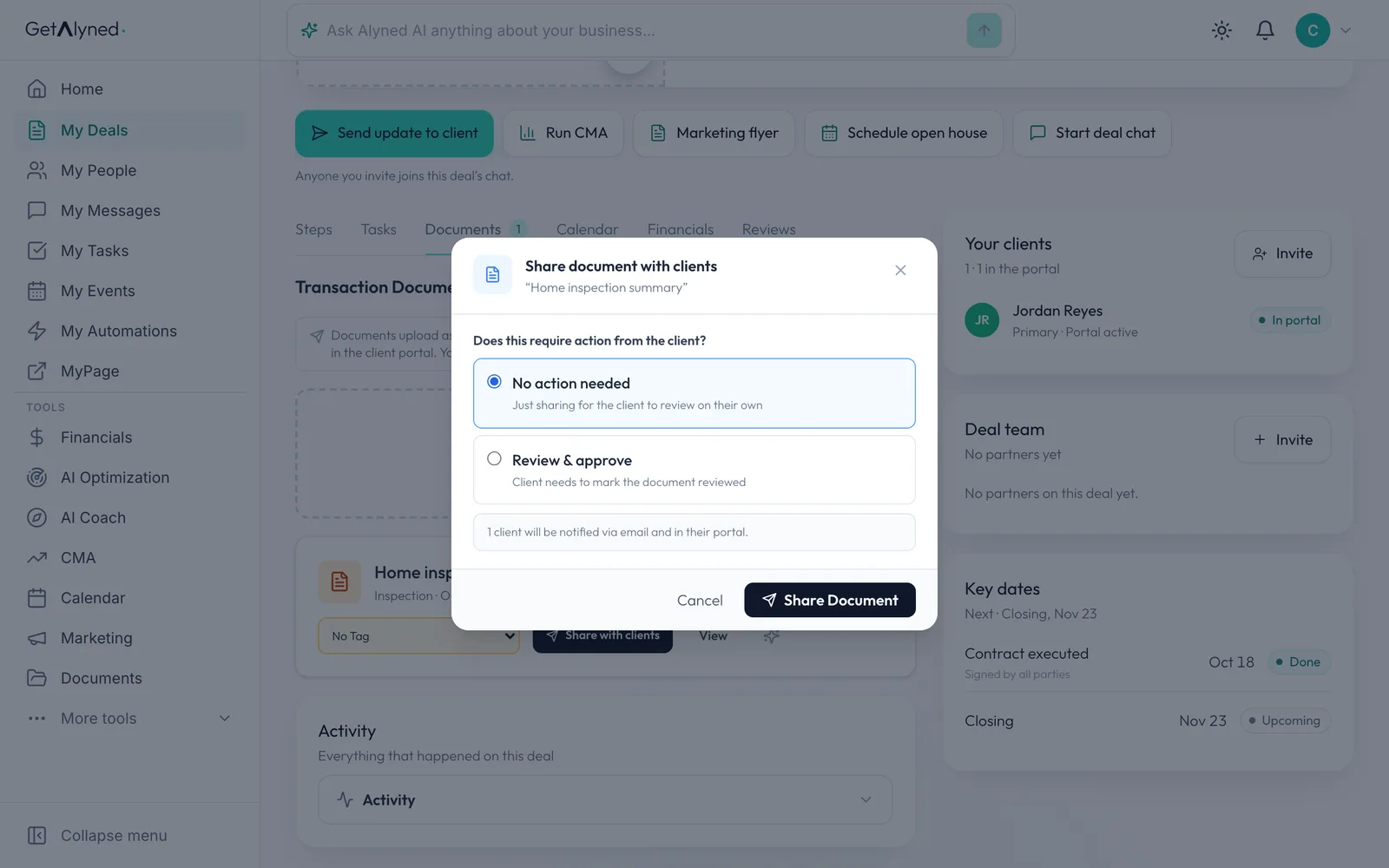
Ask for a review
Choose whether your client just reads it, or needs to mark it reviewed with Review & approve.
-
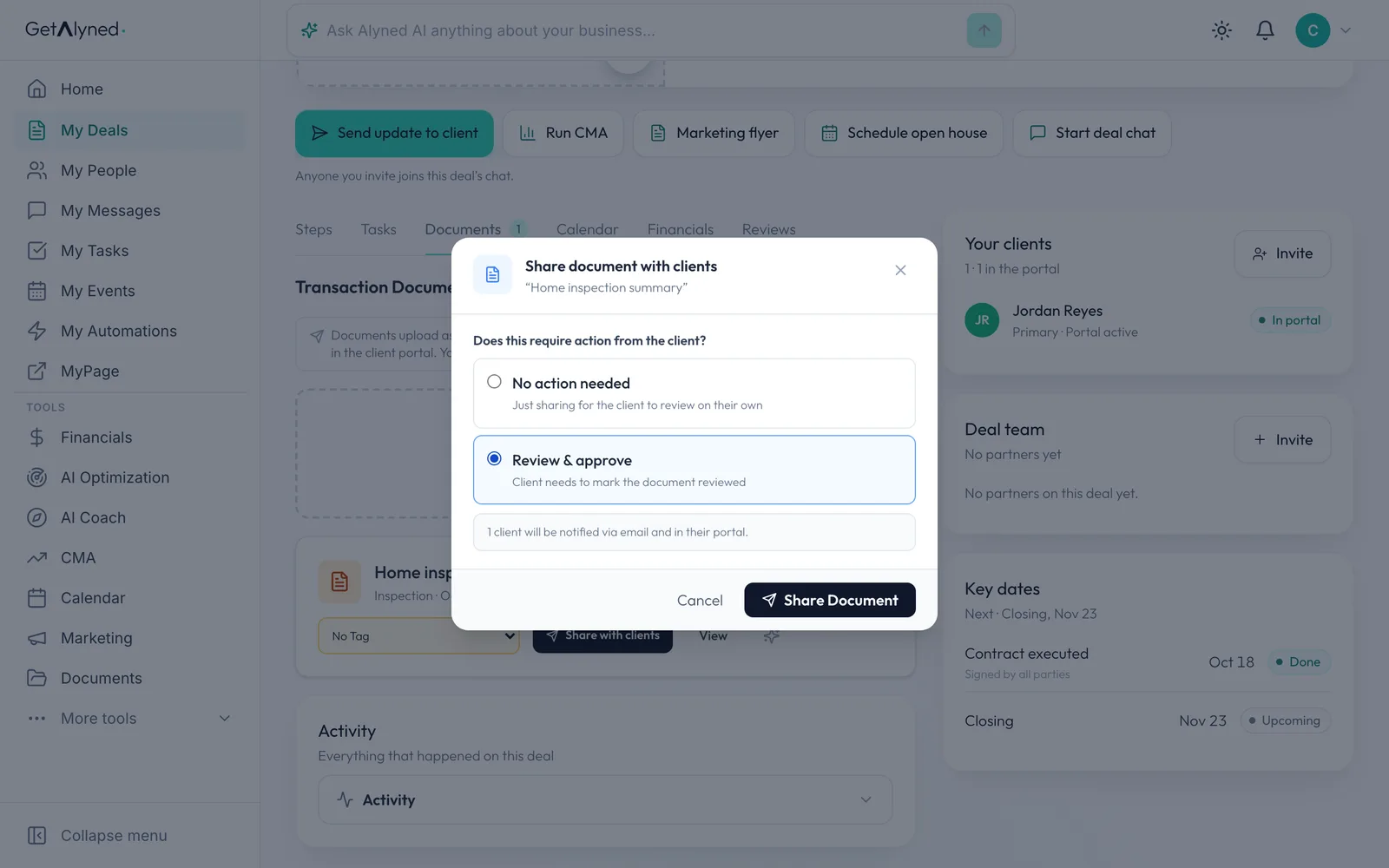
Share the document
Click Share Document. Your client is told by email and in their portal.
-
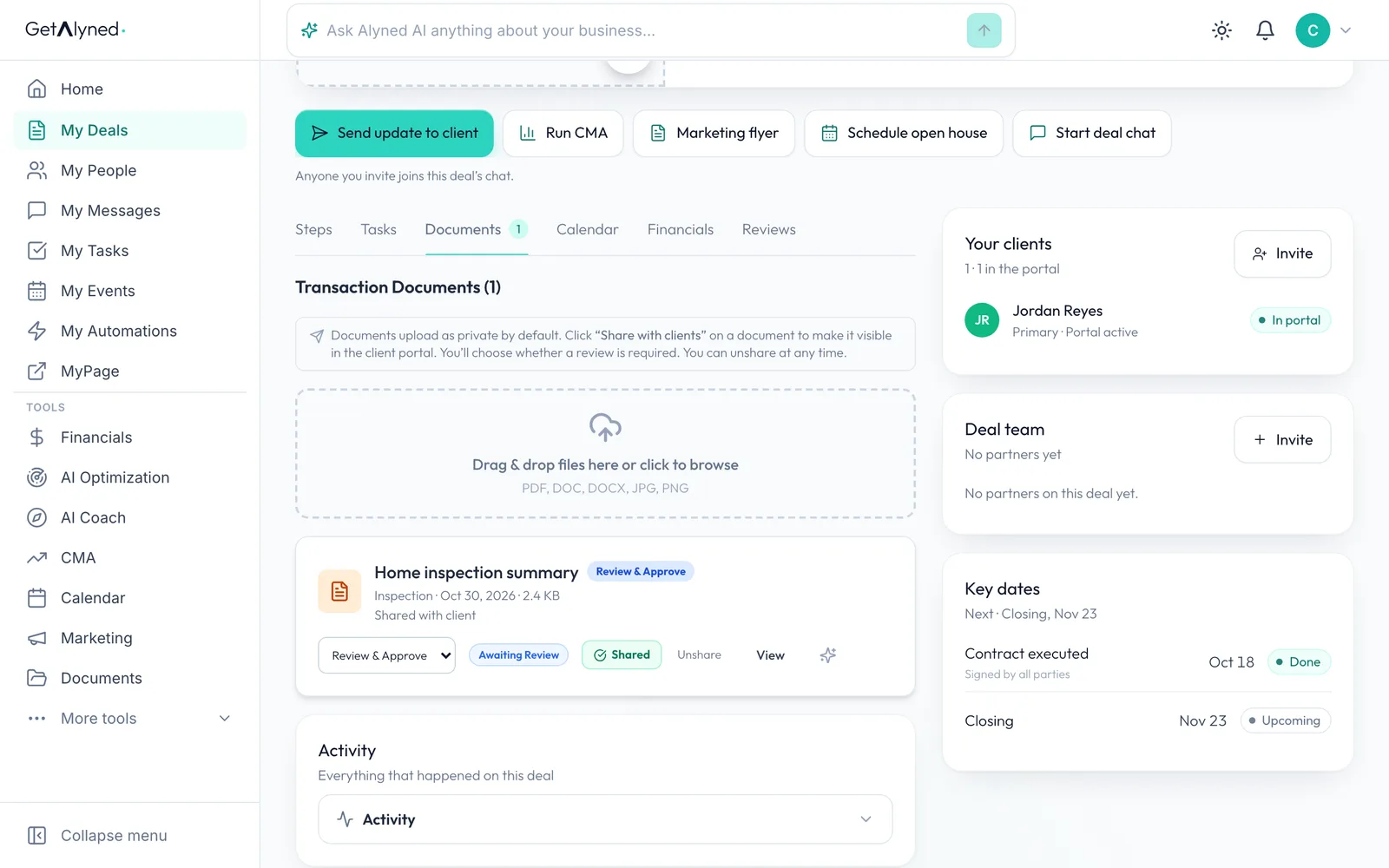
Shared and awaiting review
The document is marked Shared, and Awaiting Review until your client reviews it. Unshare takes it back.
-
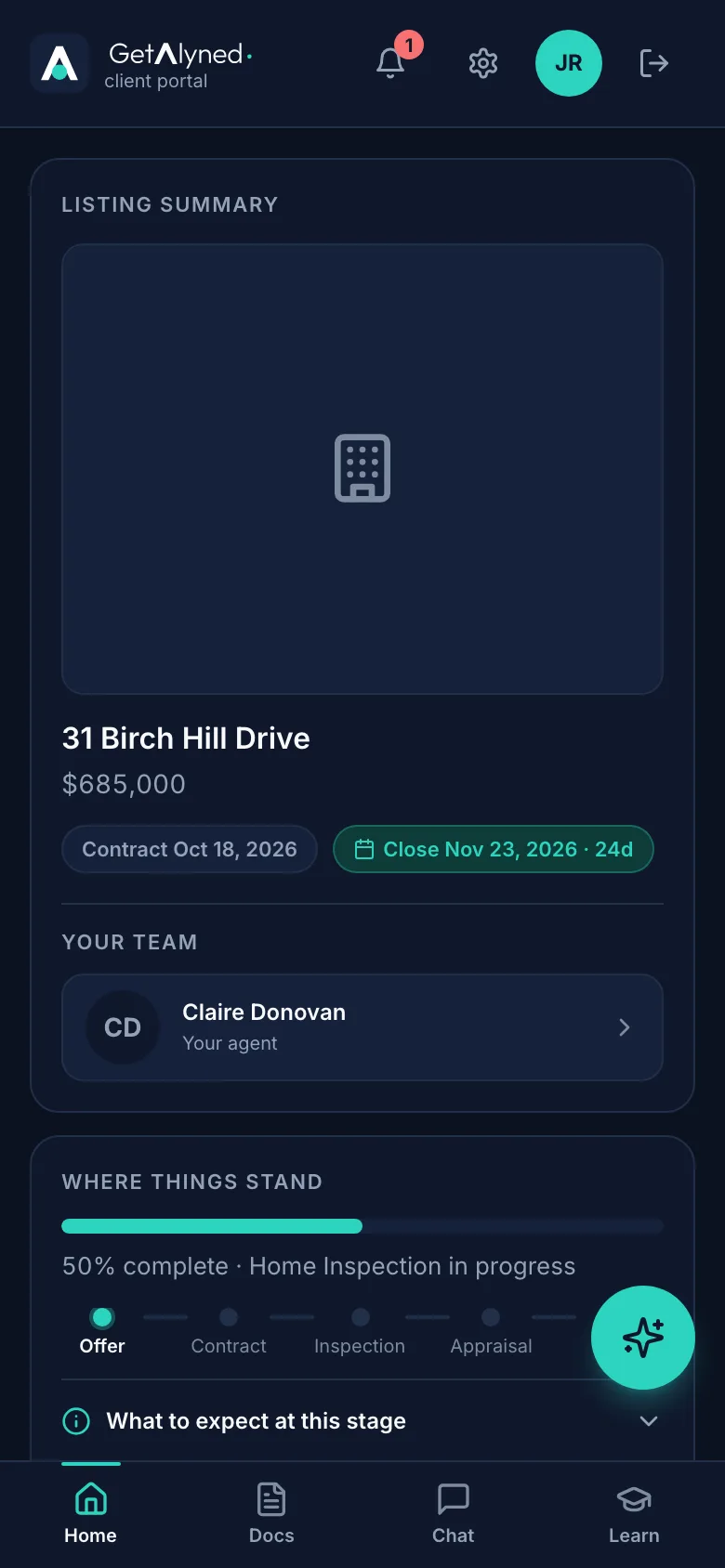
Your client opens Docs
On their phone, your client opens Docs in their portal.
-
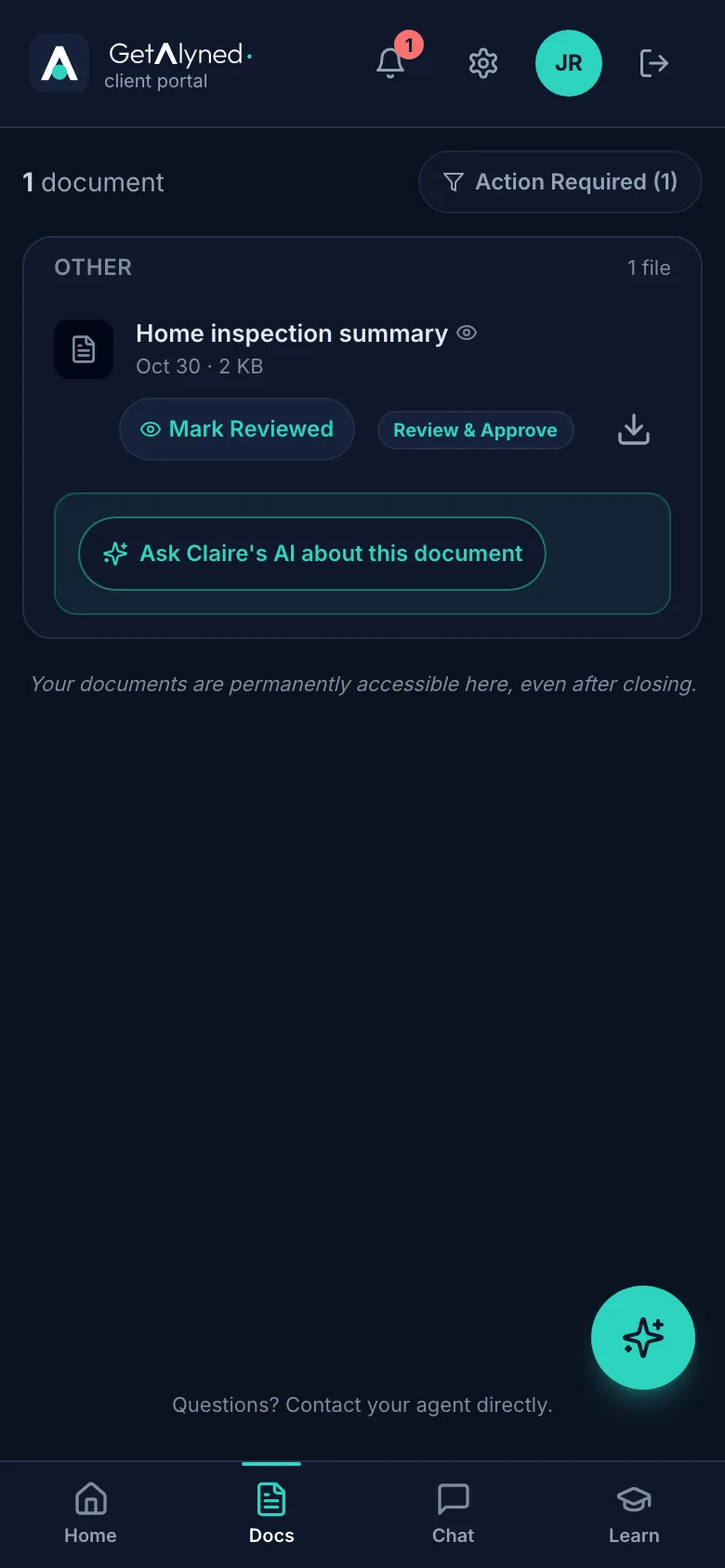
They open the document
Tapping the name opens the document. The download button saves it to their phone.
-
They mark it reviewed
When they've read it, they tap Mark Reviewed.
-
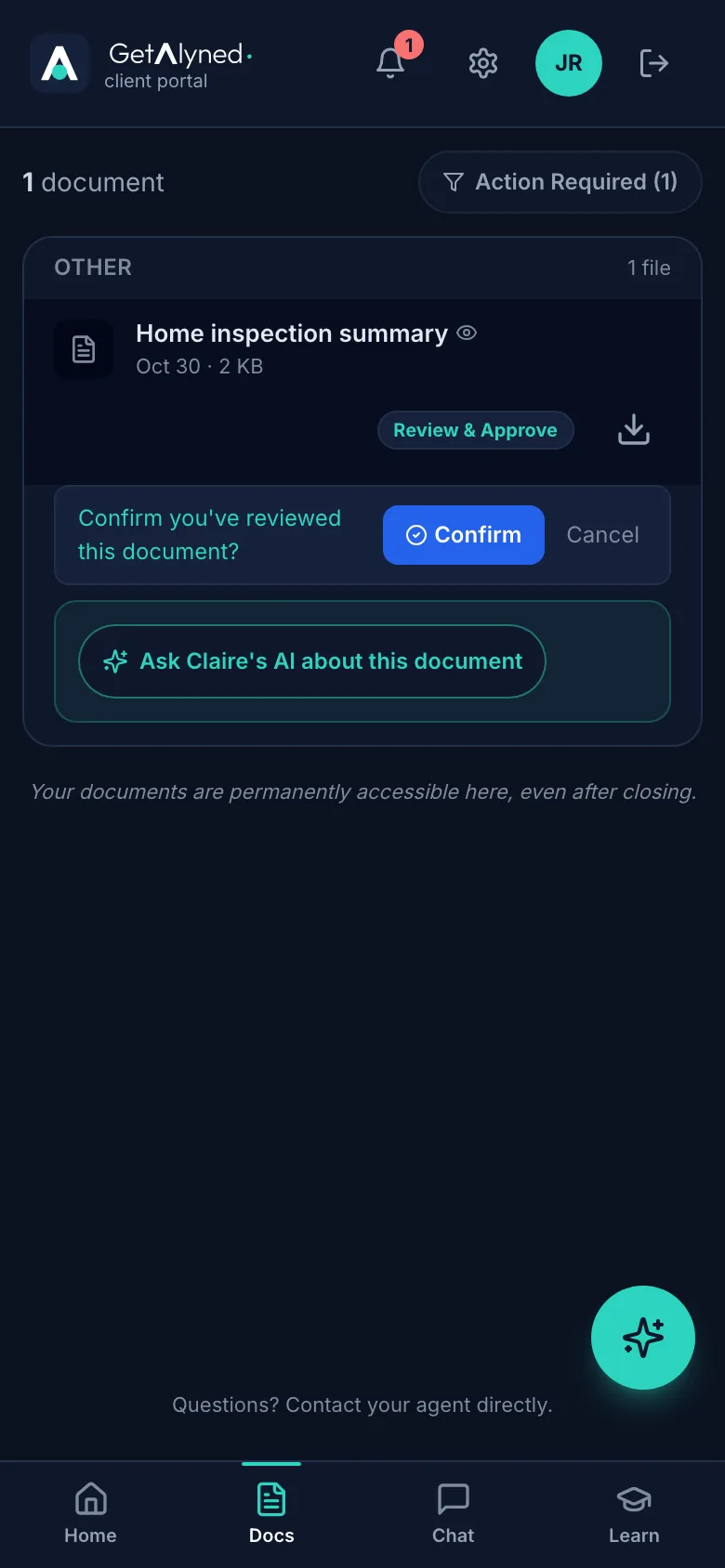
Confirm
They tap Confirm.
-
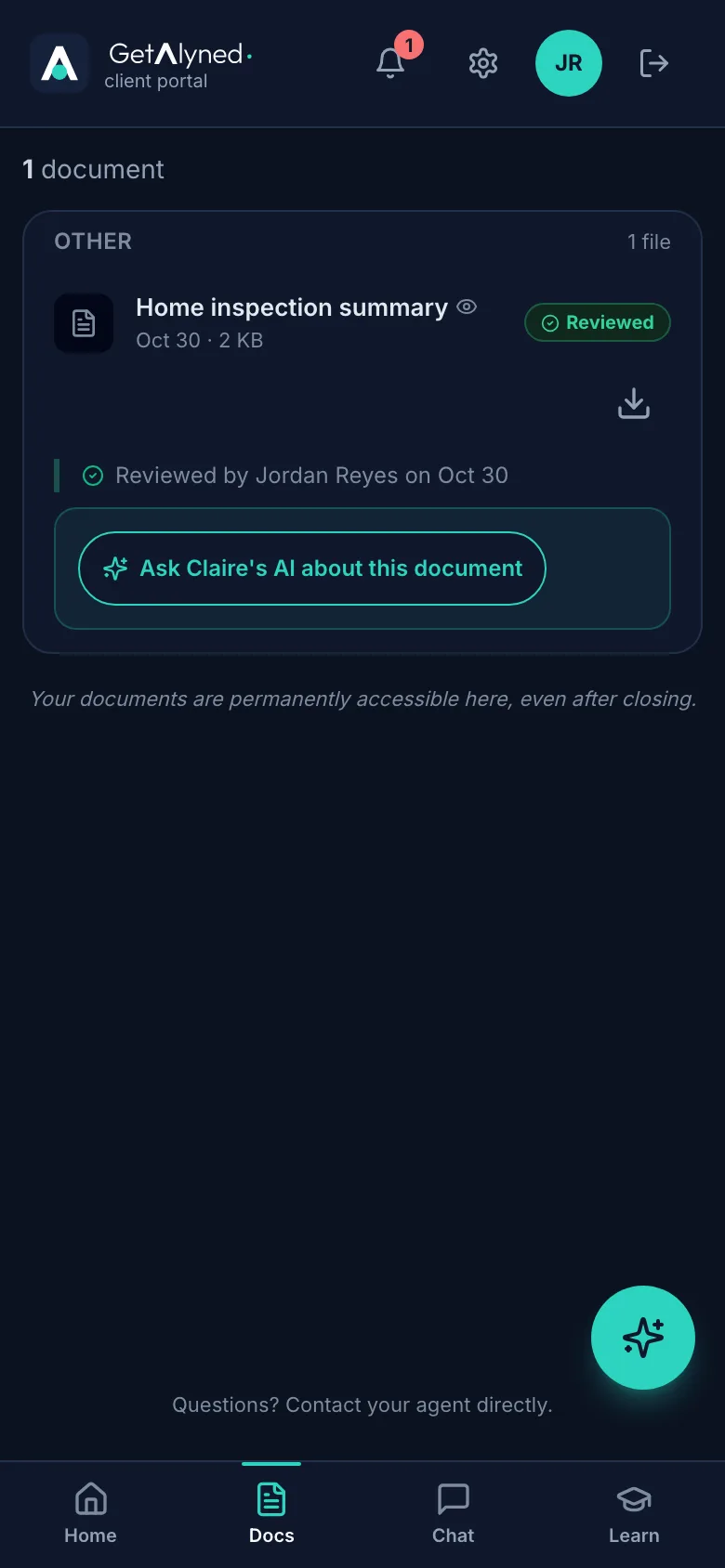
Reviewed
The document now shows who reviewed it and when.
-
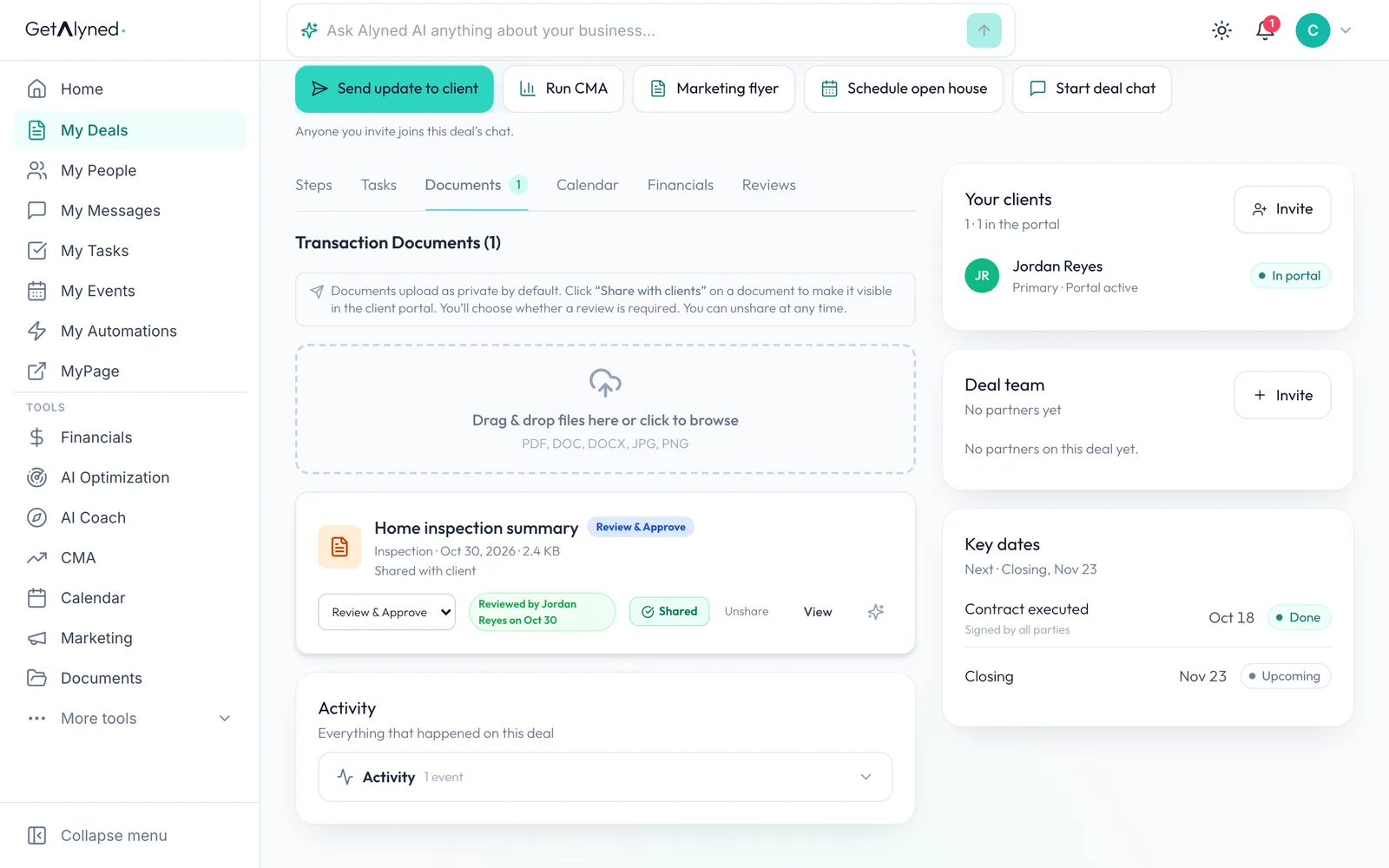
You see it too
Back on your deal, the document shows Reviewed by your client.
Related guides
- Invite your client to their portal · Send your client a private portal for their deal, then see what they see when they open the invitation and sign in.
- Move a deal forward · Change a deal's stage, check off steps as they're done, and see how your client is told right away in their portal.
- Close a deal · Finish the last steps on a deal, close it out, and see the commission show up in Financials.
- Start a buyer deal and use the deal chat · Set up a new purchase in a couple of minutes, bring in your client and your loan officer, and post your first update where everyone on the deal can see it.